SCORPIO 38’ - 45’ - MAINTENANCE & SERVICE - Remove the CW motor
Version 1.02 May 27, 2022
78
6.6 REMOVE THE CW MOTOR
The latest version of the Scorpio 38’ and the Scorpio 45’ offer the possibility to detach the
counterweight motor to reduce the height of the cranes under 2.10m (6’11’’).
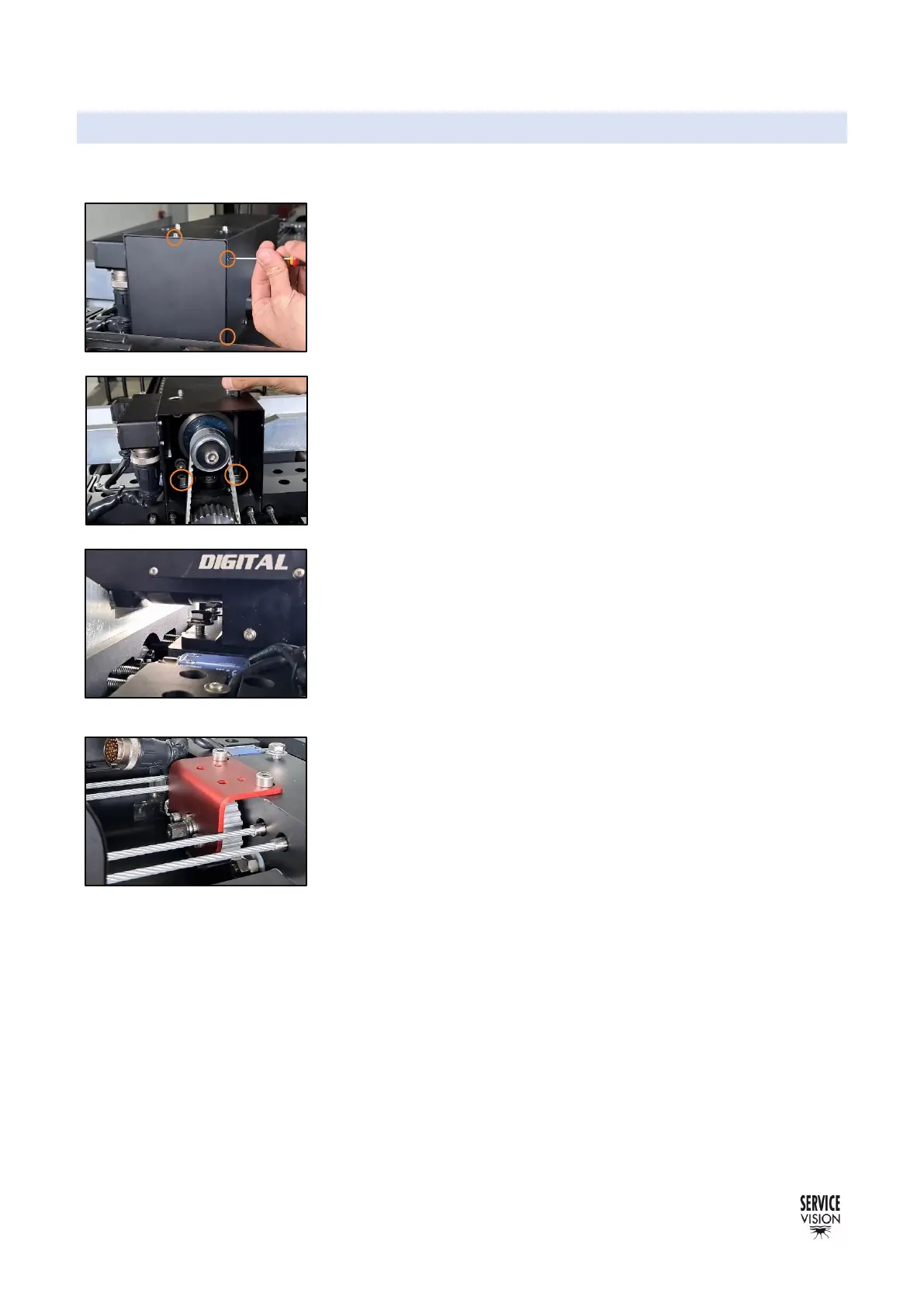
To do this operation, it is necessary to open the front cover of the
counterweights motor block by removing the 4 Philips screws on the
sides of the cover and the Allen screw on the top cover.
With the cover removed, the two front screws holding the motor
block can be completely removed using an Allen key from the holes
on top of the motor cover (fig. 06.27).
With the screws removed, proceed to disconnect the limits cable
and the main CW cable using and adjustable plier. Leave this cables
in a position where they do not suffer harm.
Proceed to loosen the two rear screws holding the motor block until
there is enough room to tilt the motor block and easily remove the
CW belt without changing the tension of this belt.
To assemble the CW motor again use the same process: tilt the
motor block until the belt can easily be attached and then tight all the
screws and connect the cables again.
It is important to notice that if there is nothing holding the gear of the
dynamic counterweights, they may move during the tilt motion of the
arm. To prevent this, mount the red part shown in fig. 06.29 to lock
the position of the endless screw on the CW.
First move manually the CW trolley to the desired locking position and
then attach the red part into the gear and the counterweight trolley to
prevent any motion of the endless screw.



 To Next Page