SCORPIO 38’ - 45’ - SPECIAL CONFIGURATIONS - Interface with Scorpio Heads
Version 1.02 May 27, 2022
SERVICEVISION BIS SL
Ríos Rosas, 20 · 08940 CORNELLA DE LLOBREGAT (Barcelona) Spain · Tel. 34 93 223 86 30 · Fax 34 93 223 86 31 85
comercial@servicevision.es · www.servicevision.es
8.1.3 BACK-PAN
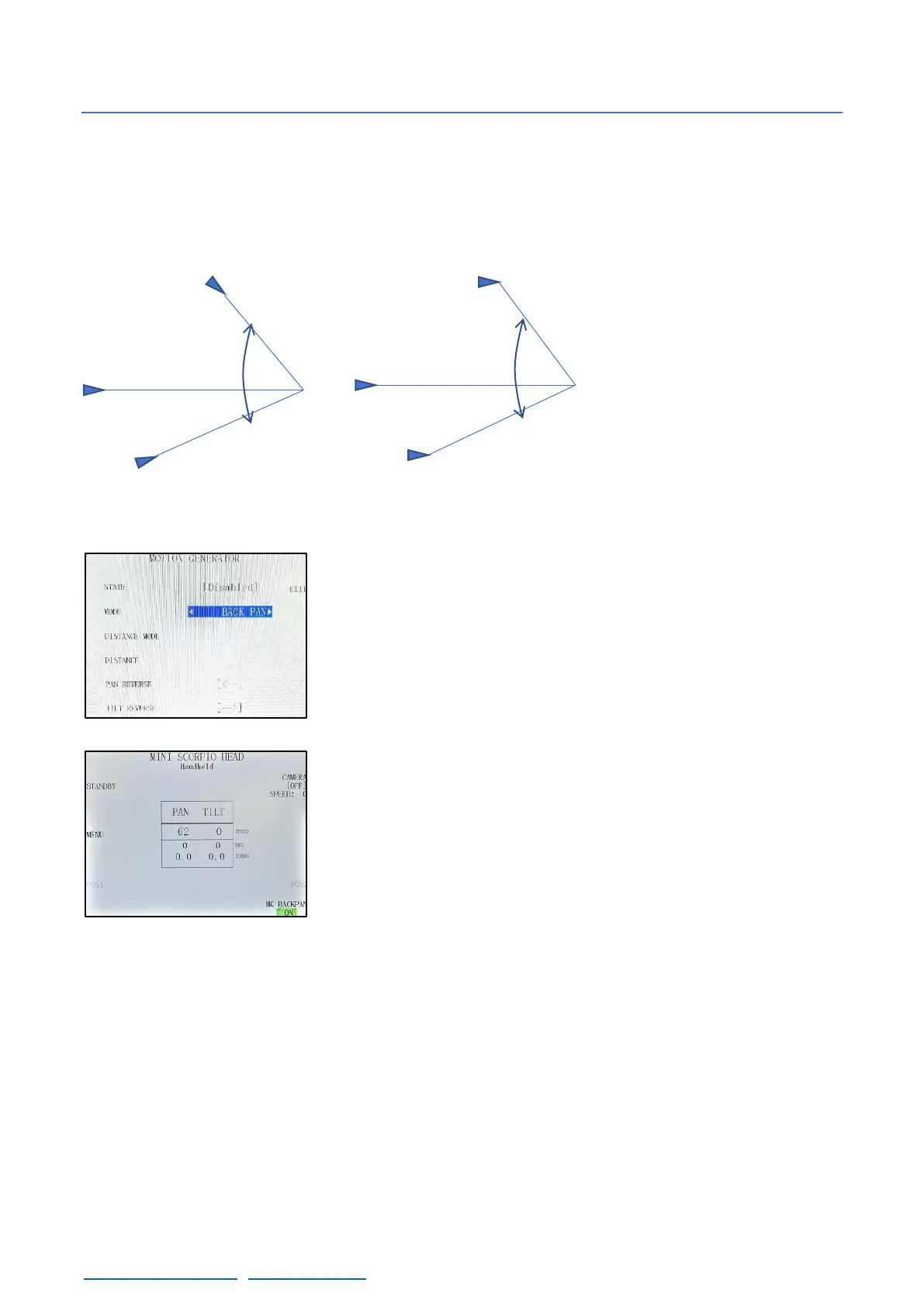
In a normal operation mode, the remote head holds always the same position respect the crane.
This means that if the arm of the crane swings left or right, the remote head will change the perspective
of the camera by the same number of degrees that the crane in order to maintain the same position
respect the crane (fig. 08.08).
The Back-Pan function makes
the head to hold the same infinity
point even if the crane swings left
or right (fig. 08.09). It will only
work in the Pan axis to correct
the swing of the crane.
To activate this function, select it in the MODE tab of the Motion
Generator menu by pressing on the sides of the name and change the
state from Disabled to Enabled by the same way.
In case that the remote head does not correct in the proper direction,
change the tab for PAN REVERSE. This tab is to change the direction
of correction depending on the model of the head or in case the head
is mounted Over slung.
If a shortcut is created, in the main screen it will be possible to
activate or deactivate it once it has been configured just by pressing
on the shortcut.
08.08 Camera point of view in different
positions of the arm
08.09 Camera point of view in different
positions of the arm w/ Back-Pan ON



 To Next Page