17
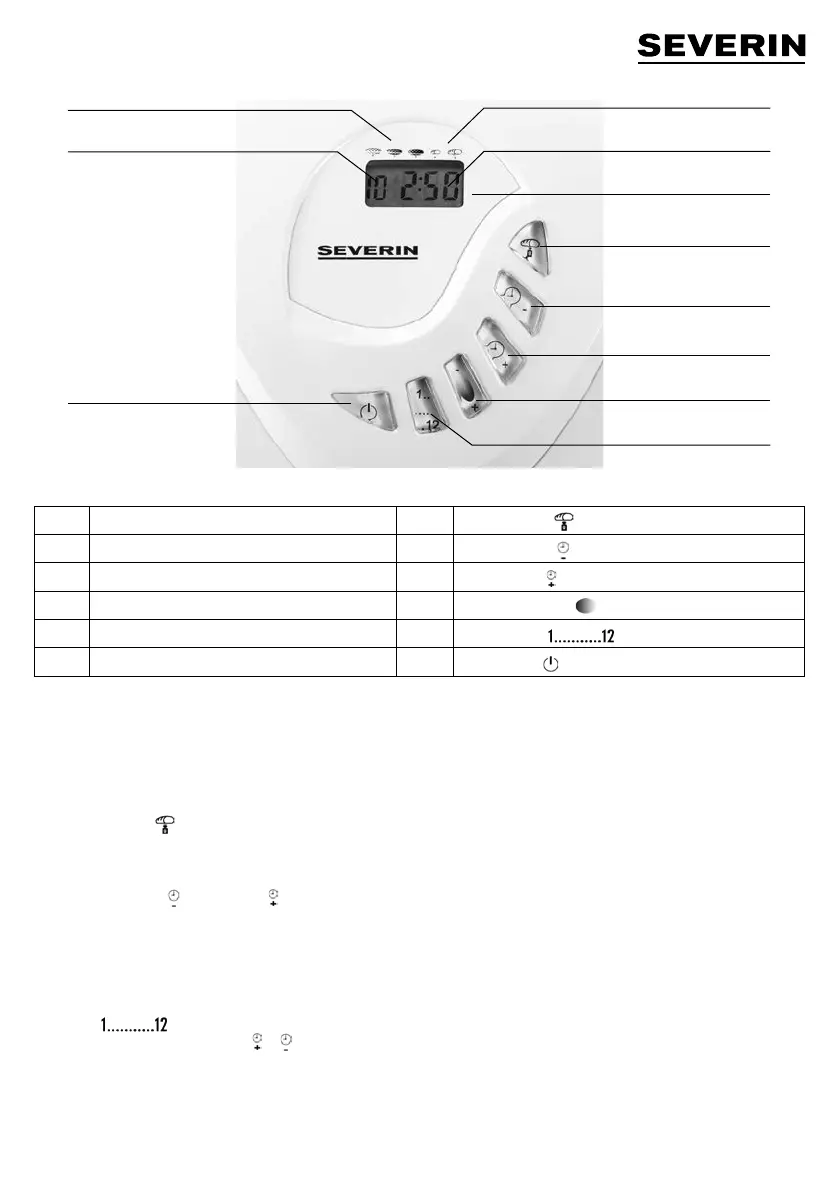
A Display B
Bread weight
a1 Display - programme C
Timer - minus
a2 Display - browning level D
Timer - plus
a3 Display - weight E
Browning control
a4 Display - running time F
Programme
G
Start / Stop
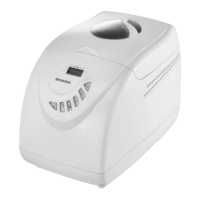
CONTROL PANEL
A Display
The display shows the programme selected, level of browning, weight and remaining running time. An active programme is
indicated by the continuously fl ashing colon in the time display.
B Loaf weight
Baking programmes 1, 2, 3, 5 and 11 allow for pre-selection of the loaf size. The selected weight is indicated in the form of an
arrowhead symbol beneath the corresponding bread symbol on the display.
C/D Timer - minus / Timer - plus
Programmes 1, 2, 3, 4, 5, 8, 10, 11 and 12 may be started with a delayed timer setting, enabling the selected programme to
fi nish up to 13:00 hours later.
Example:
You want to start the programme at 20:00, and you would like your bread to be fi nished at 7:30 the next morning. Accordingly, the
total programme running time will be 11 hours and 30 minutes.
∙ Use the button to select the desired programme.
∙ Press the appropriate timer button or until the display shows a total running time of 11:30.
∙ Add the ingredients following the instructions given in the section Operation. Avoid any contact between the yeast and fl uids or
salt.
∙ Do not use the timer function where a recipe requires the use of perishable ingredients such as eggs, fresh milk or fruit. The timer
function is also unsuitable for recipes which require the addition of any ingredients (e.g. nuts, grains or dried fruits) during the
kneading or rising phase.
B
A
C
D
E
F
a3
a4
G
a2
a1


 To Next Page