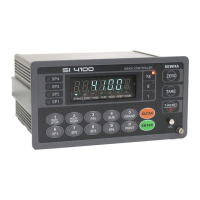
Digital Weighing Indicator
SI 4100
Print Format selection (If you install on Standard Serial Port)
Continuous Print : Serial No. and Weight will be printed continuously.
Single Print : Date, Time, S/N, ID No. Weighing Data will be print
Print Format selection (If you install on Optional Serial Port)
Continuous Print - Serial No. and Weight will be printed continuously.
Single Print - Date, Time, S/N, ID No. Weighing Data will be print
SUB/GRAND Total Data Delete selection
Manual Delete Mode
SUN Total Delete : “Clear” key + “P/N” key
GRAND Total Delete : “Clear” key + “S/N” key
Automatic Delete Mode
After SUB/GRAND Total Print, Automatically Deleted.
Paper Withdraw Rate setting (After SUB/GRAND Total Print)
Whenever set value increased, 1line will be added.
Paper Withdraw Rate setting (After Continuous/Single Print)
Whenever set value increased, 1line will be added.
Printing Language Selection (If you install on Standard Serial Port)
Printing Language Selection (If you install on Optional Serial Port)
Minus(-) symbol Print selection
Print minus(-) symbol, if the weight is minus(-).
Parallel Print Port selection
Parallel Port is not installed.
Share Standard Serial Port.
Share Optional Serial Port.
Function / Clear key Activation display selection
Activation display not use
Communication Interval Setting
Fast Speed (The interval is short)
Low Speed (The interval is long)


 To Next Page