78
SPECIAL FUNCTIONS
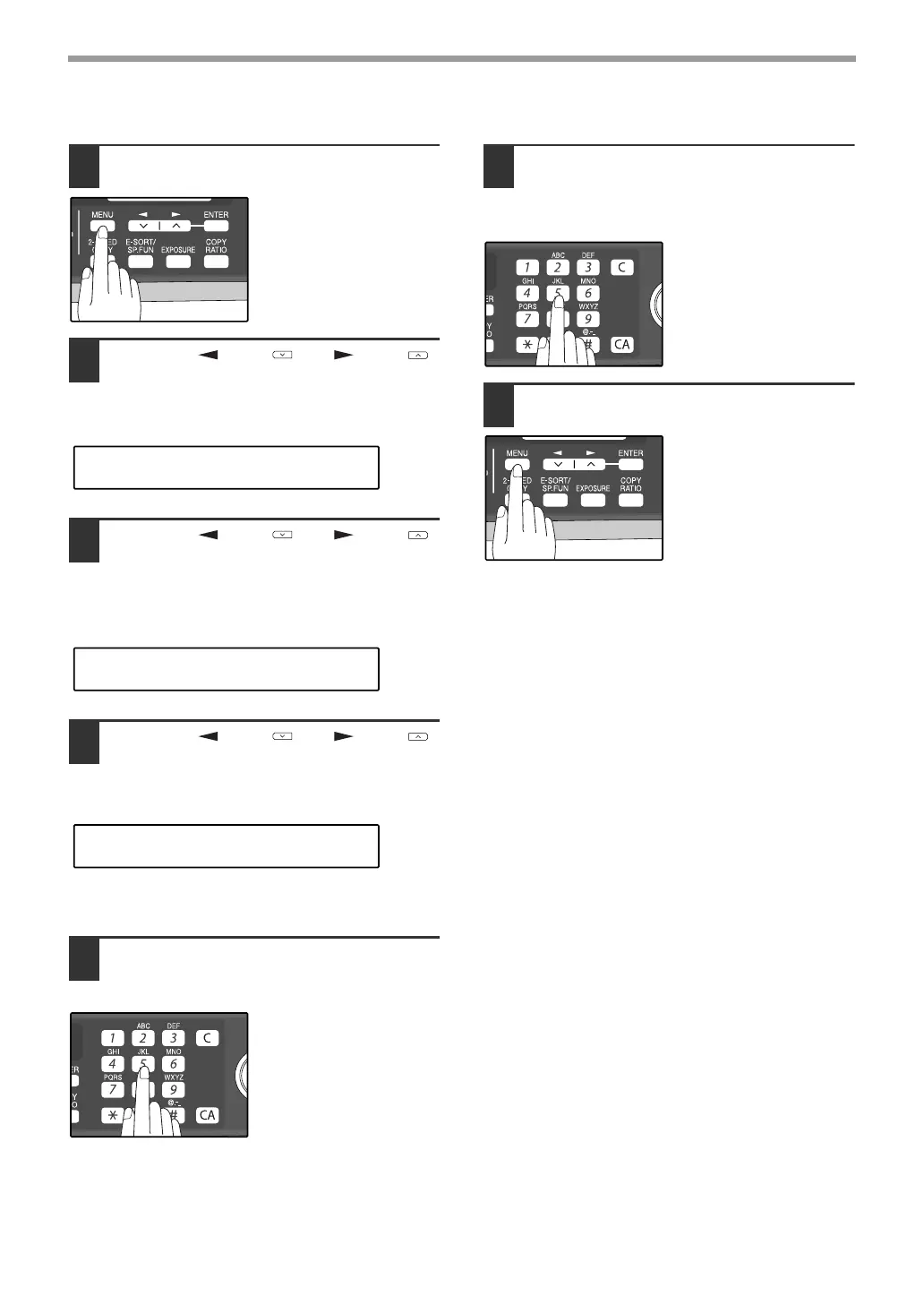
Programming/deleting passcode numbers:
1
Press the [MENU] key.
2
Press the [ ] key ( ) or [ ] key ( )
until "2:ENTRY MODE" appears, and
then press the [ENTER] key.
3
Press the [ ] key ( ) or [ ] key ( )
until "4:PASSCODE # MODE"
appears, and then press the [ENTER]
key.
4
Press the [ ] key ( ) or [ ] key ( )
to select "1:SET" and press the
[ENTER] key.
To delete a passcode number:
Select "2:CLEAR" and press the [ENTER] key.
5
Enter a two-digit number that will be
used to identify the passcode number
and then press the [ENTER] key.
To delete a passcode
number:
Enter the two-digit
number that identifies the
passcode number and
press the [ENTER] key.
The passcode is deleted.
6
Enter the passcode (fax number of the
machine to be allowed to poll your
machine) with the numeric keys and
press the [ENTER] key.
7
Press the [MENU] key.
Press the [MENU] key to
exit.
"2:ENTRY MODE"
Selection
"4:PASSCODE # MODE"
Selection
"1:SET"
Selection
!AR-FX13_sec.book 78 ページ 2007年11月28日 水曜日 午後4時22分


 To Next Page