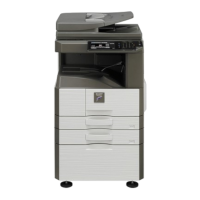
MX-M264U SIMULATION 6 – 34
30-2
Purpose
Operation test/check
Function (Purpose)
Used to check the operations of the sen-
sors and the detectors in the paper feed
section and the control circuits.
Section
Operation/Procedure
The operating conditions of the sensors and detectors are dis-
played.
The sensors and the detectors which are turned ON are high-
lighted.
40
40-2
Purpose
Adjustment/Setup
Function (Purpose)
Manual paper feed tray paper width sensor
adjustment.
Section
Paper feed
Operation/Procedure
1) Open the manual paper feed guide to the max. width (MAX).
2) Press [EXECUTE] key.
The max. width (MAX) detection level is recognized.
3) Open the manual paper feed guide to P1 width (A4R).
4) Press [EXECUTE] key.
The P1 width (A4R) detection level is recognized.
5) Open the manual paper feed guide to P2 width (A5R).
6) Press [EXECUTE] key.
The P2 width (A5R) detection level is recognized.
7) Open the manual paper feed guide to the min. width (MIN).
8) Press [EXECUTE] key.
The min. width (MIN) detection level is recognized.
When the above operation is not performed normally, "ERROR" is
displayed. When completed normally, "COMPLETE" is displayed.
40-7
Purpose
Adjustment/Setup
Function (Purpose)
Used to set the adjustment value of the
manual paper feed tray paper width sensor.
Section
Paper feed
Operation/Procedure
1) Select a target item to be adjusted with scroll keys.
2) Enter the set value with 10-key.
3) Press [OK] key.
The set value in step 2) is saved.
41
41-1
Purpose
Operation test/check
Function (Purpose)
Used to check the operations of the docu-
ment size sensor and the control circuit.
Section
Operation/Procedure
The operating conditions of the sensors and detectors are dis-
played.
The sensors and the detectors which are turned ON are high-
lighted.
41-2
Purpose
Adjustment
Function (Purpose)
Used to adjust the document size sensor
detection level.
Section
Operation/Procedure
1) Open the document cover, and press [EXECUTE] key without
place a document on the document table.
The sensor level without document is recognized.
2) Set A3 (11" x 17") paper on the document table, and press
[EXECUTE] key.
The sensor level when detecting the document is displayed.
When the above operation is normally completed, it is displayed.
C1PFD Cassette 1 paper entry detector
C1LUD Cassette 1 paper upper limit detector
C1PED Cassette 1 paper empty detector
C1SS Cassette 1 detector
C2PFD Cassette 2 paper entry detector
C2LUD Cassette 2 paper upper limit detector
C2PED Cassette 2 paper empty detector
C2SS Cassette 2 installation detector
DSW_C2 Cassette 2 door open/close detector
MPED Manual feed paper empty detector
MPLD1 Manual feed paper length detector 1
MPLD2 Manual feed paper length detector 2
MTOP1 Manual feed tray detector 1
MTOP2 Manual feed tray detector 2
MAX POSITION Manual feed max. width
P1(A4R)POSITION Manual feed P1 position width (A4R)
P2(A5R)POSITION Manual feed P2 position width (A5R)
MIN POSITION Manual feed min. width
Item/Display Content
Default
value
A MAX POSITION Manual feed max. width 235
B P1 (A4R) POSITION Manual feed P1 position width
(A4R)
143
C P2 (A5R) POSITION Manual feed P2 position width
(A5R)
78
D MIN POSITION Manual feed min. width 27
OCSW Document cover status Open: Normal display
Close: Highlighted
PD1 - 7 Document detection
sensor status
No document: Normal display
Document present: Highlighted
Sensor
name
Content
Setting
range
Defaul
t value
PD1 - 7 Document detection sensor 1 - 7 0 - 255 128





 To Next Page