10
MAKING COPIES
●
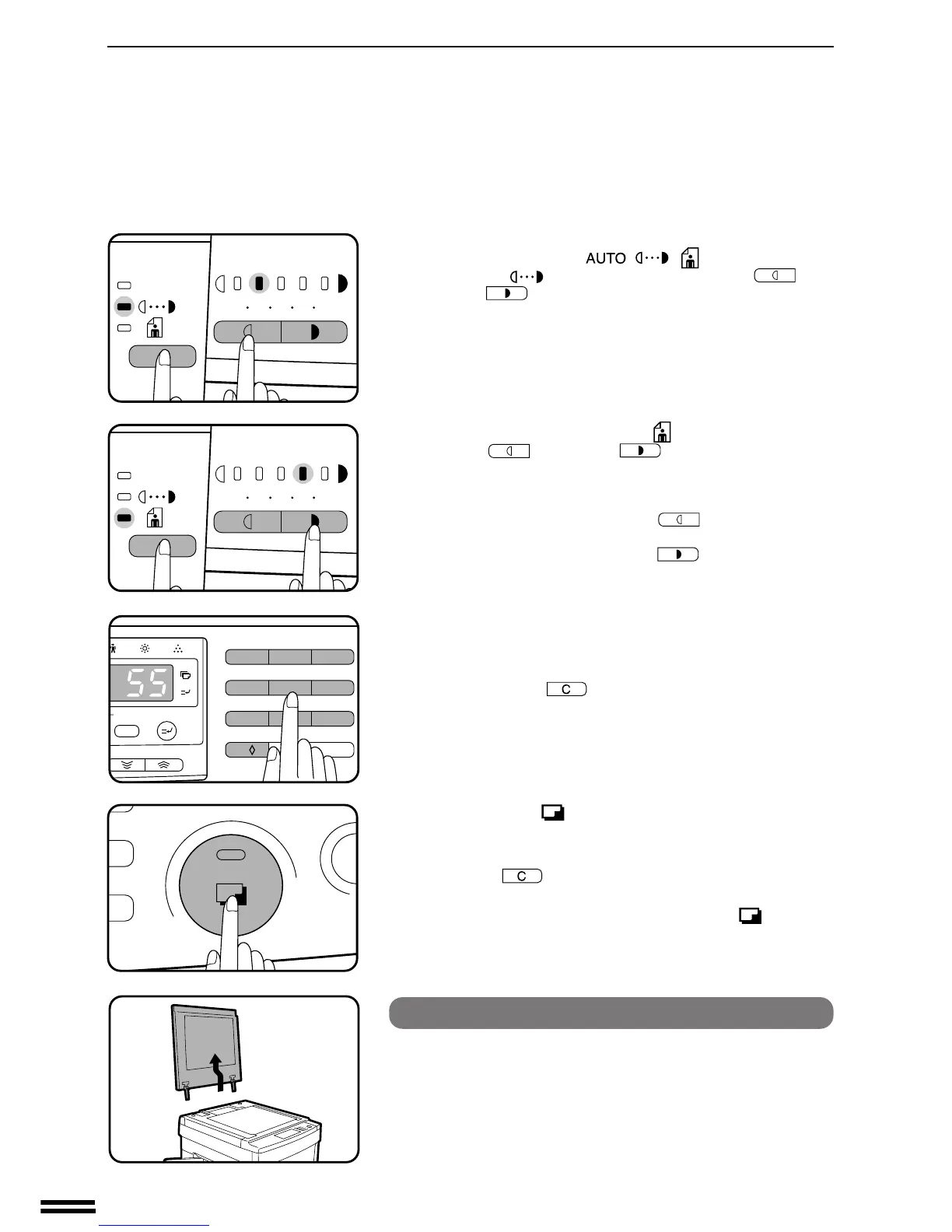
For manual copy density adjustment, press the AUTO/
MANUAL/PHOTO ( / / ) key to select
MANUAL ( ) and adjust with the LIGHT ( ) and
DARK ( ) keys as desired.
●
For photographs, select PHOTO ( ) and then adjust with the
LIGHT ( ) and DARK ( ) keys as desired.
●
There are 9 exposure steps indicated by 5 indicator lights. (The
indicators light up one or two at a time.)
Successive pushes of the LIGHT ( ) key will change the
indicator lights in the order (3) / (3•2) /
(2) / (2•1) / (1).
Successive pushes of the DARK ( ) key will change the
indicator lights in the order (3) / (3•4) / (4) / (4•5)
/ (5).
6
Set the number of copies using the 10-key pad.
●
A single copy can be made with the initial setting, i.e., when “0”
is displayed.
●
Press the clear ( ) key to clear an entry if a mistake is
made.
7
Press the print ( ) button.
●
The number in the copy quantity display will decrease by 1 each
time a copy is made.
●
Press the key to stop copying in the middle of a run.
●
To repeat the same copy sequence for a different original,
simply replace the original and press the print ( ) button.
How to remove the document cover
The document cover can be removed to allow copying of
bulky objects. To remove it, open the document cover and
lift it at a slight backward angle.
●
To re-attach the document cover, reverse the above procedure.
NORMAL COPYING
Normal copying



 To Next Page