14
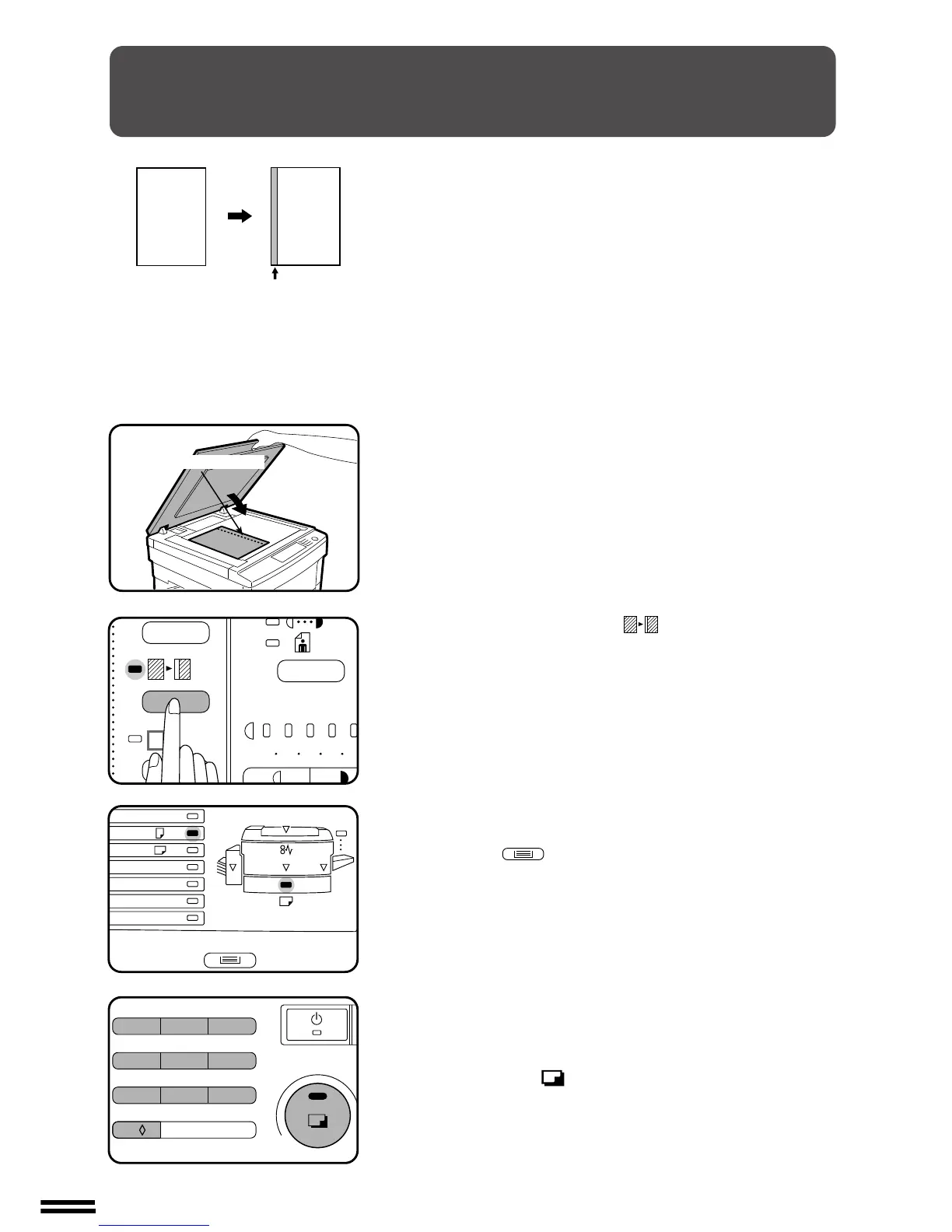
MAKING COPIES
1
Place the original on the document glass and close the
document cover.
●
If an optional automatic document feeder (ADF) is installed, it
can also be used for this feature.
2
Press the MARGIN SHIFT ( ) key.
3
Check the copy paper size.
●
If an optional multi bypass feeder is installed, use the TRAY
SELECT ( ) key to select the desired paper size.
4
Set the number of copies.
5
Press the print ( ) button.
MARGIN SHIFT
The MARGIN SHIFT feature automatically shifts the text or image to
the right to increase the left margin by approximately 9 mm (1/4").
Margin shift
123
4
5
A3
A4
A4
A5
B4
R
EXTRA
✕
1
2
/
8
13



 To Next Page