17
MAKING COPIES
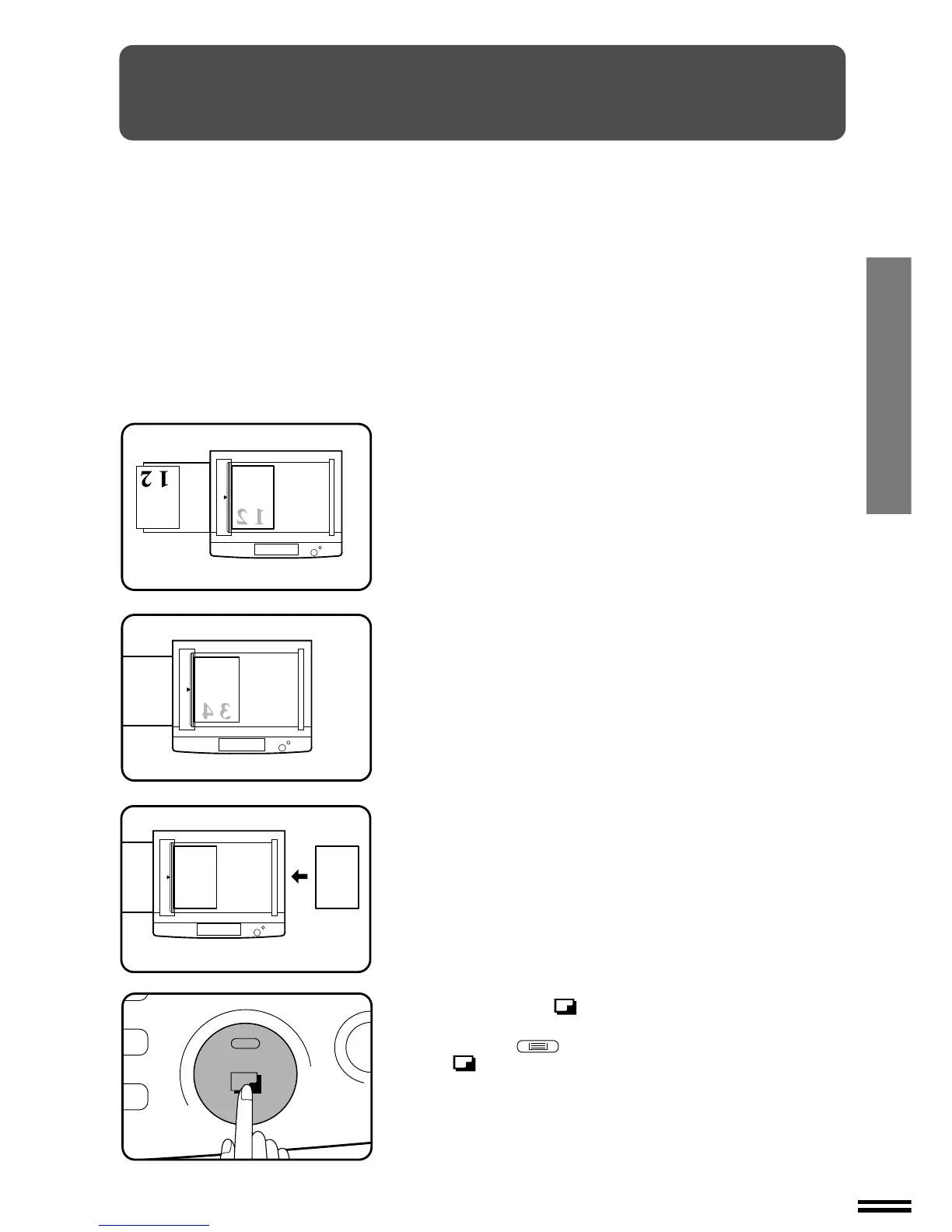
TWO-SIDED COPYING
Two-sided copies can be made on this copier using the single-sheet
manual bypass or the optional multi bypass feeder (SF-MF15).
1
Place the first original on the document glass and make
a copy.
●
The first copy can be made using any of the paper feed stations.
2
Replace the first original with the second original. Close
the document cover.
●
Make sure that the first and second originals are oriented in the
same way on the document glass.
3
Turn the first copy over without changing its top-bottom
orientation and feed it into the manual bypass.
4
Press the print ( ) button.
●
When using the optional multi bypass feeder, use the TRAY
SELECT ( ) key to select the bypass and press the print
( ) button. Be sure to feed the copies one sheet at a time.
Two-sided copying



 To Next Page