26
GENERAL INFORMATION
PART NAMES AND FUNCTIONS
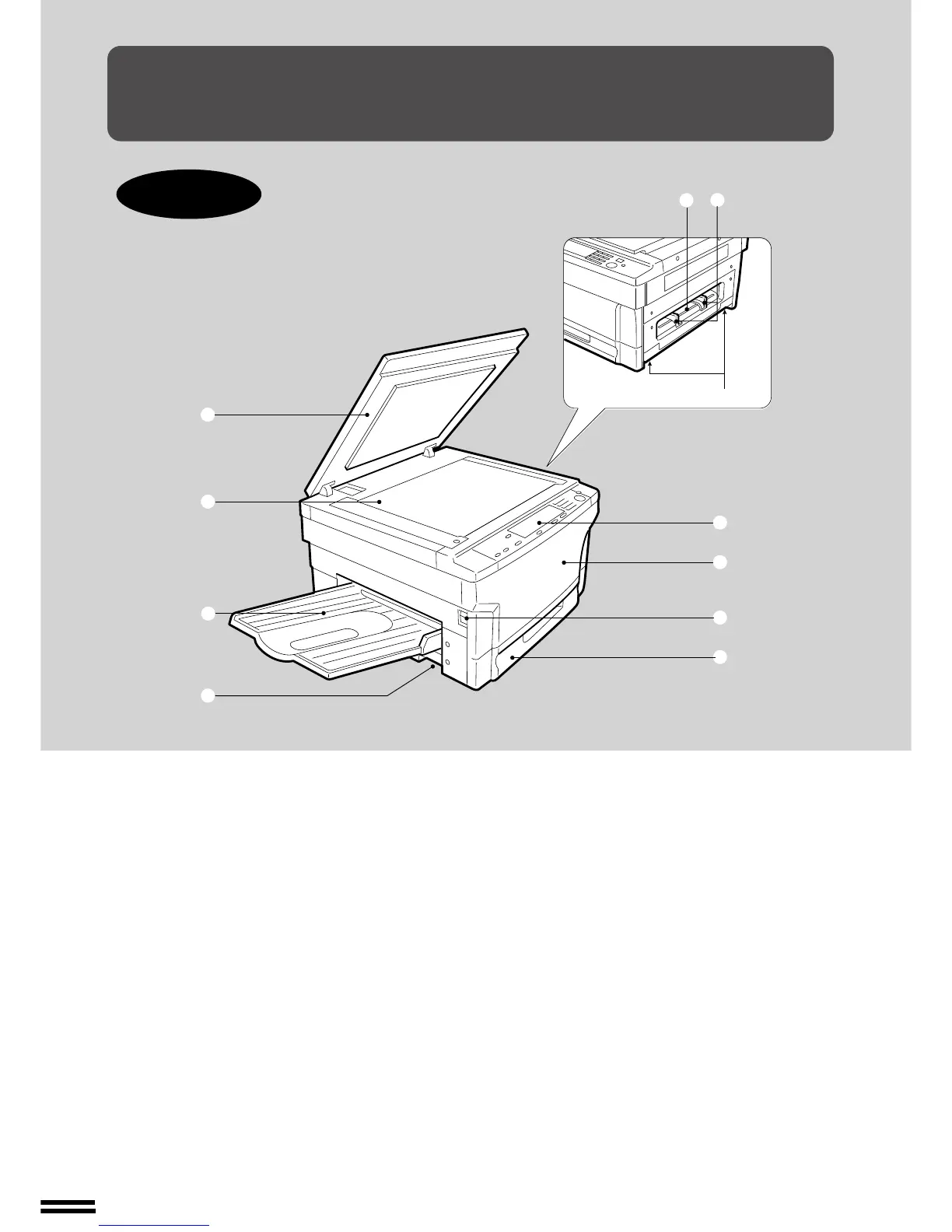
Overall layout
q Document cover
Place the original on the document glass and close
the document cover before copying starts.
w Document glass
Place the document to be copied here.
e Exit tray
Finished copies are deposited in the exit tray.
r Handles
t Manual bypass
Special papers (including transparency film) and
copy paper can be fed from the manual bypass.
y Manual bypass guides
Adjust to the width of the copy paper.
u Operation panel
All copier controls are located here for easy
operation.
i Front cover
Open to remove misfeeds and to service the copier.
o Power switch
Press to turn copier power on and off.
!0 Paper tray
Holds 250 sheets of copy paper.
Part names and functions
y
t
r
e
w
q
!0
o
i
u
r



 To Next Page