6
GETTING STARTED
The toner required ( ) indicator will light up when toner
concentration level in the developer unit is low. Please read on
to determine when toner must be added. If copying is continued
while the indicator is lit, copies will gradually become
lighter until the copier stops and the indicator begins blinking.
The indicator may also begin blinking during long copy
runs of multiple dark originals, even though toner is left. If the
indicator begins to blink, the copier will stop making copies.
Open and close the front cover. After a sufficient amount of
toner has been fed, the indicator will go out and the
READY indicator will light up. Press the print ( ) button to
resume copying.
After completion of toner replenishment, if the indicator
and the READY indicator are both on, or if the indicator
blinks while the READY indicator is off, then toner must be
added as described below.
For best copying results, be sure to use only
Sharp products.
The package of Sharp toner has the Genuine
Supplies label.
ADDING TONER
Adding toner
GENUINE SUPPLIES
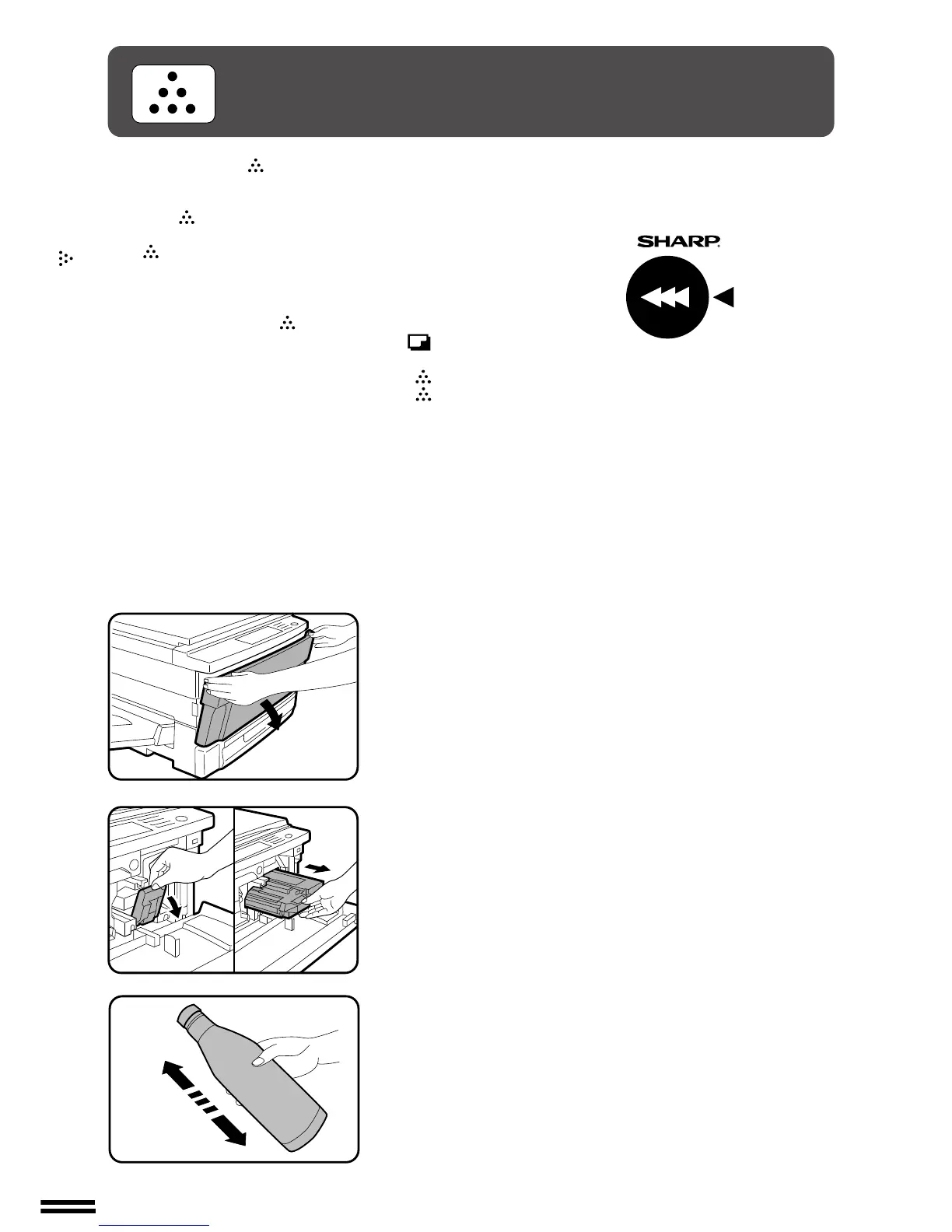
1
Open the front cover.
2
Pull down the developer unit lock lever and pull the
developer unit out slowly until it stops.
3
Hold the new toner bottle as shown and shake it four or
five times.
4 or 5 times



 To Next Page