16
MAKING COPIES
SPECIAL PAPERS (manual feed)
The single-sheet manual bypass can be used to feed standard paper,
transparency film, label stock, tracing paper and other special purpose
papers measuring from A6 to A3 (5-1/2" x 8-1/2" to 11" x 17"). (See
page 43.)
1
Place the original on the document glass and close the
document cover.
2
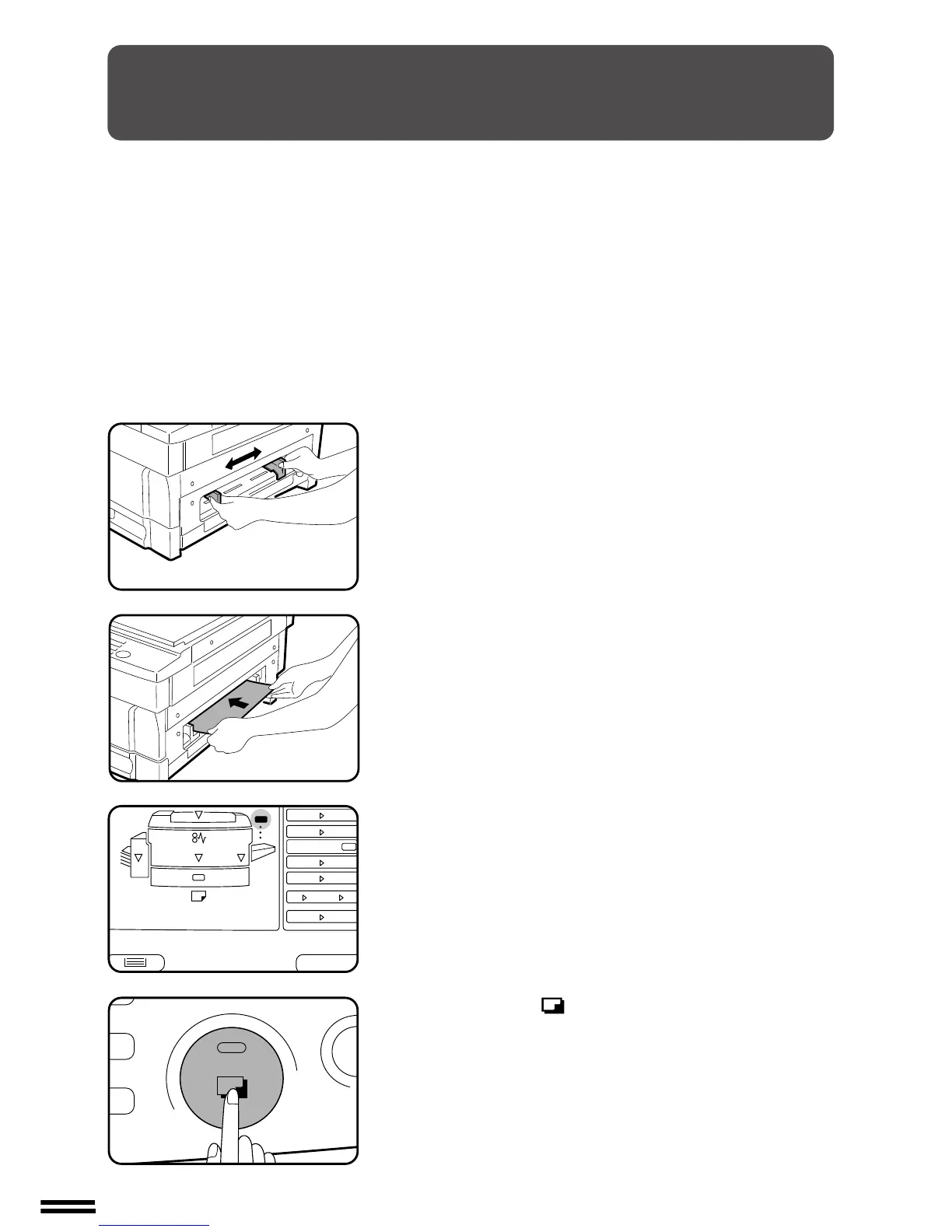
Adjust the manual bypass paper guides to the width of
the copy paper.
3
Insert a single sheet of paper all the way into the feed
slot.
●
A6 sized paper must be fed narrow side into the feed slot.
●
The bypass indicator in the TRAY SELECT section of the
operation panel will light up.
4
Press the print ( ) button.
Special papers (manual feed)



 To Next Page