56
OPTIONAL EQUIPMENT
Using the ADF
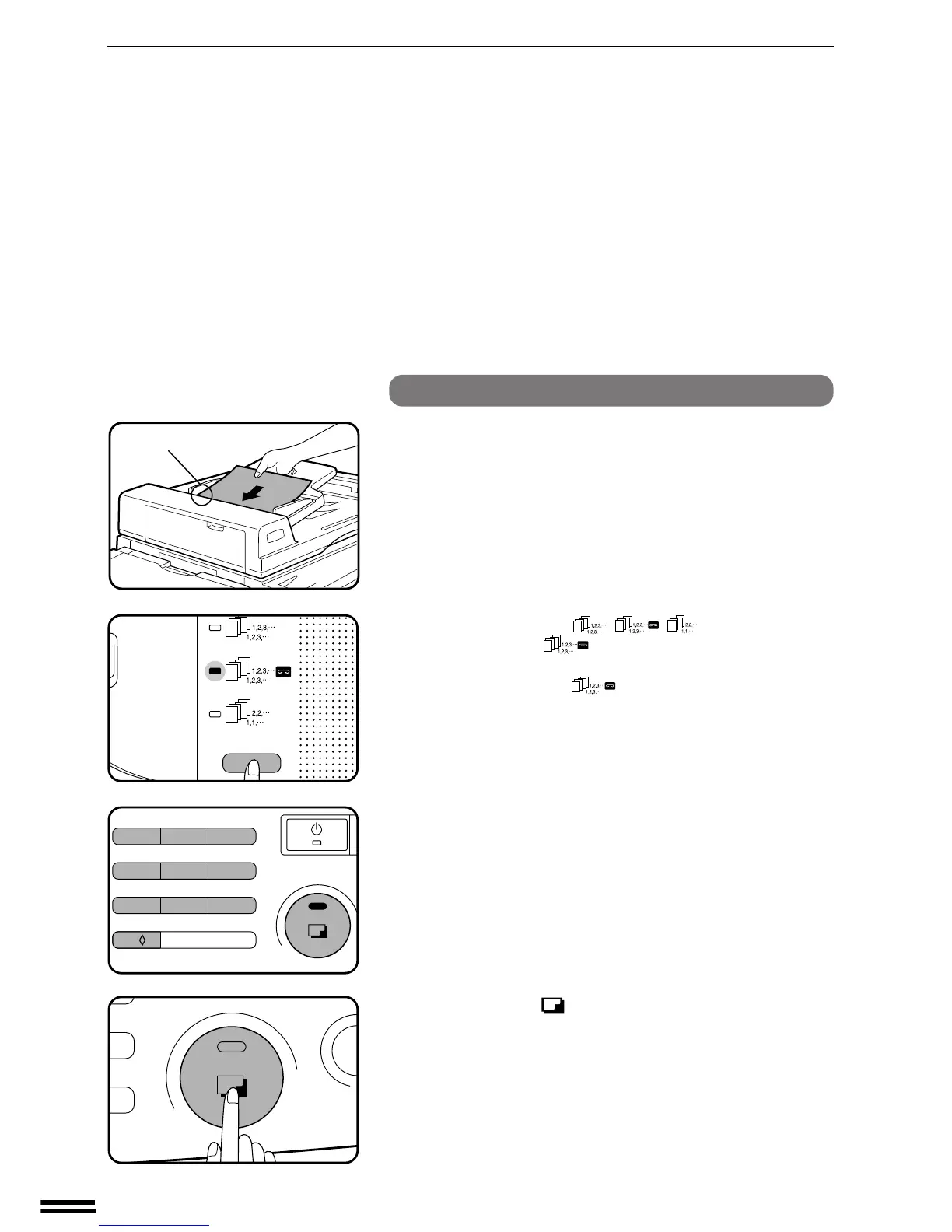
1
Set the originals in the document feeder tray face up
with the stapling position in the upper left corner.
●
If the number of copies to be delivered into each bin is more than
30 for A5, A4 or A4R (5-1/2" x 8-1/2", 8-1/2" x 11" or 8-1/2" x
11"R) paper or 15 for B4 or A3 (8-1/2" x 14" or 11" x 17") paper,
the copies will not be stapled.
Do not press the manual staple key in this case.
2
Press the SORTER ( / / ) key to select the
STAPLE SORT (
) mode.
●
Make sure that there is no paper in any sort bin before selecting
the STAPLE SORT ( ) mode.
3
Set the number of copies.
●
Up to 10 sets can be made.
4
Press the print ( ) button.
●
When copying and sorting are completed, each set of copies will
be automatically stapled.
●
Sets of copies containing copies of different width will not be
stapled.
10-BIN STAPLE SORTER (SF-S54)
10-bin staple sorter (SF-S54)
Stapling location



 To Next Page