23
STATUS INDICATORS
MISFEED REMOVAL
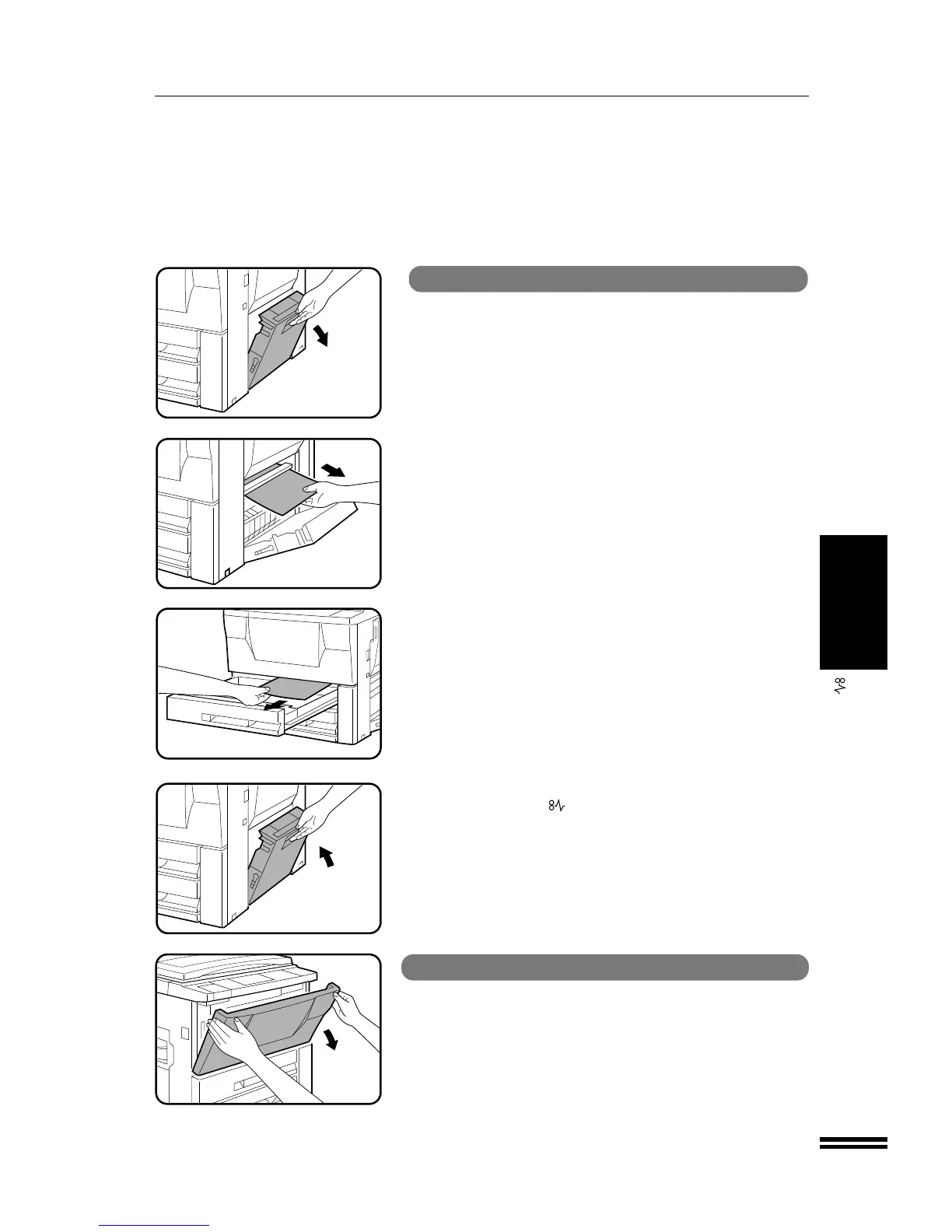
Misfeed removal
Misfeed in a paper tray
1
Open the side cover.
NOTE:
If the transport area misfeed indicator is lighted, clear the transport
area first. (See below, “Misfeed in the transport area.”)
2
Remove the misfed paper.
●
Be careful not to tear the misfed paper during removal.
3
If the paper cannot be seen from the side, pull out the
paper tray and remove the misfed paper.
●
Be careful not to tear the misfed paper during removal.
4
Close the paper tray and the side cover.
●
Confirm that the indicator has gone out.
Misfeed in the transport area
1
Open the front cover.



 To Next Page