24
STATUS INDICATORS
2
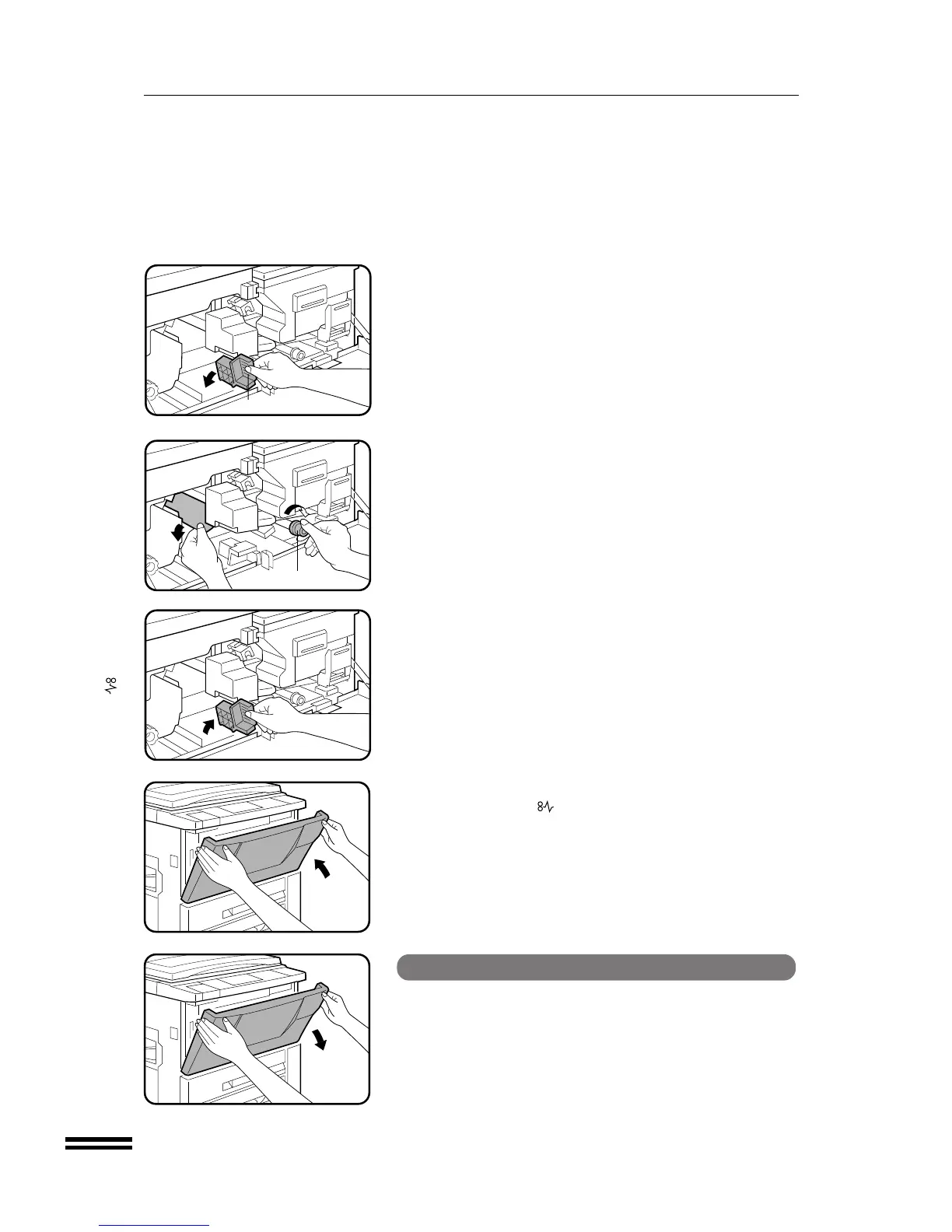
Turn the transport lever to the left.
3
Turn the roller rotating knob in the direction of the arrow
to remove the misfed paper.
4
Turn the transport lever back into place.
5
Close the front cover.
●
Confirm that the indicator has gone out.
MISFEED REMOVAL
Misfeed around the fusing unit and exit area
1
Open the front cover.
Misfeed removal
Transport lever
Roller rotating knob



 To Next Page