20
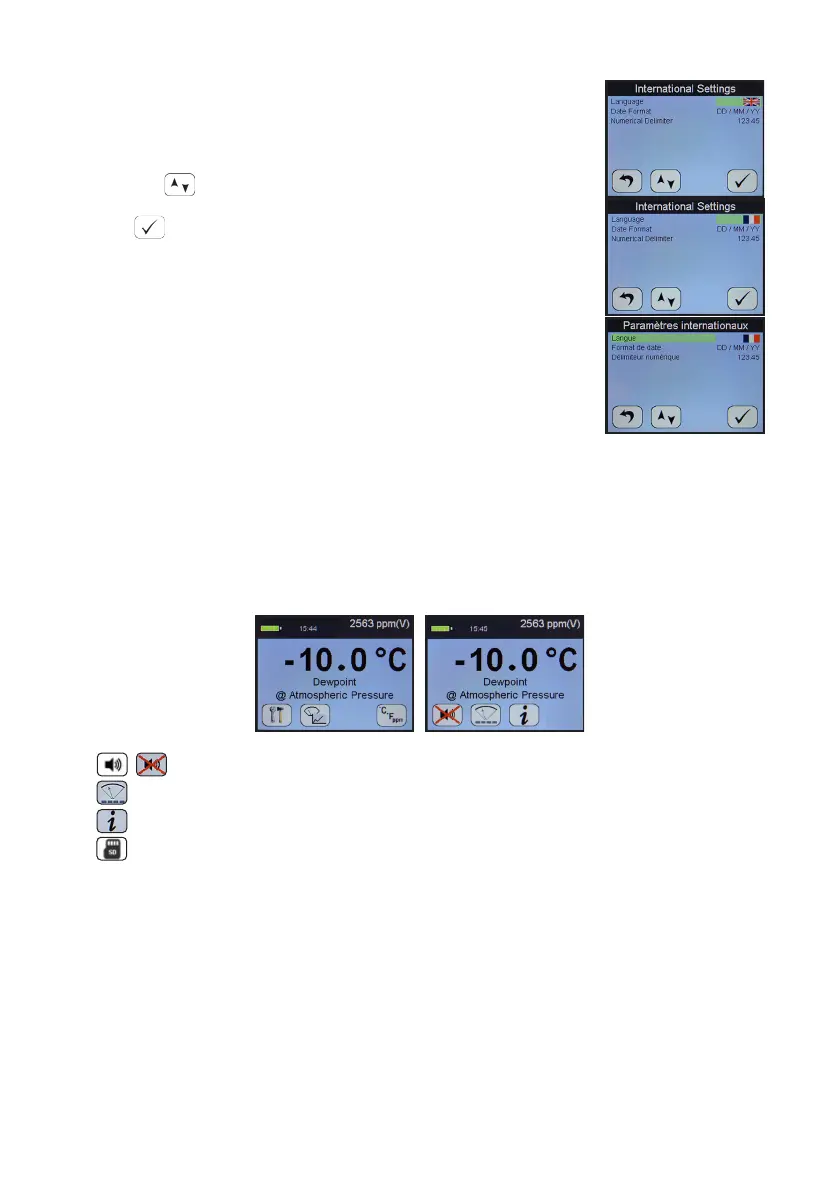
SDHmini operates with the following 10 language opons:
English, German, French, Spanish, Portuguese, Russian,
Italian, Chinese, Japanese and Korean.
Use the to select the ag required.
And to accept the choice.
The Date Format i.e. DD/MM/YY or MM/DD/YY is also chosen
from within the Internaonal Sengs menu.
And nally, numbers can be presented 123.45 or 123,45.
Note: These sengs are carried through to any data les and
printer outputs where appropriate.
7.4 Hotkeys
To access the hotkeys from the main screen, press key 5 on the keypad.
The four so keys are replaced by a new set of hotkeys for a short while. These are
available for rapid access to certain areas of the menu structures or funcons.
Turns ON and OFF the inbuilt sounder
Accesses the alternave moving coil graphical viewing screen
Takes the user to the Informaon screen
If the SDHmini is connected to a PC then the second hotkey is replaced
by an SD card symbol


 To Next Page