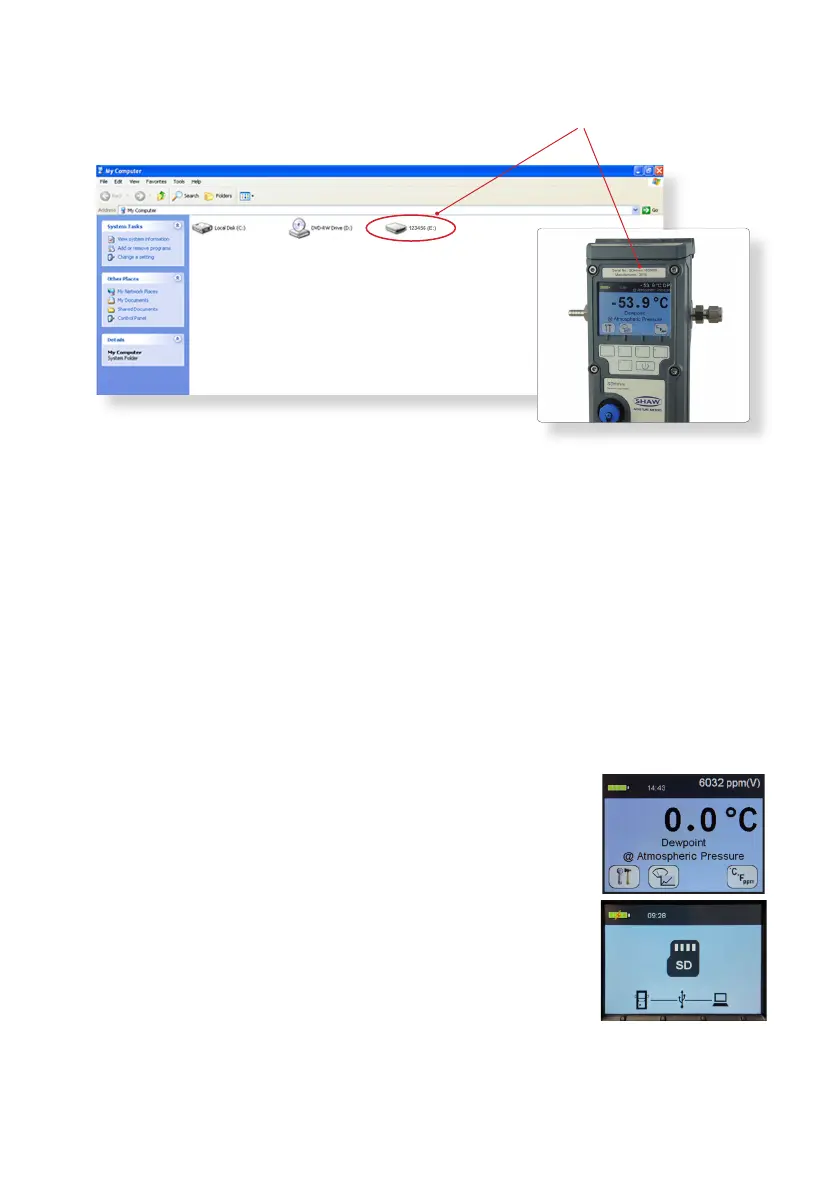
Click on the folder or removable disk. The instrument serial number
e.g. 123456 and folder tle should match.
This saves the User Tool Setup to the PC.
Open the folder for the SHAW SDHmini User Tool Setup soware.
Double click the SHAW SDHmini User Tool Setup icon and install via the
Windows wizard.
Select installaon folder to save your soware download in your chosen folder
on the PC.
Once the installaon is complete a dialogue box will appear saying “Installaon
Complete”. A shortcut icon will appear on the desktop. Close the dialogue box.
Safely remove the USB ash drive from your PC.
8.2 Extracng the SDHmini User Tool Soware from the
Instrument
To install
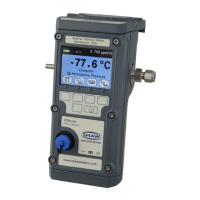
Connect the USB cable provided to the instrument and
PC.
Switch on the instrument.
Press key 5 on the instrument to access the hotkeys and
you will see the SD card symbol (key 2).
Press key 2 on the instrument and the SD card symbol
screen will appear.
On your PC open the “my computer” or “computer”
folder (the folder tle will depend on which Windows
Operang System you are running).
Click on the folder or removable disk. The instrument number, e.g. 123456, and
folder tle should match.
•
•
•
•
•
•
•
22
•
•
•
•
•
•


 To Next Page