23
This saves the SHAW SDHmini User Tool Setup to the PC.
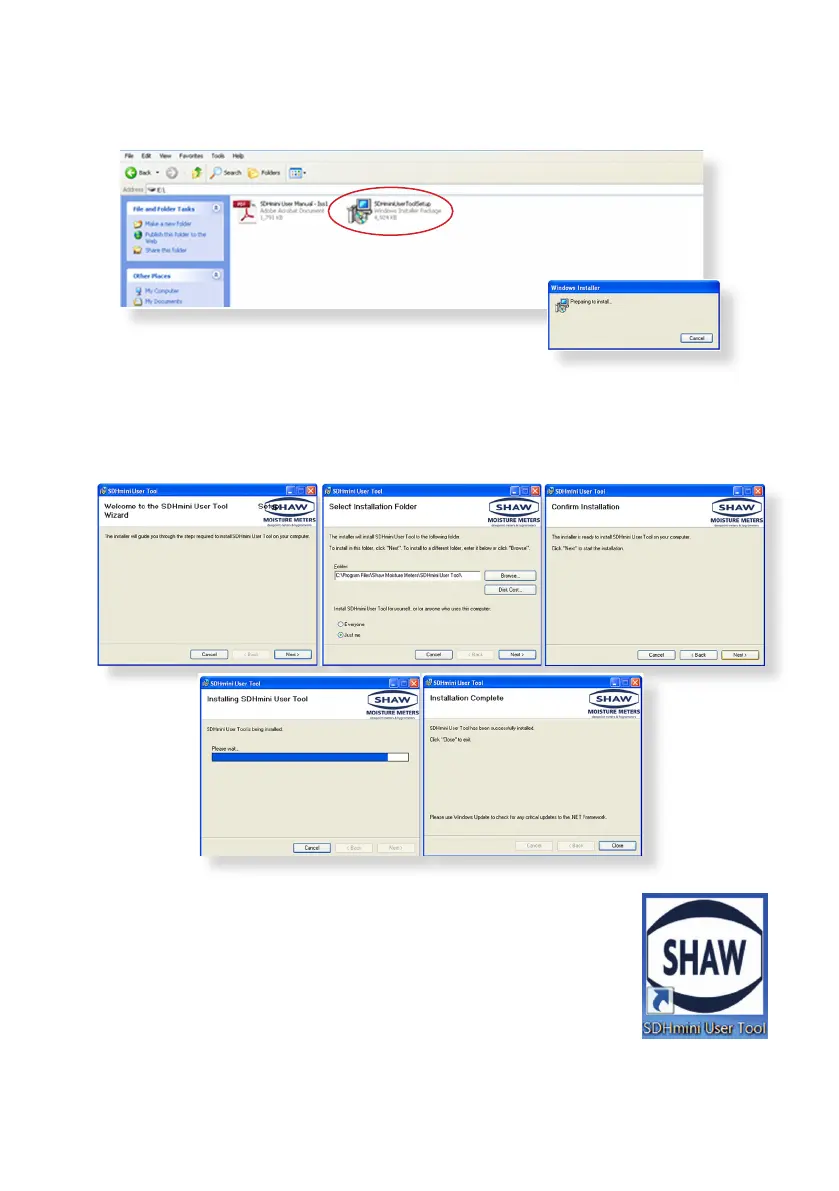
Open the folder for the SHAW SDHmini User Tool Setup soware.
Double click the SHAW SDHmini User Tool Setup icon and install via the
Windows wizard.
Select “Installaon Folder” to save your soware download in your chosen
folder on the PC.
Once the installaon is complete a dialogue box will appear
saying “Installaon Complete”.
A shortcut icon will appear on the desktop. Close the dialogue
box.
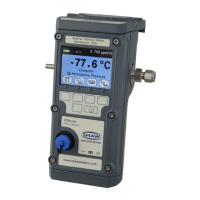
Safely remove the hardware by disconnecng the USB cable
from the unit. You will need to disconnect the USB cable from
the unit to disable the SD card mode on the unit.
•
•
•
•
•
•


 To Next Page