25
10 Using the SDHmini User Tool
10.1 Menu items
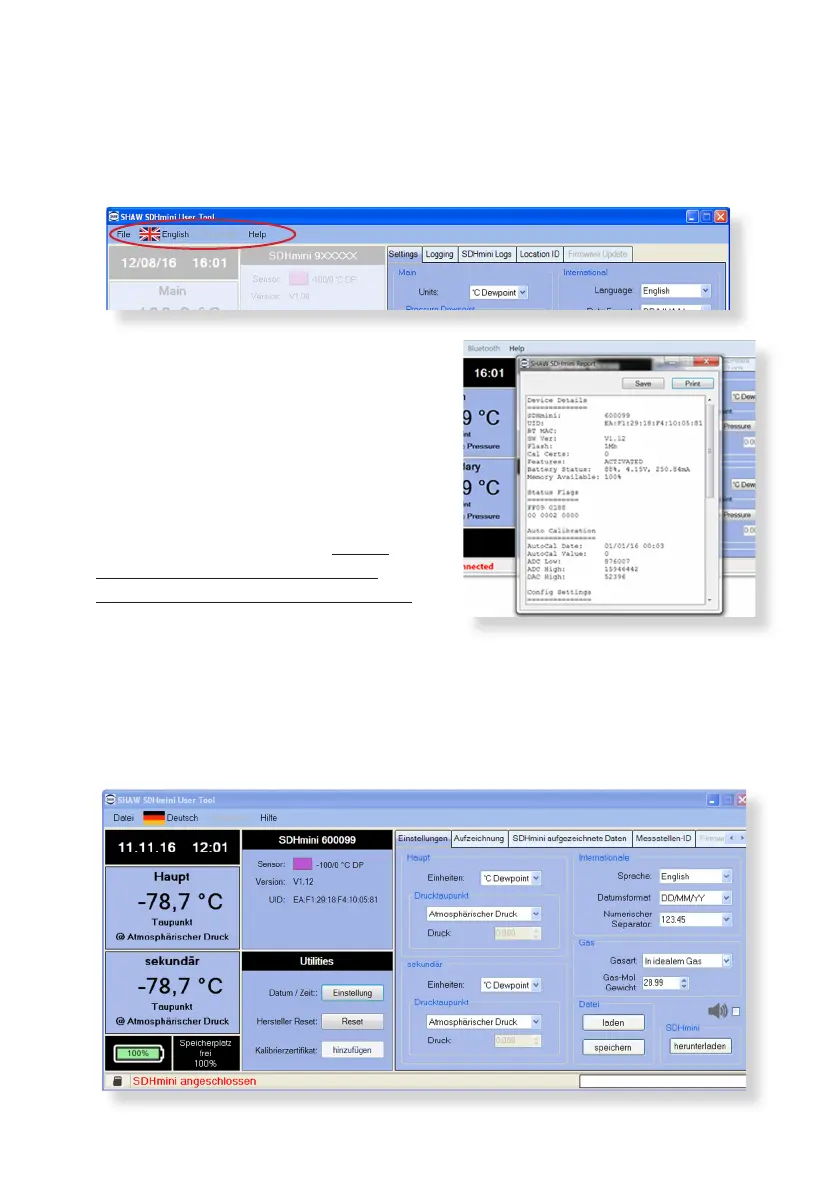
The menu strip contains the following opons: le, language and help.
10.1.1 File - SDHmini Report
The opportunity for reports to show the
current status and error ags. A report at
the current me can only be printed or
saved but not amended.
If there are any errors, the unit should
be returned to the distributor or you
may perform a factory reset. Please
contact your distributor for advice
before proceeding with a factory reset.
10.1.2 Language
The ag/language menu item shows the ten languages available which can be
reset/amended on the SDHmini User Tool soware screen. Note: This does not
change the language on the instrument. To change the language on the instrument
please follow the instrucons Changing Internaonal Sengs in secon 7.3.


 To Next Page