ENGLISH
37
• You can adjust the crossover frequency within
the range of 40 ~ 200 Hz in 10 Hz intervals.
When selecting the CROSSOVER
About the crossover frequency
• When speakers are set to "S (Small)", low frequencies in those channels that are below the crossover
frequency are to output from subwoofer or front speakers which are set to "L (Large)" (when not using a
subwoofer).
• Refer to the operating instructions of the speakers to be connected. If the frequency range of your speaker
is 100 Hz~20 kHz, the crossover frequency should be set to 100 Hz(or slightly higher).
• When speakers are set to "S (Small)", be sure to set their crossover frequency correctly according to their
frequency characteristics.
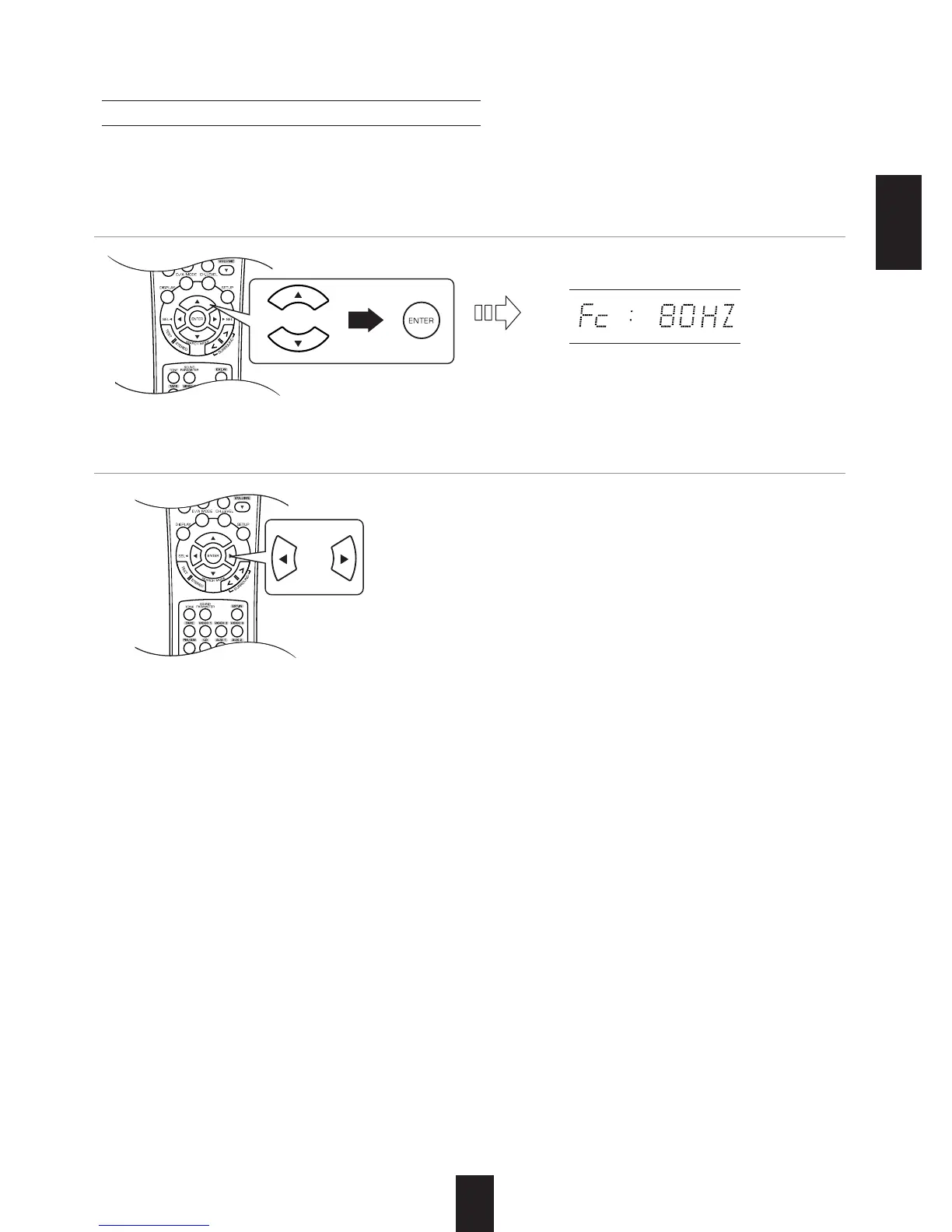
1. Press the CURSOR UP()/DOWN() buttons to select the "X-OVER", then press the ENTER
button.
2. Press the CURSOR LEFT()/RIGHT() buttons to set the crossover frequency as desired.



 To Next Page
 Loading...