Chapter 4 Basic Operation
4-2
AA-6800/6650 Instruction
4.1.1 Switching ON the Power to Hardware
(1) Verify that installation has been correctly completed.
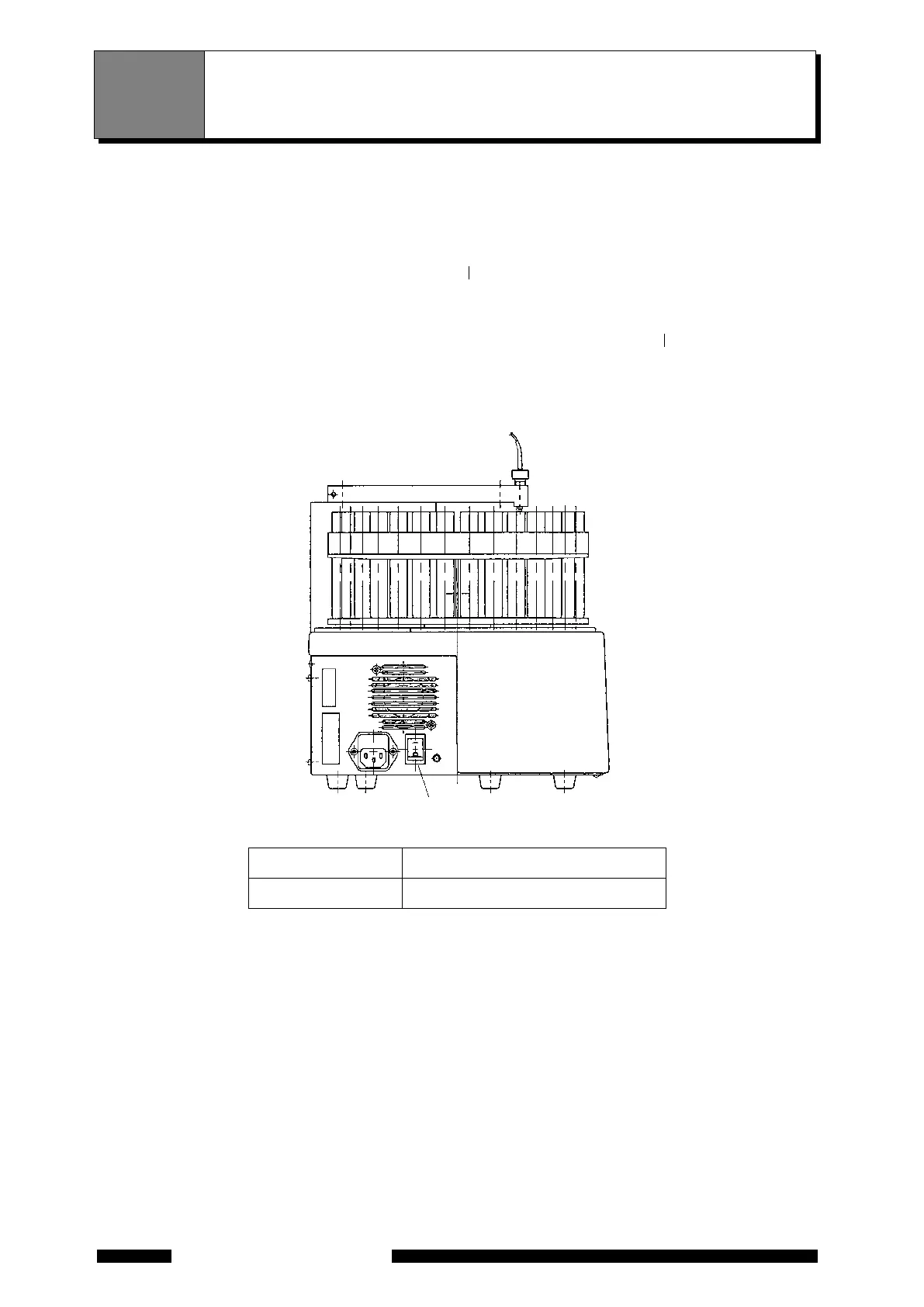
(2) When using the ASC-6100 or GFA-EX7, set the ASC-6100 power switch (Figure 4.1) or the GFA-EX7
power switch (Figure 4.2, <1>) to the ON position (" " position). At this step, leave the GFA-EX7 heating
switch (
Figure 4.2 <2>) lever in the OFF position. Set this heating switch to the ON position when starting
heating.
(3) S
et the power switch of AA-6800/6650 main unit (
Figure 4.3) to the ON position (" " position). If the fuel
gas is not supplied, a buzzer sounds. Press the "BUZZER OFF" button on the gas controller panel or
supply t
he fuel gas to stop the buzzer. In addition, after 2 minutes, a buzzer sounds 3 times to indicate that
the initialization of the CPU in AA main unit has been completed.
Figure 4.1 Power Switch of ASC-6100
No. (in Figure 4.1)Name
1 P
ower switch
4.1 Switching On the Power and Starting Up the
Software
<1>










 To Next Page