4-7
4.2 Software Basic Operation
AA-6800/6650 Instruction
4.2.1.4 Preparation Parameters
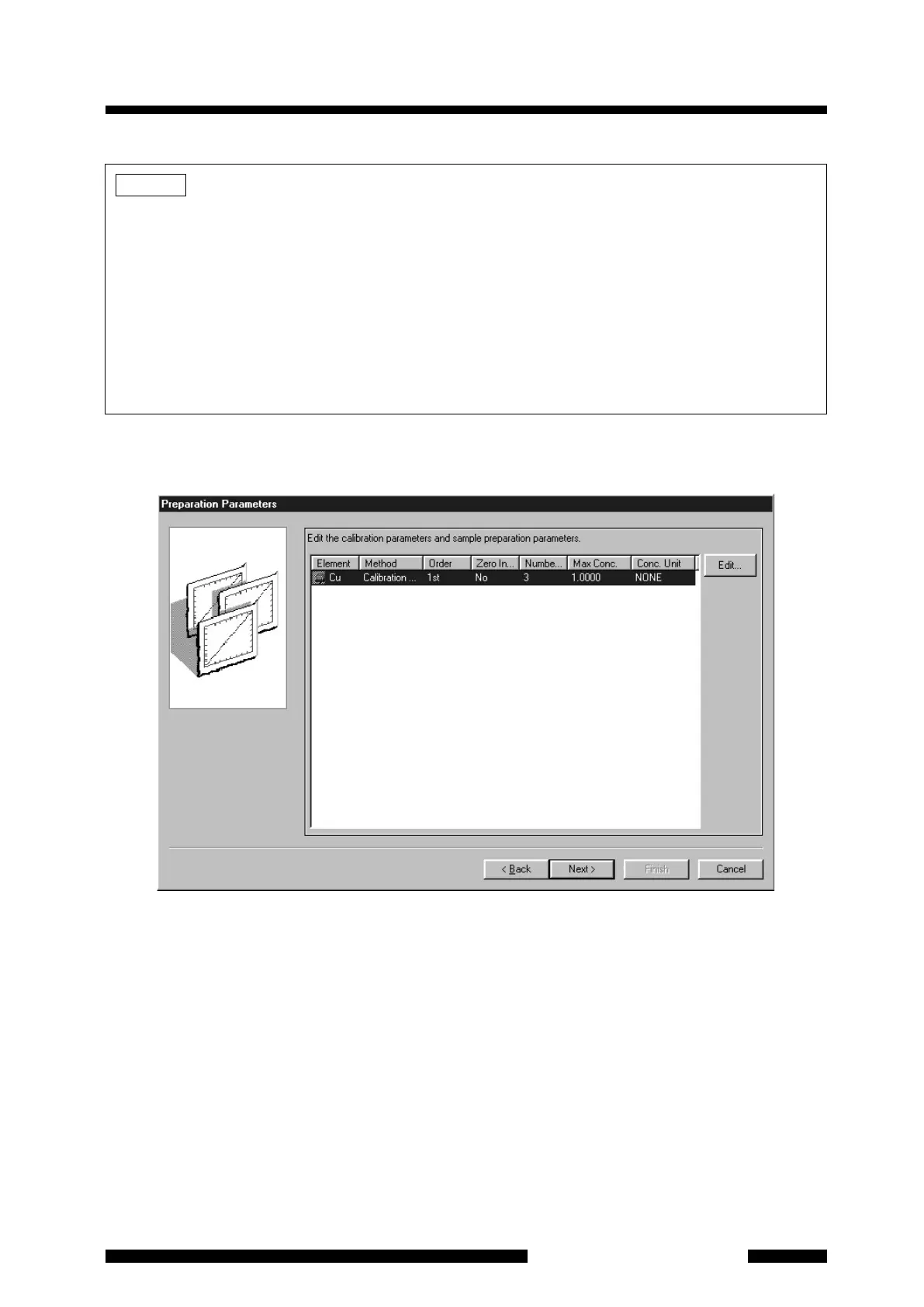
Figure 4.7 [Preparation Parameters] Page
First, select the row of the element to be set by clicking on its row to highlight it, then click on the [Edit] button.
The [Preparation Parameters] page will appear. Set the parameters as below.
NOTE
1. When analyzing plural elements sequentially, the order on the [Element Selection] page becomes the
measurement order. If you need to change the order, click on the element to highlight it and then click
on [Up] or [Down] to move the row. If [Measurement Element] at the right lower of the page is different
from the first row element, the measurement is started from the element shown for [Measurement
Element] and the elements located above this element in the table are not to be measured.
2. When analyzing plural elements sequentially, it is necessary to set the socket numbers in alternating
odd/even. To set or change the socket number, select the [Instrument]-[Lamp Position Setup] from the
menu. For details, refer to section
5.8.4. Also, [Lamp Position Setup] can be opened if you press [Lamp
Pos. Setup] in the [Optics Parameters] page
opened by clicking [Yes] in the warning message shown at
the time of element selection.










 To Next Page