4-11
4.2 Software Basic Operation
AA-6800/6650 Instruction
4.2.1.6 Sample Selection
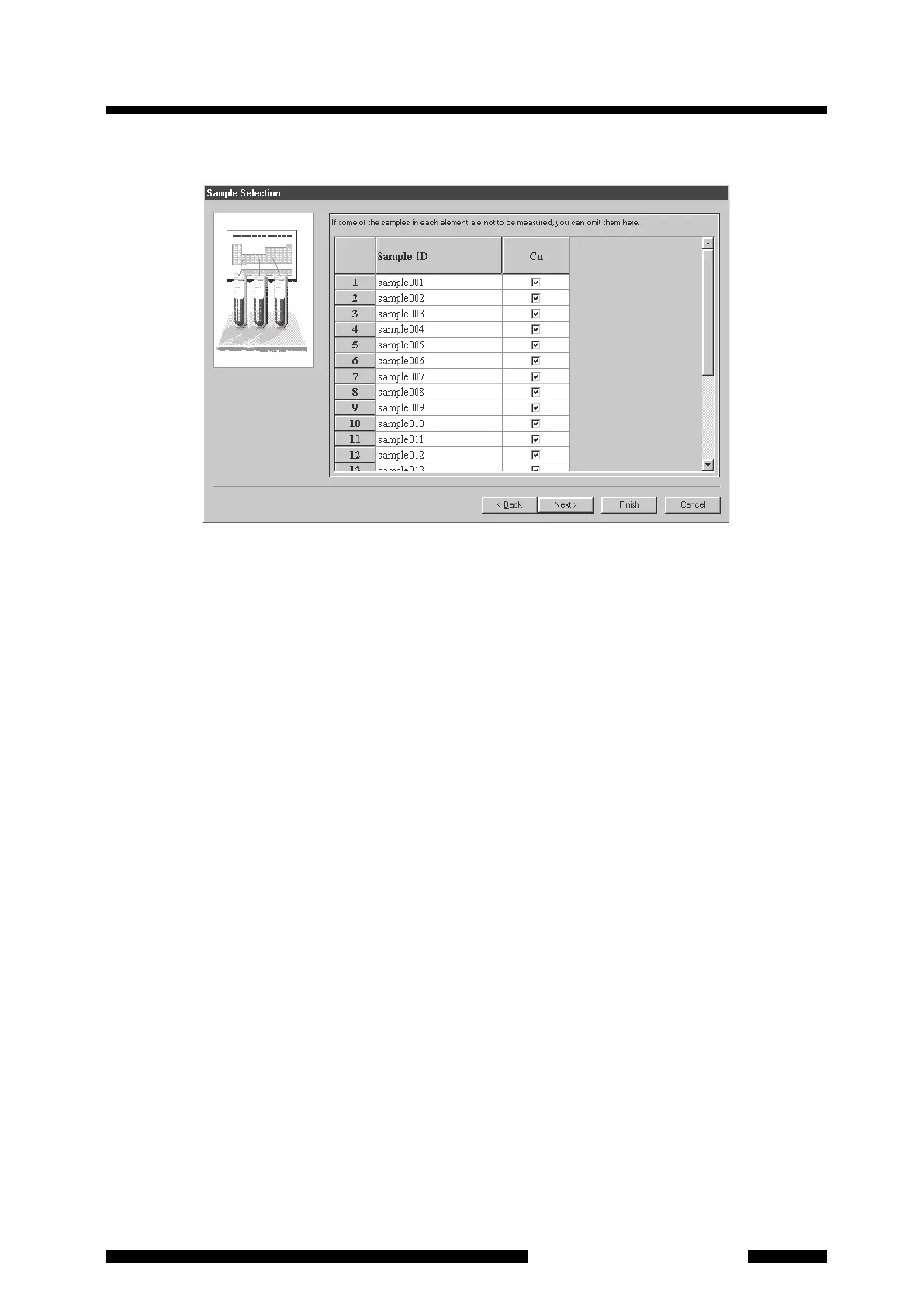
Figure 4.11 [Sample Selection] Page
In this [Sample Selection] page, the samples to be measured for each element are selected.
When all the samples are to be measured for all elements
Confirm that each field has a check mark and click on [Next] to proceed to the [Connect to Instrument/Send
Parameters] page.
When some of the samples are not to be measured for all elements
(1) Click the check box of the sample not to be measured to clear it. To clear some check boxes together, drag
the mouse cursor to select the range, and press the DEL key on the keyboard or select [Not Measure] by
clicking the right mouse button.
(2) After completing the settings, click on [Next] to proceed to the [Connect to Instrument/Send Parameters]
page.










 To Next Page