4-5
4.2 Software Basic Operation
AA-6800/6650 Instruction
4.2.1.2 Wizard Selection
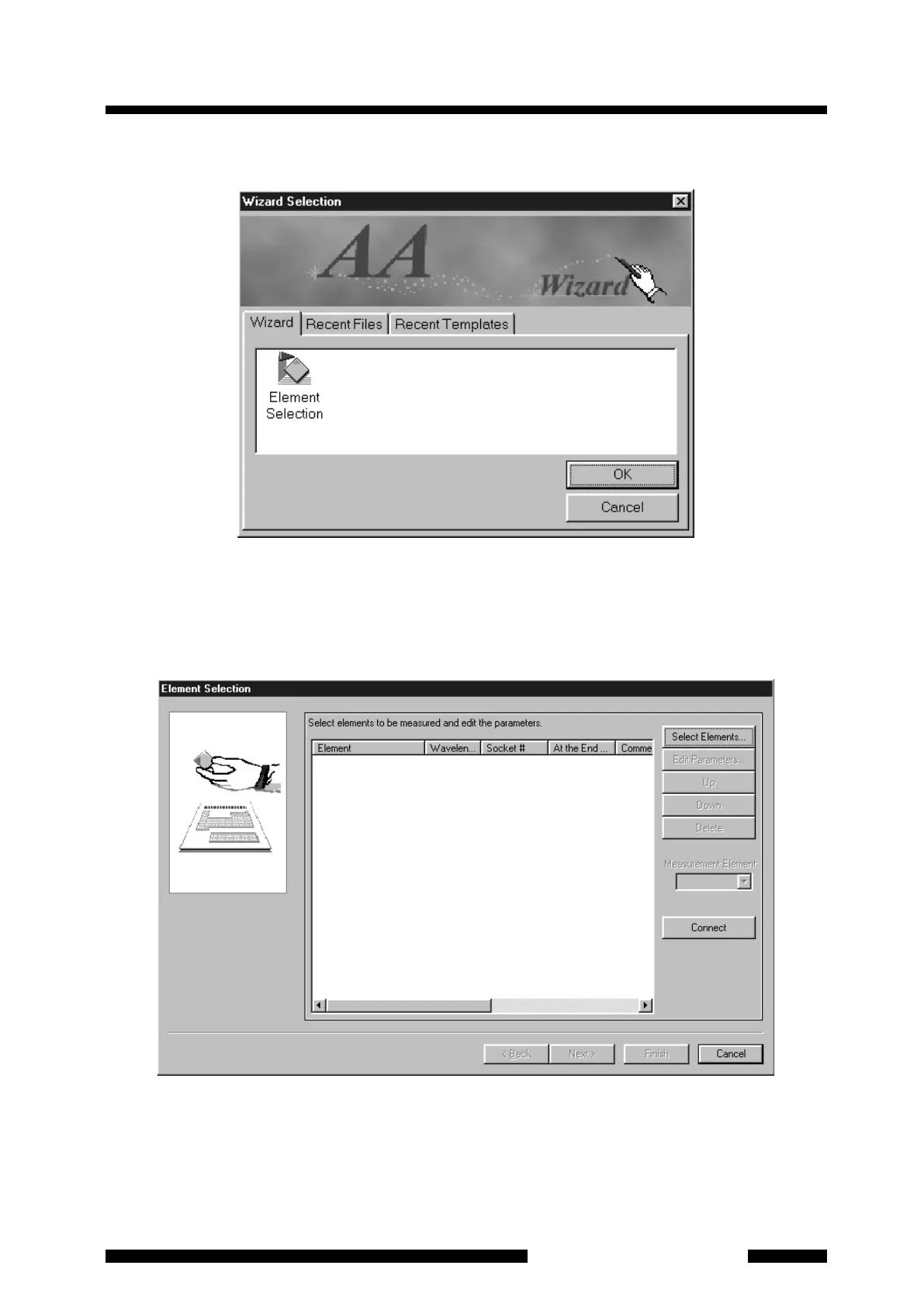
Figure 4.4 [Wizard Selection] Dialog Box
When the [Wizard Selection] dialog box appears, if you make a new parameter set, select the [Element
Selection] icon on the [Wizard] sheet and click on [OK]. Then the [Element Selection] page will appear.
4.2.1.3 Element Selection
Figure 4.5 [Element Selection] Page










 To Next Page