1.
Turning
power
ON
(1)
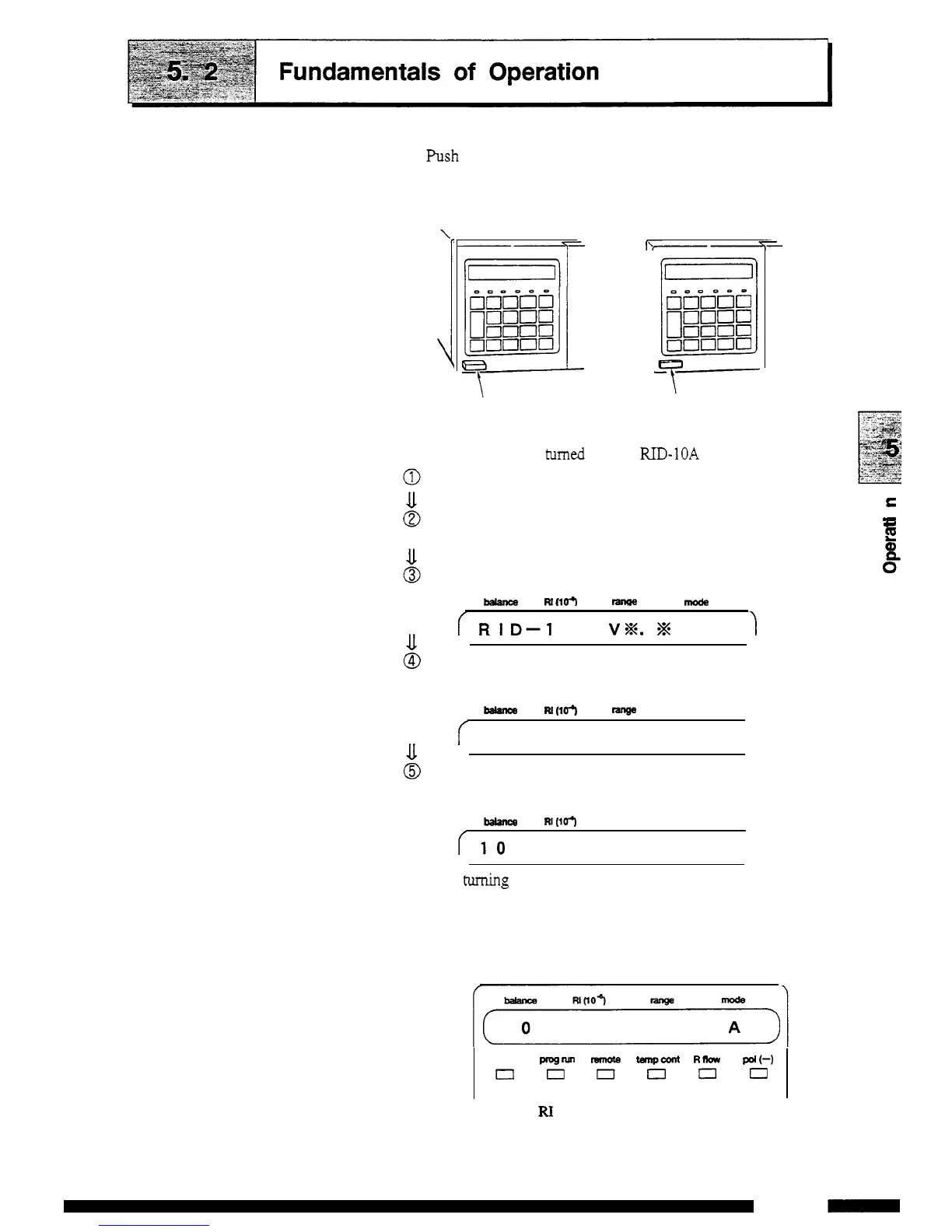
Push the power switch
on
the front panel to turn the power
ON
and
OFF.
\
d-
\
"7--
1
Power switch
OFF state
Power switch
ON
state
(2)
When the power is tumed
ON,
the
RID-10A
operates
as
follows:
Turning power
ON
All
of the dots in the display
unit
and all of the indicator
lamps light.
Control program version
No.
is displayed.
balance
wn0-I
ranae
mode
f
Rl
D-1
OA
V%.
%
1
The motor for optical balance adjustment is moved to the
set position and the instrument
seeks
the home position.
-
M(101
rsnge
mode
f'
S
EE
K
I
N
G
H
O
M
E
The position is adjusted
so
that the optical balance is at
the
optimum
position.
balance
RI(10
range
mode
(10
BALANCE
A
(3)
After turning the power
ON,
a memory check is automatically
performed and when no error is
detected
the following display
appears, indicating
that
operation is possible.
This
is the initial
State.
0
4
shift
progrun
remQte
tanpcolll
Rlbw
pol(-)
t=l~nOot=l
The
balance
and
RI
values vary depending
on
the
types
of
instrument.
E
0
-
c
E
Q)
op
5
-
3
RID
-
1OA
-



 To Next Page