7.3
Connecting External Input and Output Terminals
7.1
Appendix
EVENT2
(
Event output terminal
2
T.
B.
2
Relay contact It is turned
ON/OFF
according to the
program or the set value of
EVENT
parameter in
AUX.
FUNC.
Signalname
I
Explanation
I
START
input terminal
Time program is started
by
shorting this terminal
with COM terminal.
09
STOP
nnnnn
QQ\ooooo
I
7
is stopped
by
shorting this terminal
input terminal
I
with COM terminal.
I
COM.
I
COM terminal for START and STOP terminals.
I
(1)
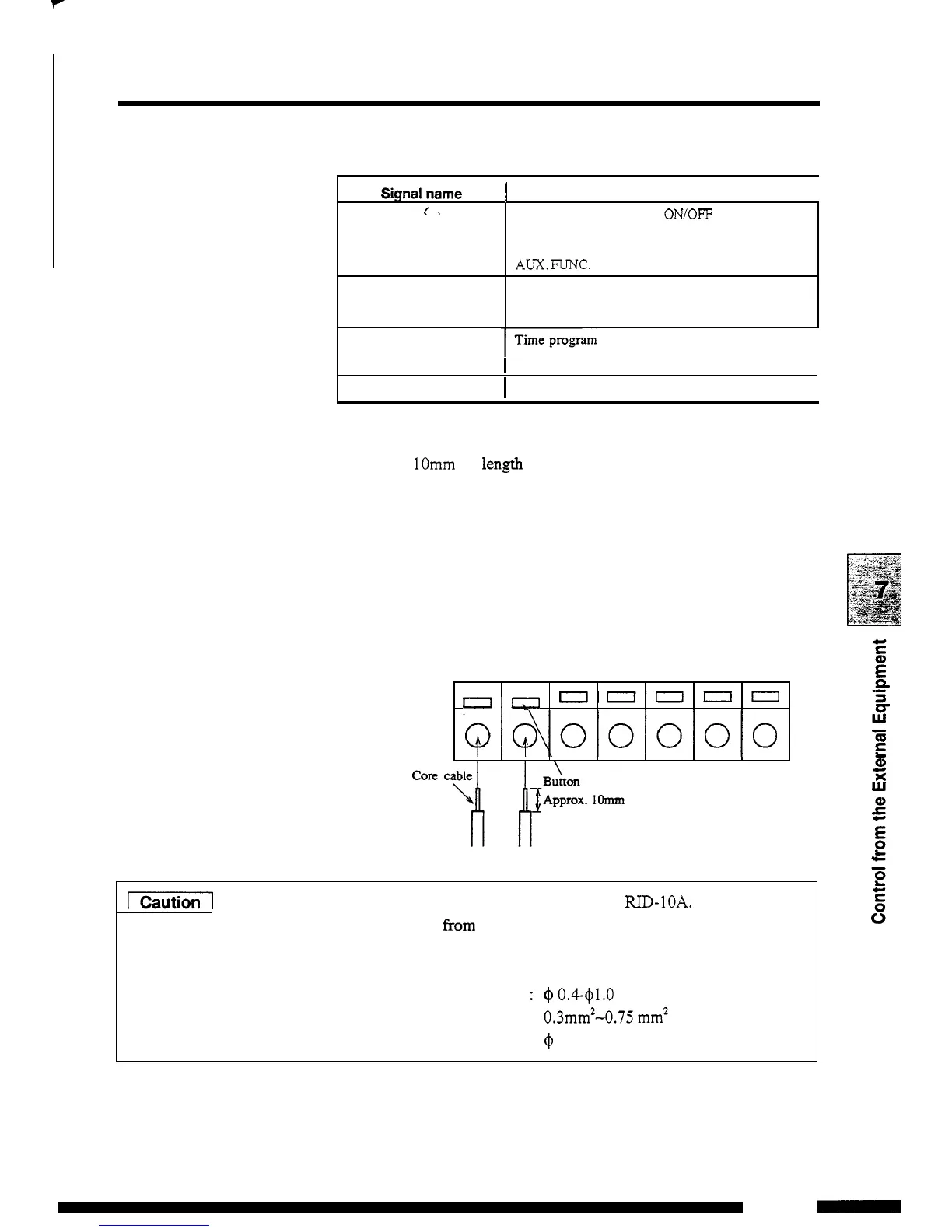
Strip the sheath of the connecting cable for approximately
lOmm in len,@h at
the
end.
(It
is unnecessary for supplied
remote cable.)
When
the
core
wire is solid, insert it into the hole
of
a terminal
while pressing the button above the hole using a small
screwdriver. When the wire is stranded, twist the end well
and insert it into the hole while pressing the button above
the
hole using a small screwdriver.
To
disconnect the cable,
press the button and remove the cable from the terminal.
(2)
A
remote cable is supplied with the IUD-IOA.
To
protect the
cable wire
from breaking, use stranded cables. When connecting
two
or
more circuits to the terminal, use the following wires
with core diameter
as
indicated below:
Stranded wire
Element wire diameter
:
@
0.18 at the minimum
Solid wire
@
0.4-@1.0
(AWG
26
-
18)
:
0.3mmz-0.75 mm2
(AWG
22
-
20)
7
-
1
1
RID
-
1OA
-



 To Next Page