26
4. Menu Item Selection
4.5 Related Useful Functions
4.5.1
Last Menu Recall
This function is convenient when an application requires frequent changes to a specific menu item.
During mass display or menu selection, press and hold the [CAL] key for approximately three seconds.
The last menu item that was changed or set is displayed.
4.5.2
Returning to the Default Settings (menu reset)
If you are unsure of the configured settings when using the menu, reset the menu. This will restore the
menu to the default settings. Default settings are indicated on the menu map with a # symbol.
Note that PSC will be on (menu
5
) after a menu reset.
Select menu
72
to reset the menu. Use the following procedures.
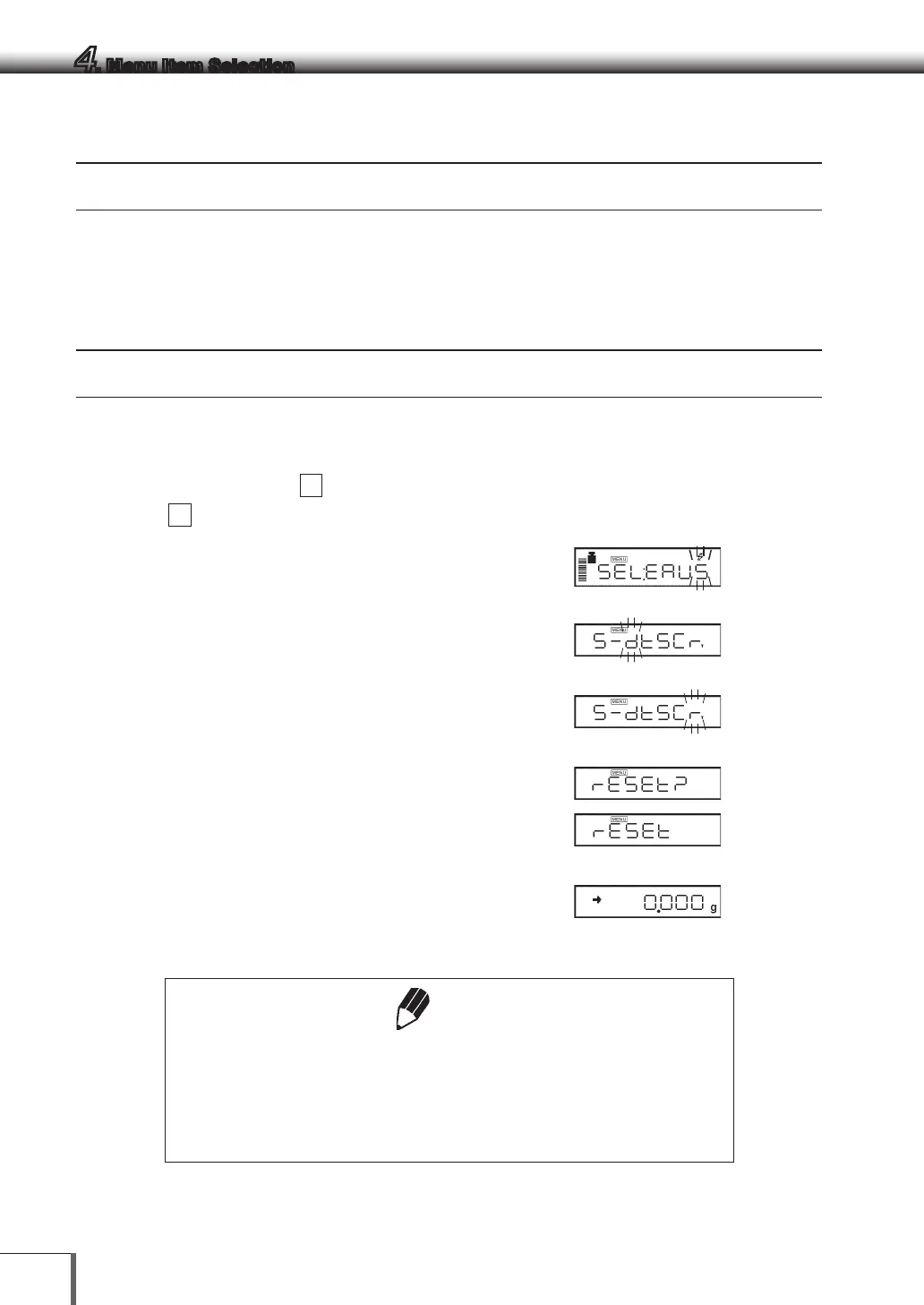
1 In the gram-display, press the [CAL] key
repeatedly until the “S” of “SEL:EAUS” blinks.
2 Press the [O/T] key. [S-dtSCr] =The Menu Group
6 is selected.
3 Press the [CAL] key until the [r] in [S-dtSCr,] is
blinking.
4 Press the [O/T] key to display “rESEt?”
5 Press the [O/T] key again. “rESEt” is displayed to
indicate menu reset completion.
6 Press the [POWER] key several times (or hold it
for approximately 3 seconds) to return to the
gram-display.
Notes
• The settings made in “12.6 Decimal Point Symbol in Output Data” and “5.2
Date Output Style” are not be cleared with Menu reset.
• Environmental setting of Pouring mode (8.2) is not cleared with Menu reset.
• Operational condition setting of Animal Weighing mode (11.6 ) returns to the
default (Cond 1).



 To Next Page