50
10. Enhancing Productivity
10.1.1
Checkweighing (Comparator) Display Type 1
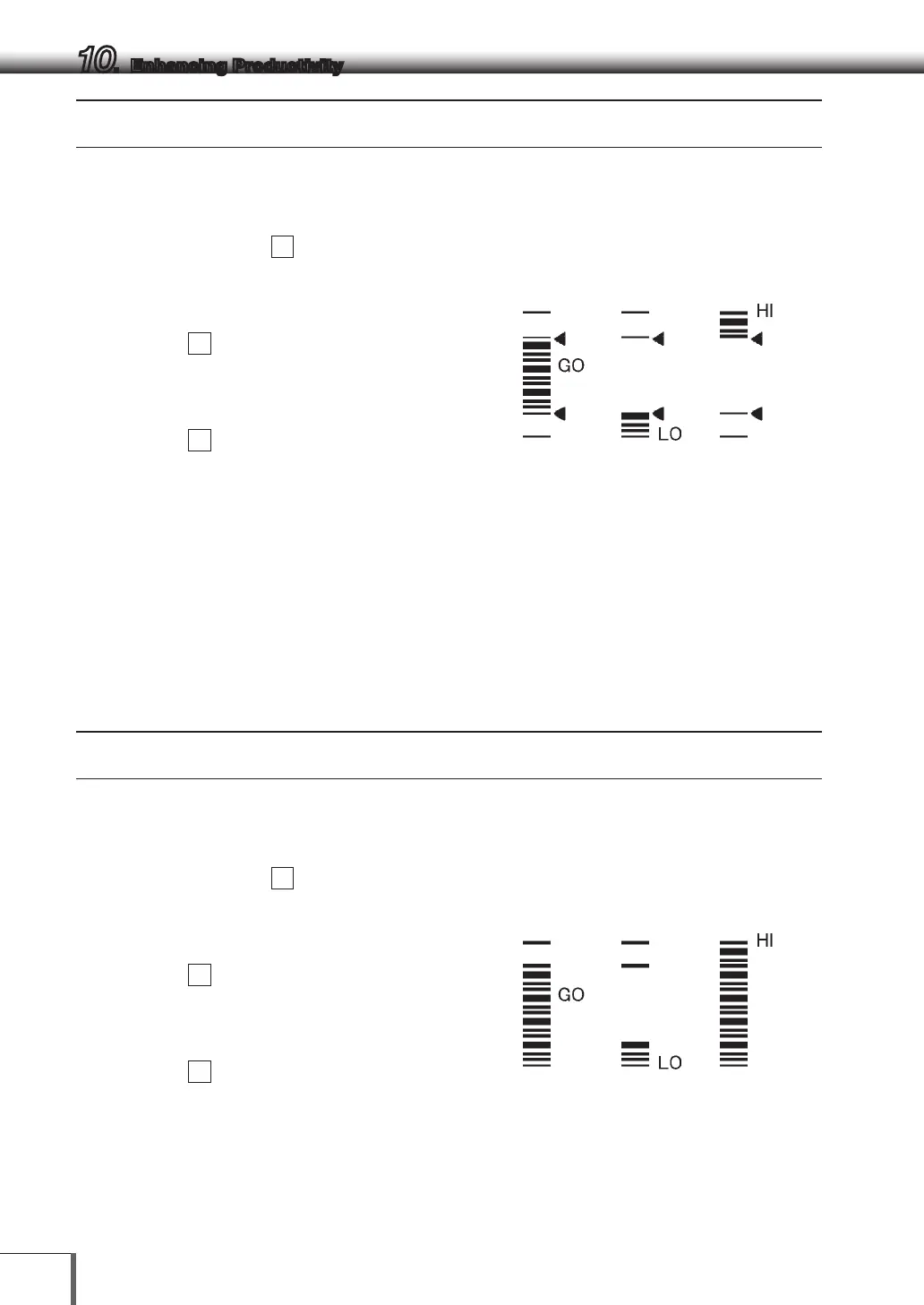
Checkweighing will be carried out based on the sample load size. Results will be displayed split into
groups.
1 Select menu map item
15
2 Set the upper threshold value, which
corresponds to the upper triangle mark, with
menu item
16
[UPPEr ]
3 Set the lower threshold value, which
corresponds to the lower triangle mark, with
menu item
17
[LowEr ]
All are set by the number of display counts for
units measured. For example, for types where
200 g is displayed as 200.00 g, the threshold
value would be set as 20000.
The threshold value to be set and the display count value are compared and then the HI, GO, LO
checkweighing results are displayed.
When [UPPEr ] < Display count value HI
When [LowEr ] ≤ Display count value ≤ [UPPEr ] GO
When display count value < [LowEr ] LO
10.1. 2
Checkweighing (Comparator) Display Type 2
Use this mode for classification based on the sample weight. The display looks like a bar graph, but also
includes a checkweighing function.
1 Select menu map item
18
2 Set the upper threshold value, which
corresponds to the upper triangle mark, with
menu item
19
[UPPEr ]
3 Set the lower threshold value, which
corresponds to the lower triangle mark, with
menu item
20
[LowEr ]
All are set by the number of display counts for
units measured. For example, for types where
200 g is displayed as 200.00 g, the threshold
value would be set as 20000.
Acceptable Insufficient Excessive
Acceptable Insufficient Excessive



 To Next Page