80
12. Connections and Communications with External Equipment
12.4.2
Data Format
The detailed information on the standard format for Shimadzu electronic balances (Menu item
77
, “EB
type”. Refer to 12.3.3) is given here.
(1) Basic format
An example of data format of a negative value (-186.65g) with delimiter of C/R is shown.
The data length varies depending on attached information, unit expression and delimiter as explained
in (2).
Data length of this example: 12 bytes
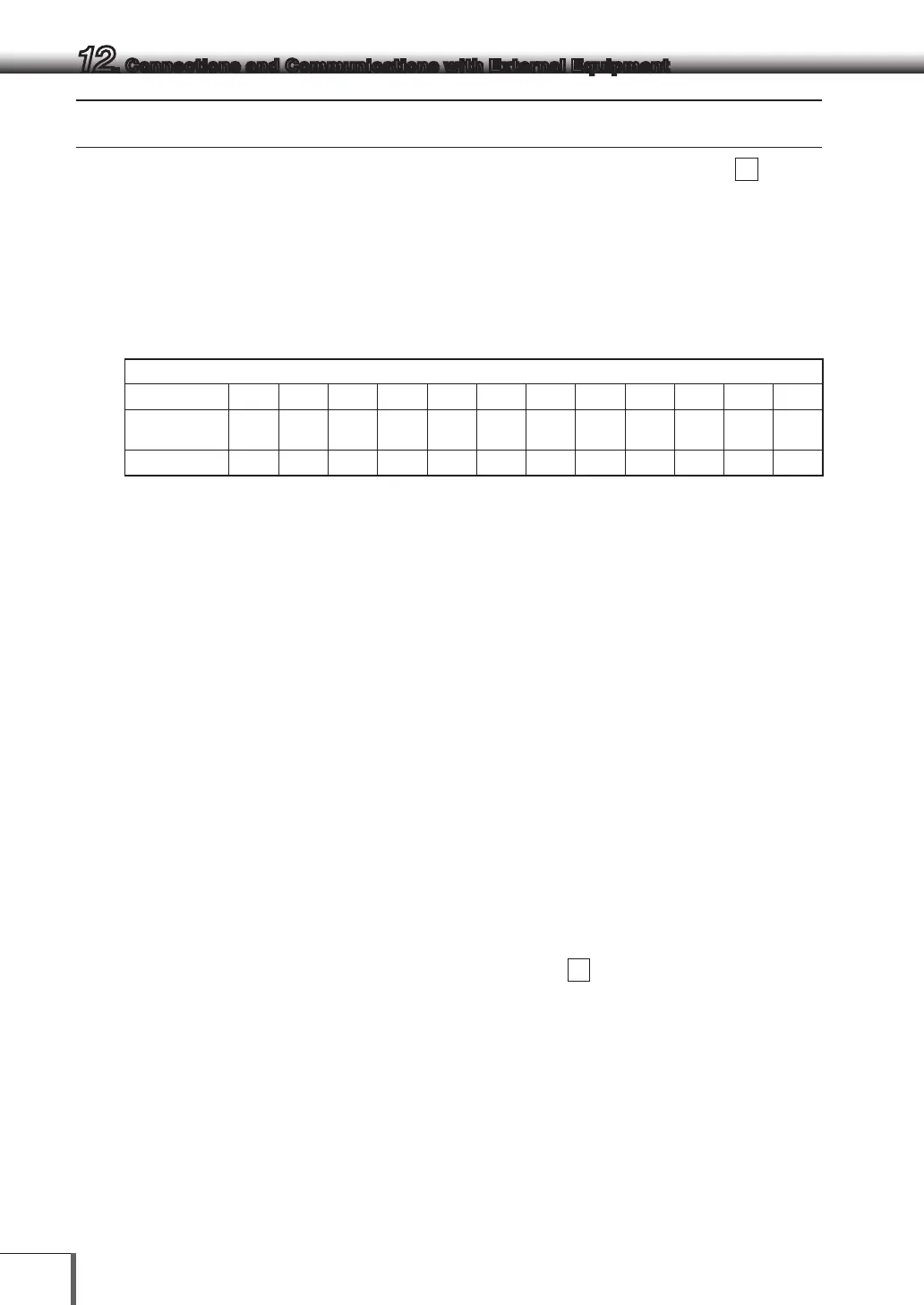
Position 1 2 3 4 5 6 7 8 9 10 11 12
ASCII
code
2DH 20H 20H 31H 38H 36H 2EH 36H 35H 67H 20H 0DH
data - 1 8 6 . 6 5 g C/R
Remarks
Position1: For a positive value, " " (space), and for a negative value, "-" is in this position.
Position 2 ~ 9: The absolute value. When the numerical value does not use all the 8
positions, the code for space is entered to each excessive position as shown
in this example.
Position 10,11: One or two letters indicating the weighing unit. As shown in this example, the
code for space is entered at position No.11 if only one letter is used for the
unit.
Position 12: Code for delimiter.
(2) If data length is longer than standard
(i) Output with stability information
When outputting data with stability information (Refer to 12.2.3 (4)-(i)), either of the following
characters is added in front of Character No.1 in the example. Consequently, the data becomes 1
byte longer.
When stable: S
When unstable: U
(ii) When the delimiter “C/R+L/F” is selected (Menu item No.
96
. Refer to 12.3 .7.)
The delimiter information requires one more character. Therefore one more byte is added after
Position No.12 in the above example. Consequently, the data becomes 1 byte longer.



 To Next Page