Guide to the Icons Displayed on Your Phone Getting Started
1
ShoreTel IP Phone 480/480g User Guide 21
Icons displayed in the Directory indicate the presence or status of the person you want to call. These
presence icons are shown in Table 4. If the person or entity’s presence is unknown, no presence icon
is shown. Presence icons are also not displayed for phones in the Available or Anonymous states.
Figure 4 on page 22 shows an example of the presence icons in the Directory.
Orange, .5 seconds on/
.5 seconds off
Red, steady
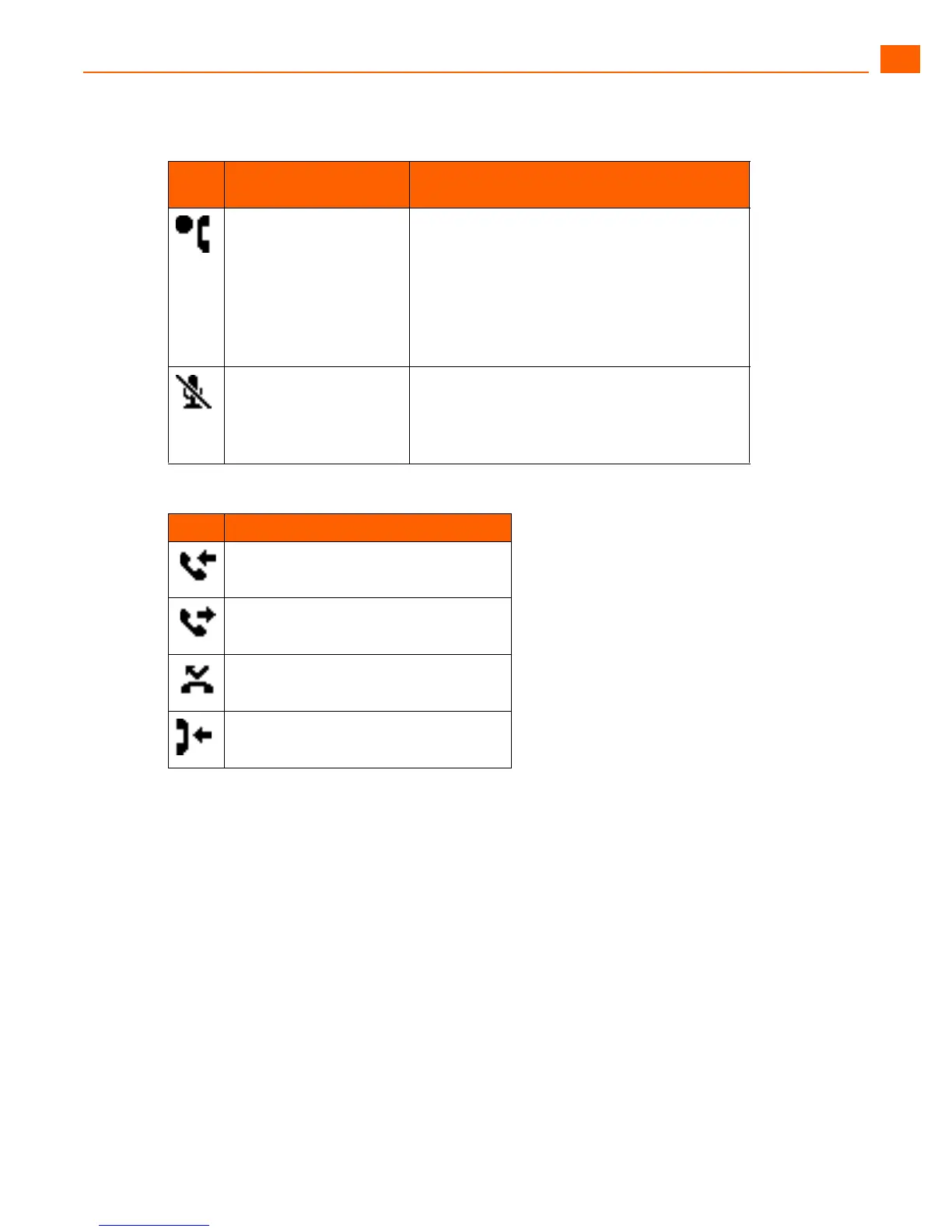
The call is being recorded, and the recording
operation was initiated by pressing the
programmed button.
The call is being recorded, and the recording
operation was initiated through ShoreTel
Communicator and the recording mailbox is not
the user’s own mailbox.
Red, steady Whisper page mute is active.
When whisper page is active, the non-whisper
active call can be muted (whisper page mute).
The muted call shows this icon.
Table 3: Call History Icons
Icon Description
Inbound call
Outgoing call
Missed call
Transferred call
Table 2: Call Appearance Button Icons and LED Colors and Blink Patterns (Continued)
Icon
LED Color and Blink
Pattern
Description





 To Next Page