Page 19-di/of 40
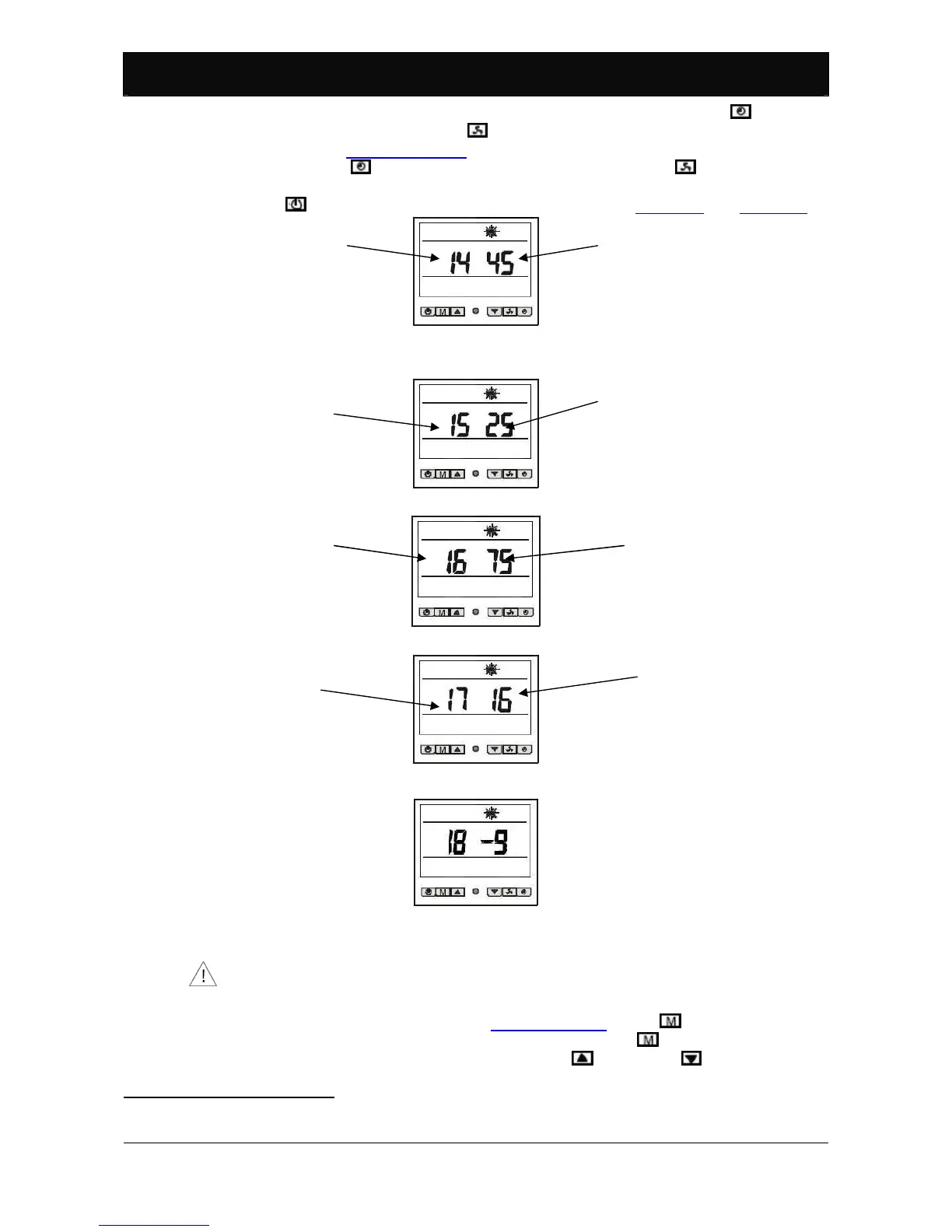
The temperature read by each sensor can be displayed by pressing (for model
BP-xxWS-B (xx=35, 50), press ) and hold down for 3 seconds with the pump is
running, see Paragraph 5.2.4. To display temperatures read by the various
sensors, press (for model BP-xxWS-B (xx=35, 50), press ). The temperature
read by the sensor is displayed for 10 seconds, if no other key is pressed, or
press to return usual information to the display, see Figure 13 and Figure 14.
Figure 21: Pool water temperature sensor.
Figure 21
Figure 22: Ambient temperature sensor
26
.
Figure 23: Compressor temperature sensor.
Figure 24: Condenser temperature sensor.
Figure 25: Sensor not used
27
.
5.2.13. Functional parameter settings.
This paragraph is exclusively reserved to specialised technicians in charge
of heat pump installation. Changing functional parameters, if incorrectly
performed, can compromise correct heat pump operations.
When the pump is in standby, see Paragraph 5.2.2, press and hold down for 3
seconds to access programming parameters. Press to select the required
parameter and change the value using keys (increase), (decrease). If no
26
For model BP-xxWS-B (xx=35, 50), parameter 15 indicates the compressor temperature sensor.
27
Not used for SERIES BP heat pump control.
Temperature read
Temperature read
Temperature read
Temperature read
Pool water
temperature sensor
number
Condenser
temperature sensor
number
Compressor
temperature sensor
number
Ambient temperature
sensor number



 To Next Page