- 29 -
F Back-Panel Connectors
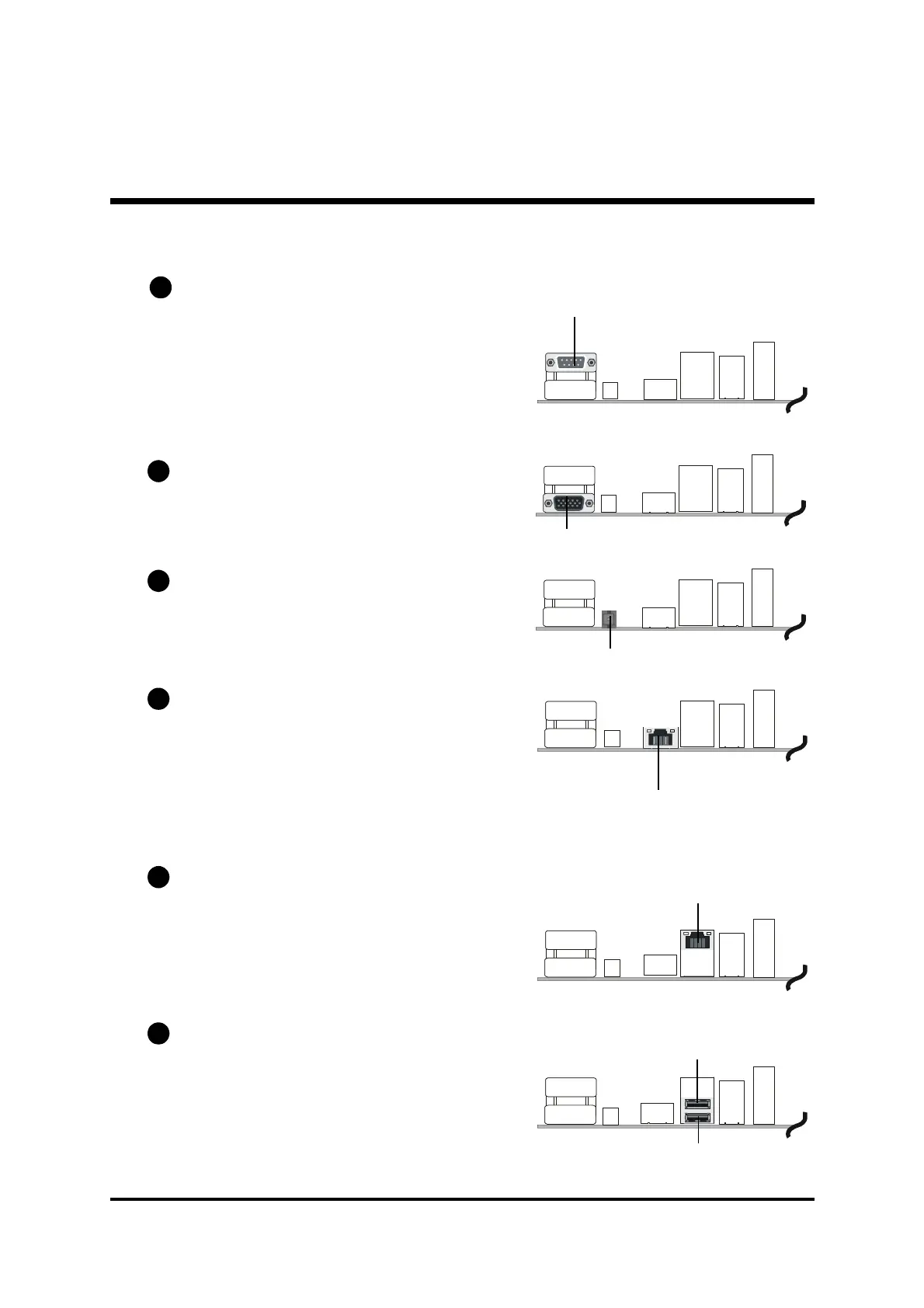
COM1 Port Connector
This mainboard can accommodate two
serial device on COM1.
Attach a serial device cable to the DB9
serial port COM1 at the back-panel of
your computer.
VGA Connector
One 15-pin VGA connector is located at
the rear panel of the mainboard.
SPDIF_Out Port
SPDIF Out connector can transmit
digital audio data to Optic fiber.
GigaLAN Connector
This mainboard can accommodate one
device on LAN.
Attach a CAT-5 or CAT-6 cable to the
LAN port at the back-panel of your
computer.
10/100 Mbase-T LAN Port Connector
This mainboard can accommodate one
device on LAN.
Attach a CAT-5 cable to the LAN port at
the back-panel of your computer.
USB Port 0/1 Connectors
Two female connectors USB0/USB1 share
the same USB (Universal Serial Bus)
bracket at the rear panel of your
mainboard. Plug each USB device jack
into an available USB0/USB1 connector.
B1
B2
B3
B4
COM1 Port
VGA Port
LAN Port
USB Port 1
USB Port 0
B5
SPDIF Out Port
GigaLAN Connector
B6



 To Next Page