- 30 -
Line-In Port (Rear-Out)
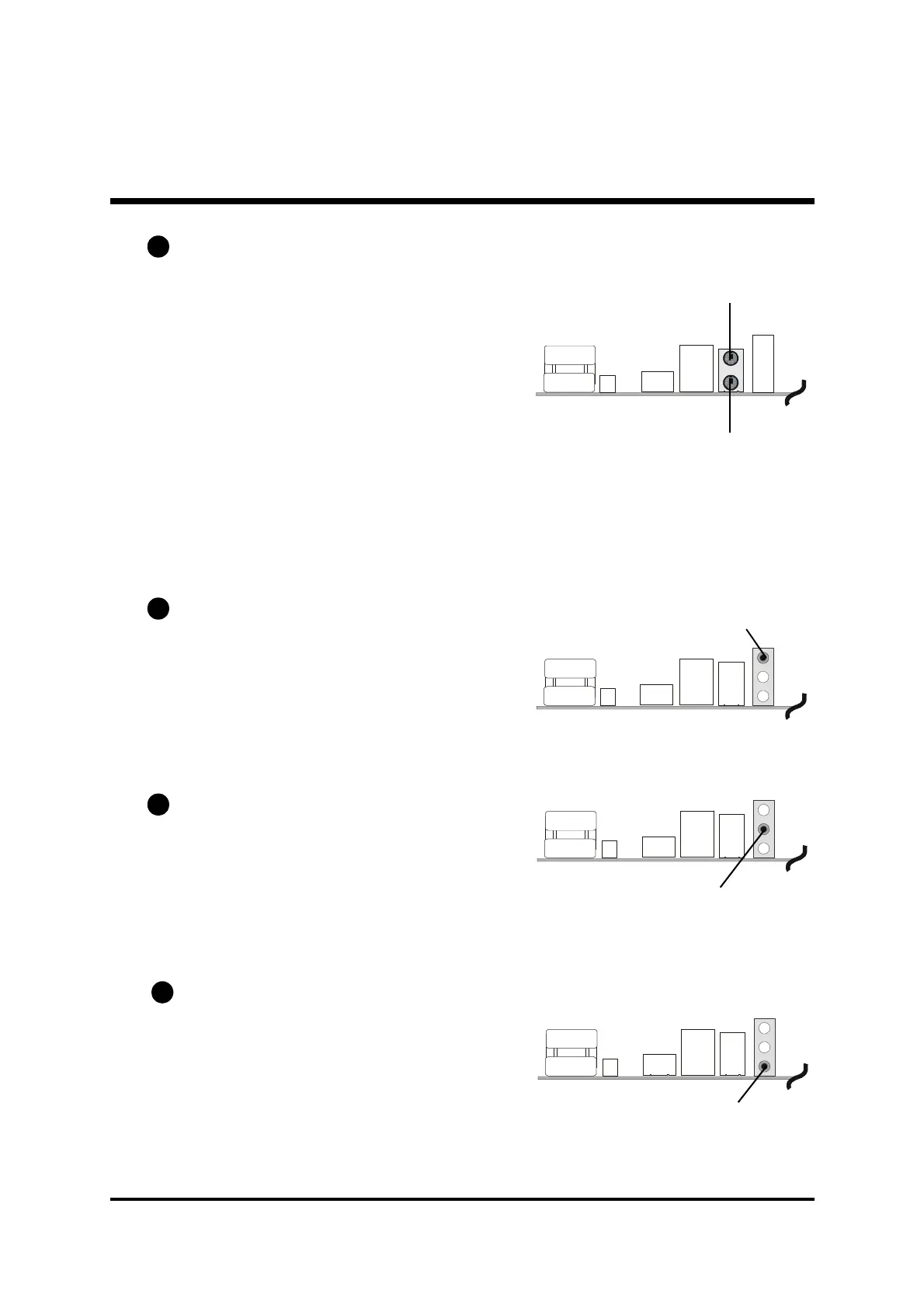
PS/2 Keyboard & PS/2 Mouse Connectors
Two 6-pin female PS/2 keyboard &
Mouse connectors are located at the
rear panel of the mainboard. Depending
on the computer housing you use
(desktop or tower), the PS/2 Mouse
connector is situated at the top of the
PS/2 Keyboard connector when the
mainboard is laid into a desktop, as
opposed to a tower where the PS/2
Mouse connector is located at the right
of the PS/2 Keyboard's. Plug the PS/2
keyboard and mouse jacks into their
corresponding connectors.
Bass/Center-Out Port Connector
Bass/Center-Out is a stereo output port
through which the combined signal of all
internal and external audio sources on the
board is output. It can be connected to 1/
8-inch TRS stereo headphones or to bass/
center amplified speakers.
Line-In (Rear-Out) Port Connector
Line-In is a stereo line-level input port that
accepts a 1/8-inch TRS stereo plug. It can
be used as a source for digital sound re-
cording, a source to be mixed with the
output, or both.
Line-Out (Front-Out) Port Connector
Line-Out is a stereo output port through
which the combined signal of all internal
and external audio sources on the board
is output. It can be connected to 1/8-inch
TRS stereo headphones or to amplified
speakers.
B7
B8
Bass/Center-Out Port
Line-Out Port (Front-Out)
B9
B10
PS/2 Mouse
PS/2 keyboard



 To Next Page