- 71 -
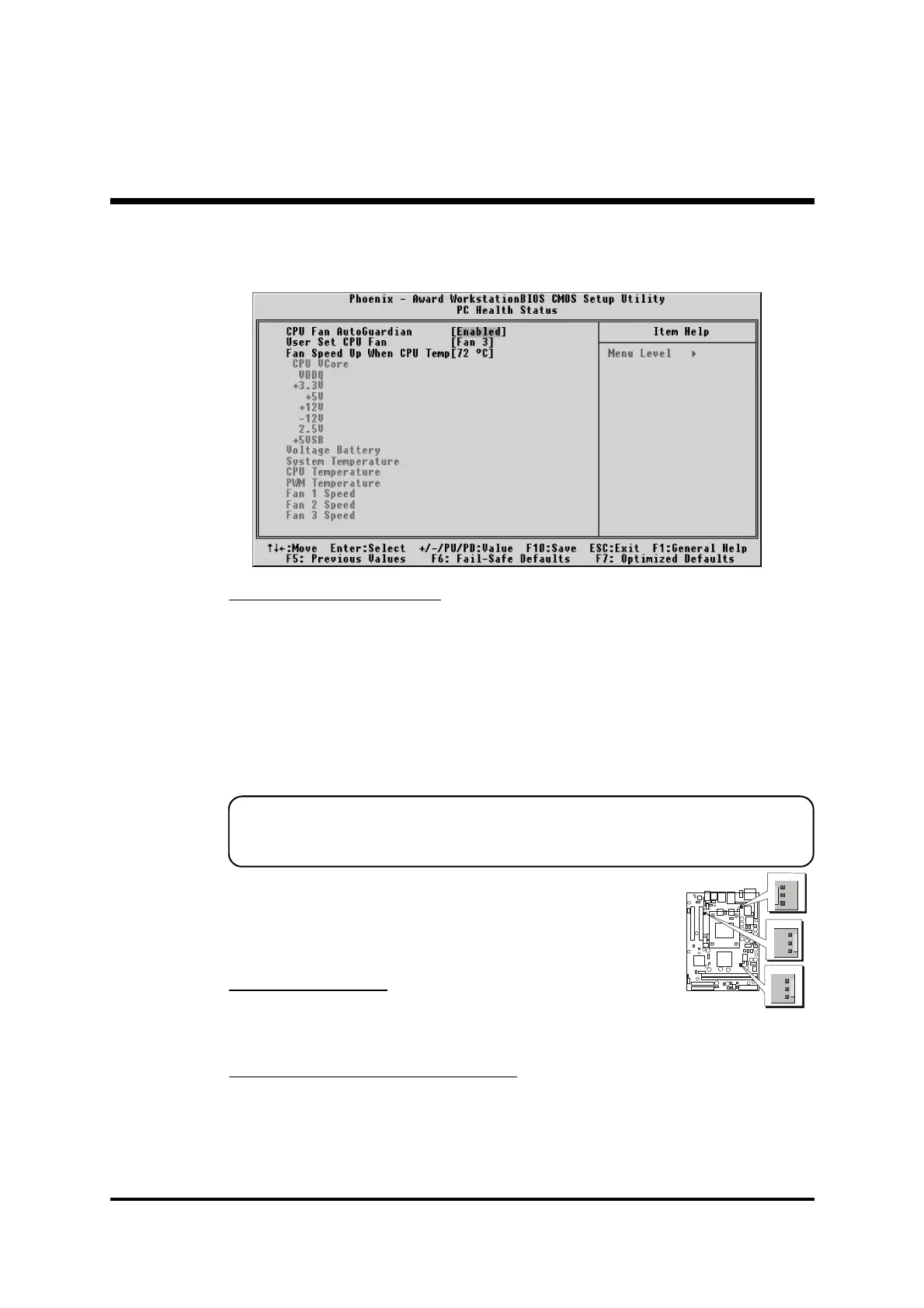
@ PC Health Status
CPU Fan AutoGuardian
This SMART Bios enabled 3 phase Variable Fan Speed and CPU tem-
perature Control feature.
Ø The choice: Enabled or Disabled.
This feature is controlled via Bios, in which the CPU fan rotational
speed sensing /control is governed by CPU temperature setting
preselected in Bios.
By default, "CPU Fan AutoGuardian" feature under PC Health Status is
enabled.
Note: Before manually modifying the CPU fan setting, please make
sure both fan connectors are plug into the correct fan connector
designations on the mainboard.
Our default for fan cooler is set to Fan 3.
User Set CPU Fan
Enabled you to choose one specific fan for further setting.
Ø The choice: Fan1, Fan2, Fan3, or Fan1 & Fan3 .
Fan Speed Up When CPU Temp
Enabled 3 phase smart control to the Selected fan. This feature ranges
from 48
0
C to 80
0
C, in an increment of 4
0
C. The default temperature is
at 72
0
C.
Ø The choice: 48
0
C, 52
0
C, 56
0
C, 60
0
C, 64
0
C, 68
0
C, 72
0
C, 76
0
C,
80
0
C.
1
1
1



 To Next Page