- 55 -
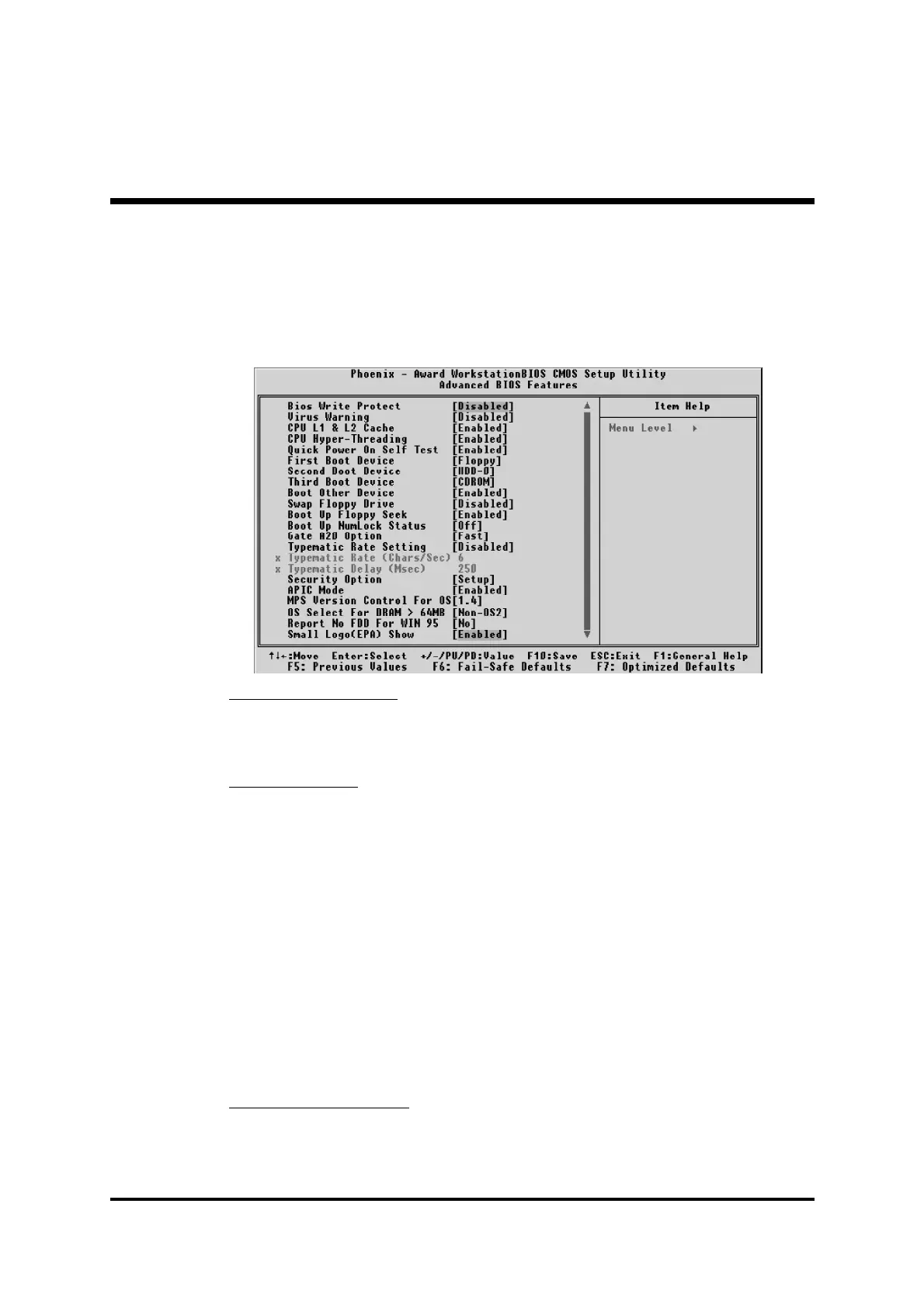
@ Advanced BIOS Features
This section allows you to configure your system for basic operation.
You have the opportunity to select the system's default speed, boot-up
sequence, keyboard operation, shadowing, and security.
BIOS Write Protect
This item lets you to enable or disable the BIOS Write Protect.
Ø The choice: Enabled or Disabled.
Virus Warning
Allows you to choose the VIRUS Warning feature for IDE Hard Disk boot
sector protection. If this function is enables and someone attempts to write
data into this area, BIOS will show a warning message on screen, and an
alarm beep.
Enabled Activates automatically when the system boots up,
causing a warning message to appear when anything
attempts to access the boot sector or hard disk
partition table.
Disabled No warning message will appear when anything
attempts to access the boot sector or hard disk
partition table.
Ø The choice: Enabled or Disabled.
CPU L1 & L2 Cache
This item enables CPU L1 internal and CPU L2 cache to speed up
memory access.
Ø The choice: Enabled or Disabled.



 To Next Page