- 36 -
E4
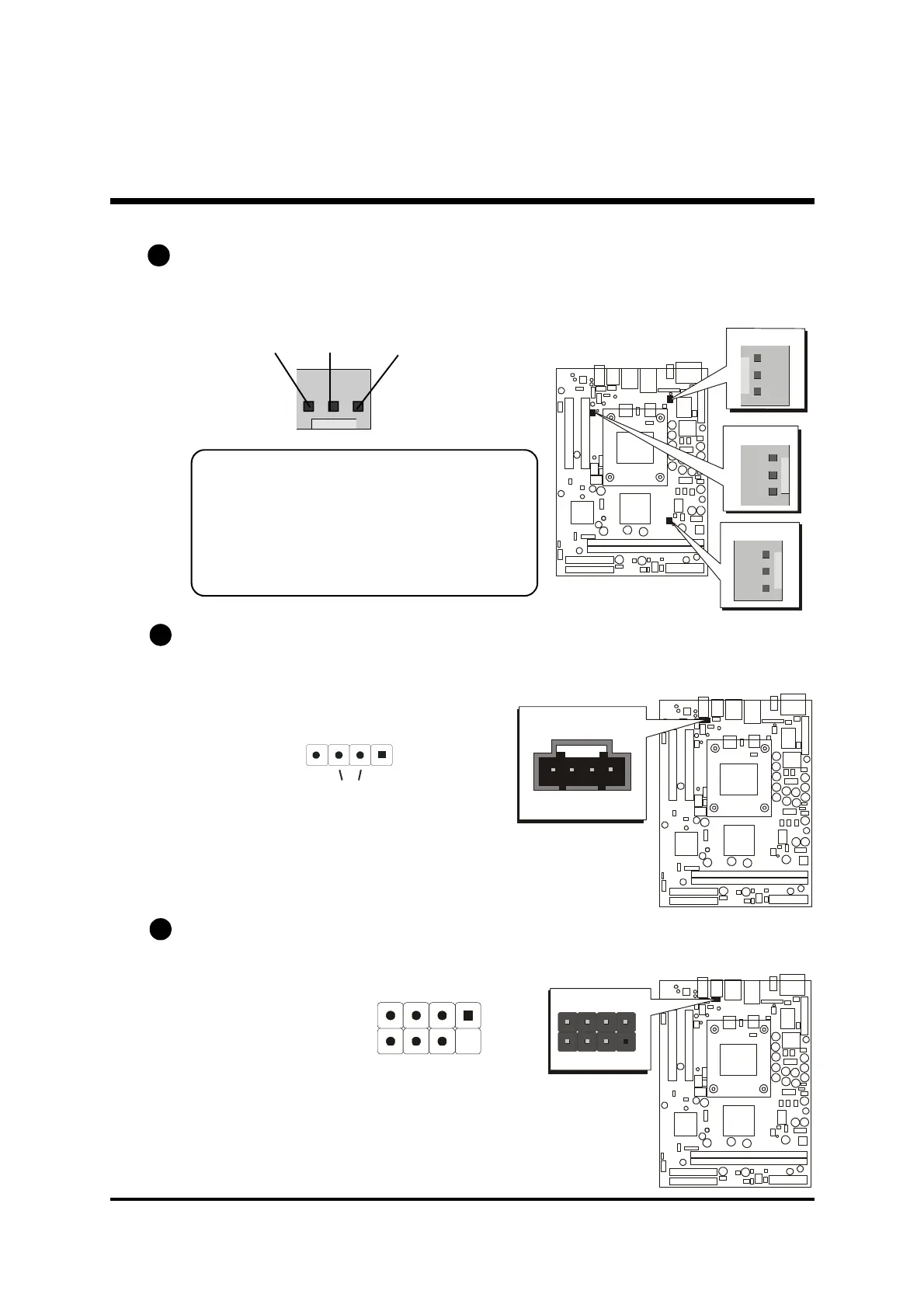
Wireless Keyboard and Mouse Connector (JP5)
Port JP5 can be used to connect wireless keyboard and mouse device.
Pin Assignments:
1=+5V 2=KEY
3=MS-DT 4=KB-DT
5=MS-CK 6=KB-CK
7=GND 8=GND
E3
E2 CPU and System Fan Connectors - FAN1/2/3
The mainboard provides three onboard 12V cooling fan power connectors
to support System (FAN1), Chipset (FAN2), or CPU (FAN3) cooling fans.
Note:
Both cable wiring and type of plug may vary
, which depends on the fan maker. Keep in
mind that the red wire should always be
connected to the +12V header and the black
wire to the ground (GND) header.
Audio CD_IN Connector (CN5) (Black)
Port CN5 is used to attach an audio connector cable from the CD-ROM drive.
SENSE
GND +12V
1
JP5
Wireless KB/MS
1
1
1
1
Left
CD_IN Right
CN5
CD-IN
1



 To Next Page