- 37 -
E5
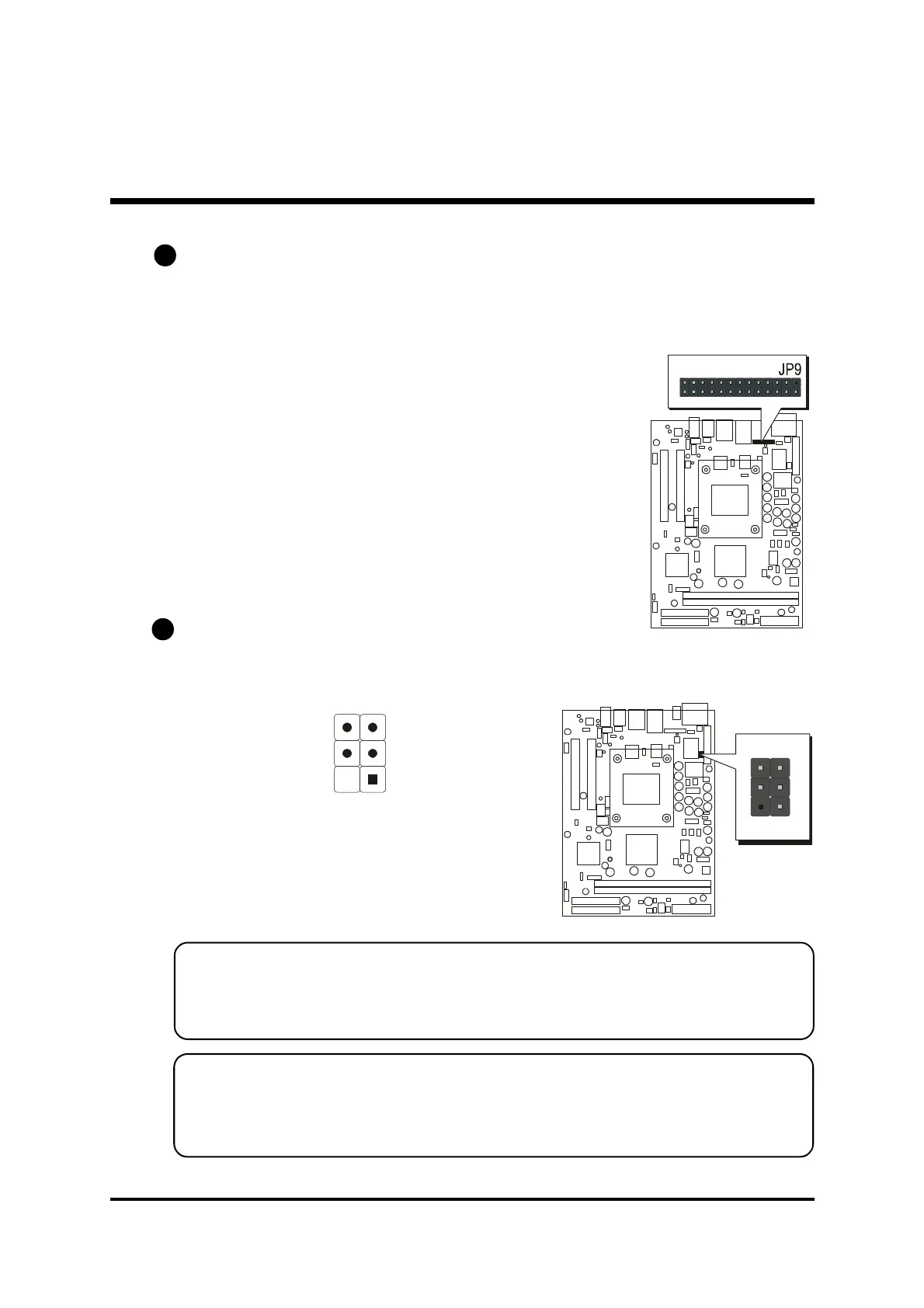
Parallel Port Header (JP9)
One DB25 male parallel port header is located at the rear panel of the maiboard.
The header is used to connect the cable attached to parallel connector. But the
parallel cable and connector os optional at the time of purchase.
E6
IR Header (JP8)
If you have an infrared device, this mainboard can implement IR tranfer func-
tion. To enable the IR transfer function, follow these steps:
Pin Assignment:
1=NC 2=KEY
3=+5V 4=GND
5=IRTX 6=IRRX
Note: Before connect your IR device, please be sure each IR on board pin
allocation is matchable with the pin of the IR device. Other wise,
incorrect IR connection may do damage to your IR device.
Step1: Attach the 6-pin infrared device cable to JP8.
(Refer to the above diagram for IR pin assignment.)
Step2: This mainboard support IrDA, or Normal transfer modes.
Paralle Port
IR
1



 To Next Page