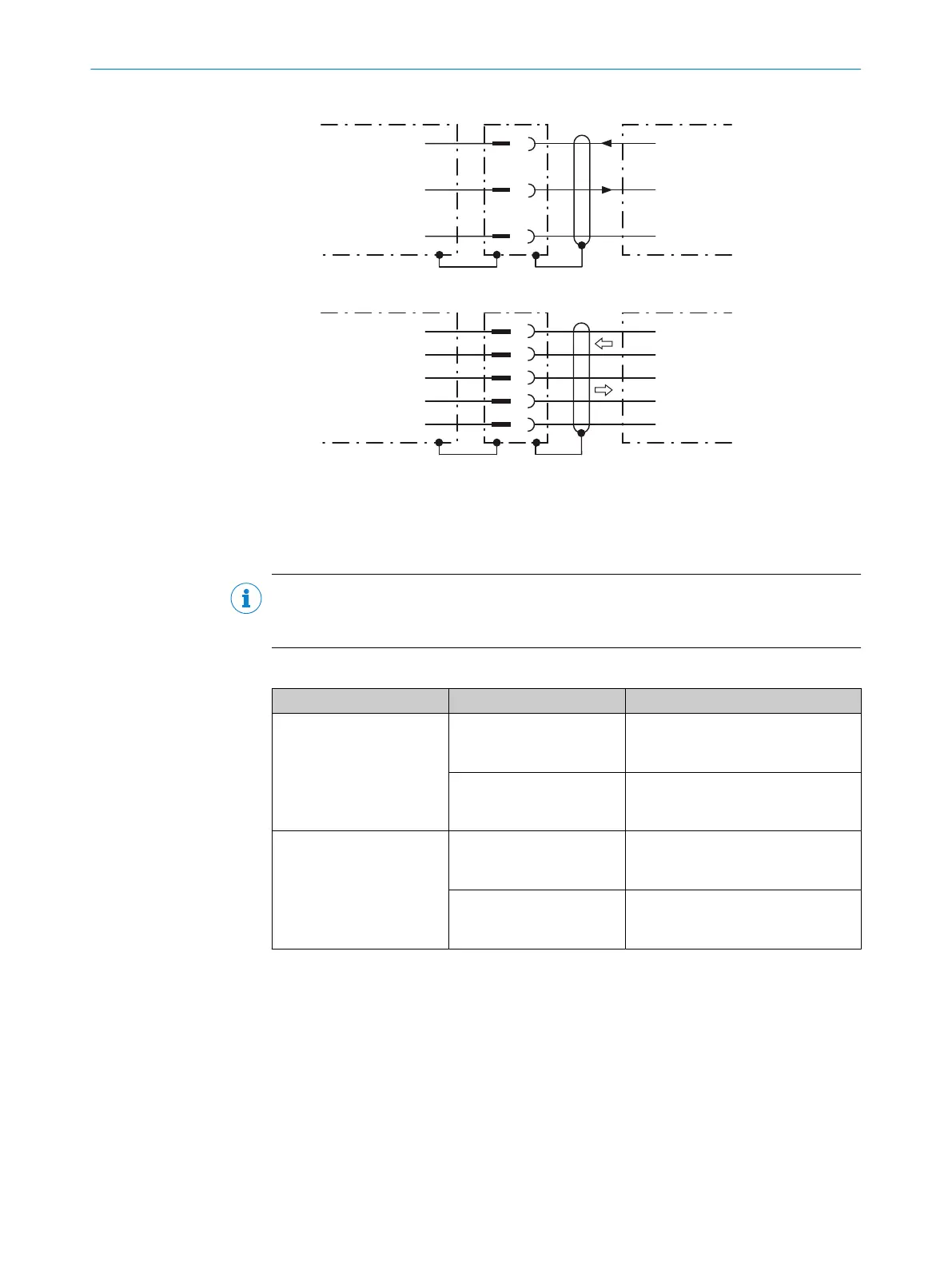
RS-232
!
"
§
Device 1 Host
TxD
RxD
GND
RxD
TxD
GND
RS-422
$
%
&
/
(
Device 1 Host
RD+
TD+
RD‒
TD‒
GND
TD+
RD+
TD‒
RD‒
GND
Figure 13: Wiring of the serial data interfaces RS-232 and RS-422
1
Device
!...§
Pin assignment: see RS-232 pin assignment for the respective device
$...(
Pin assignment: see RS-422 pin assignment for the respective device
NOTE
Activate the serial data interface type in the device using a configuration tool, e.g. the
SOPAS ET configuration software.
Wiring the data interfaces of the device via a connection module:
Connection module Data interface Reference
CDB650-204 RS-232 see "Wiring serial host inter‐
face RS-232 of the device in
CDB650-204", page 70
RS-422 see "Wiring serial host inter‐
face RS-422 of the device in
CDB650-204", page 70
CDM420-0006 RS-232 see "Connecting serial host inter‐
face RS-232 of the device in
CDM420-0006", page 84
RS-422 see "Connecting serial host inter‐
face RS-422 of the device in
CDM420-0006", page 84
Termination of the RS-422 data interface
Termination can be implemented in the connection module via switches.
Additional information on this can be found in the operating instructions for the relevant
connection module.
ELECTRICAL INSTALLATION 6
8016185/19E9/2020-10-21 | SICK O P E R A T I N G I N S T R U C T I O N S | Lector64x/65x Flex, Lector65x Dynamic Focus
41
Subject to change without notice











 To Next Page