6.6.4 Wiring the CAN interface
NOTE
Activate the CAN data interface in the device with a configuration tool, e.g. the configu‐
ration software SOPAS ET.
Make further settings in the device corresponding to the function of the device in the
system configuration.
Wiring the CAN interface of the device via a connection module:
Connection modules Interface Reference
CDB650-204 CAN see "Wiring the CAN interface in the
CDB650-204", page 71
CDM420-0006 CAN see "Wiring the CAN interface in the
CDM420-0006", page 85
Connection type 2 (for Systems)
For this connection type, the devices can be directly switched in series without a
connection module (line typology). The devices communicate with each other and are
supplied with voltage via the CAN In/CAN Out connections.
A maximum of 3 devices can be supplied with voltage via the CAN cable. If a device
network/CAN network with more than 3 participants is needed, a separate voltage
supply must be used for every 3 devices. Communication between all devices in the
network is done via CAN.
Other information on using system devices combined with a system controller can be
found in the operation instructions of the controller (e.g. MSC800 modular system
controller, part number 8011539).
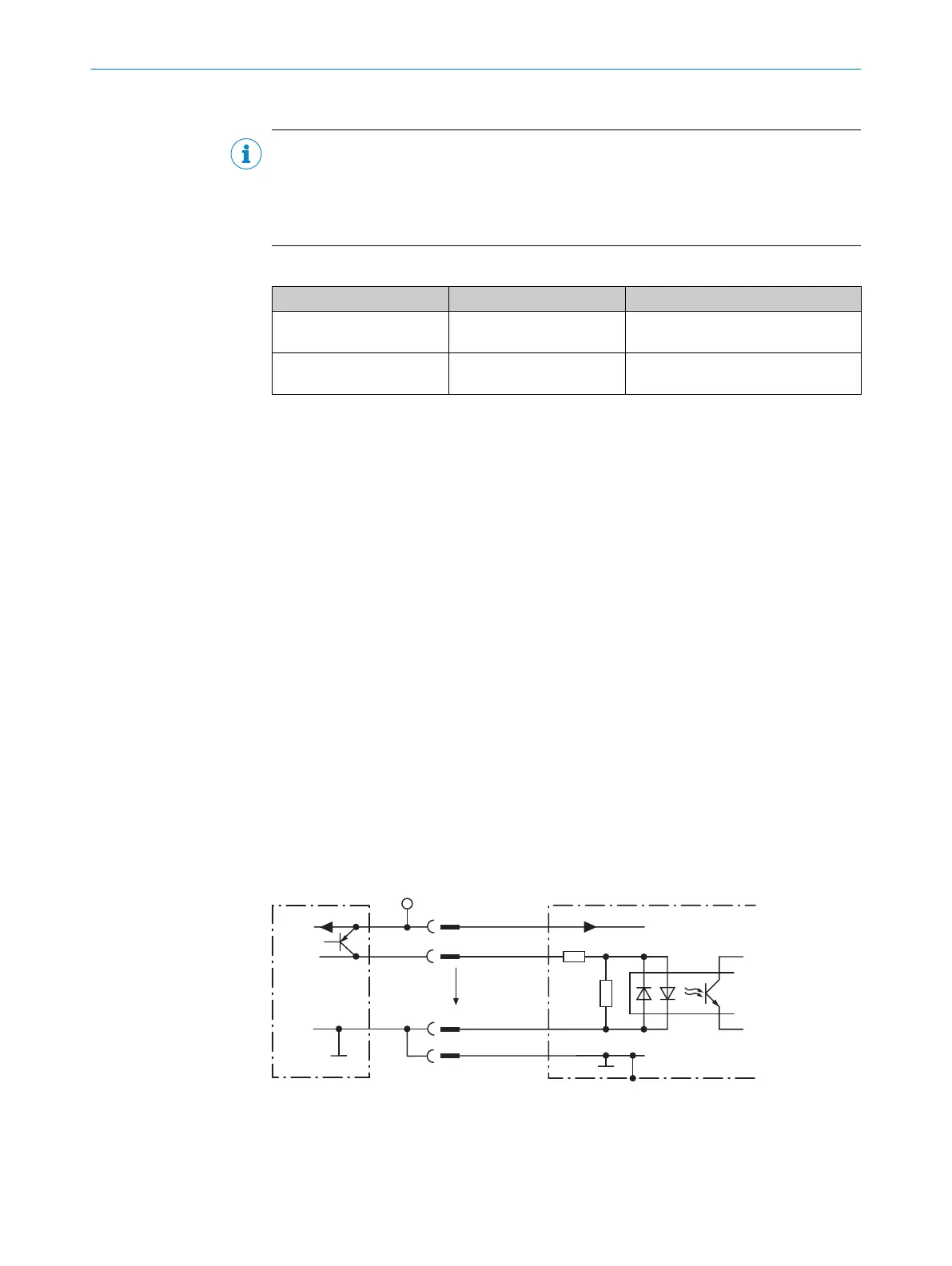
6.6.5 Wiring the digital inputs
The two physical digital inputs “Sensor 1” and “Sensor 2” can be used, for example, for
starting and/or ending the external read cycle or for feeding an incremental signal.
The full complement of digital inputs is available at each of the following locations:
•
Male connector of the device (M12, 17-pin, A-coded)
•
Adapter cable (female connector, M12, 17-pin, A-coded/male connector, D-Sub-
HD, 15-pin)
•
Open end of the adapter cable (female connector, M12, 17-pin, A-coded/open
end)
Signal 3
3.32K
6.64K
"
§
$
Sensor GND
V
S
2
V
S
V
S
V
in
5
!
PNP sensor 1
GND
GND
Switching input of device 4
GND
V
S
Figure 14: Wiring a digital input
1
Trigger sensor (PNP sensor)
2
Supply voltage V
S
3
Input signal
6 ELECTRICAL INSTALLATION
42
O P E R A T I N G I N S T R U C T I O N S | Lector64x/65x Flex, Lector65x Dynamic Focus 8016185/19E9/2020-10-21 | SICK
Subject to change without notice










 To Next Page