MCS100E HW Maintenance Manual 8009624/2009-09 (V1.4) ©SICKMAIHAKGmbH 21
Preventive Maintenance
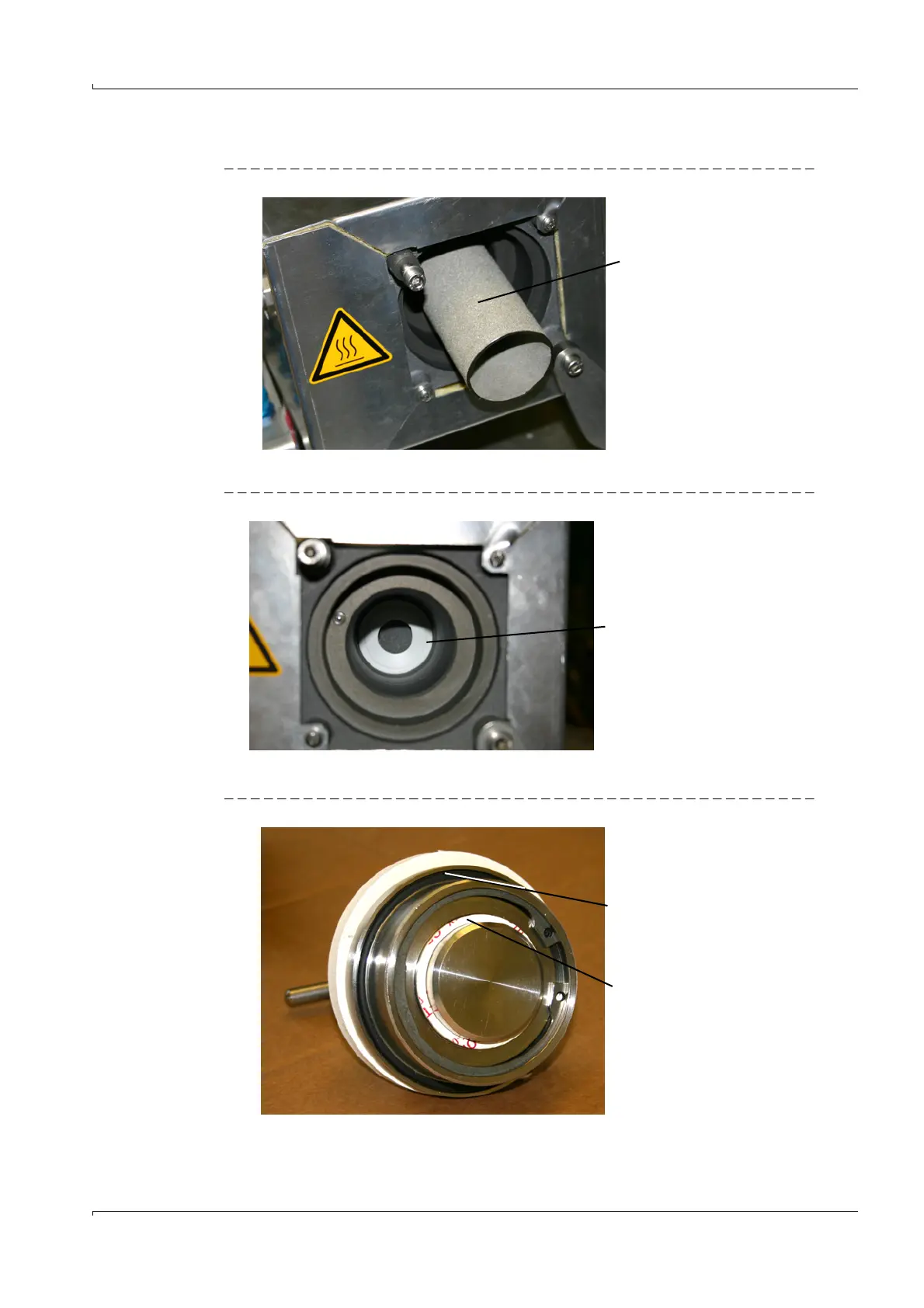
4 Remove the fine filter cartridge.
Fig. 13 Fine filter cartridge
5 Pull the bottom flat seal out with a wire hook
Fig. 14 Bottom flat seal
6 Insert new bottom flat seal.
Fig. 15 Seals of filter cover
7 Replace O-ring and flat seal of filter cover.
8 Insert new or cleaned fine filter cartridge.
Fine filter cartridge
Bottom flat seal
O-ring
Flat seal















 To Next Page