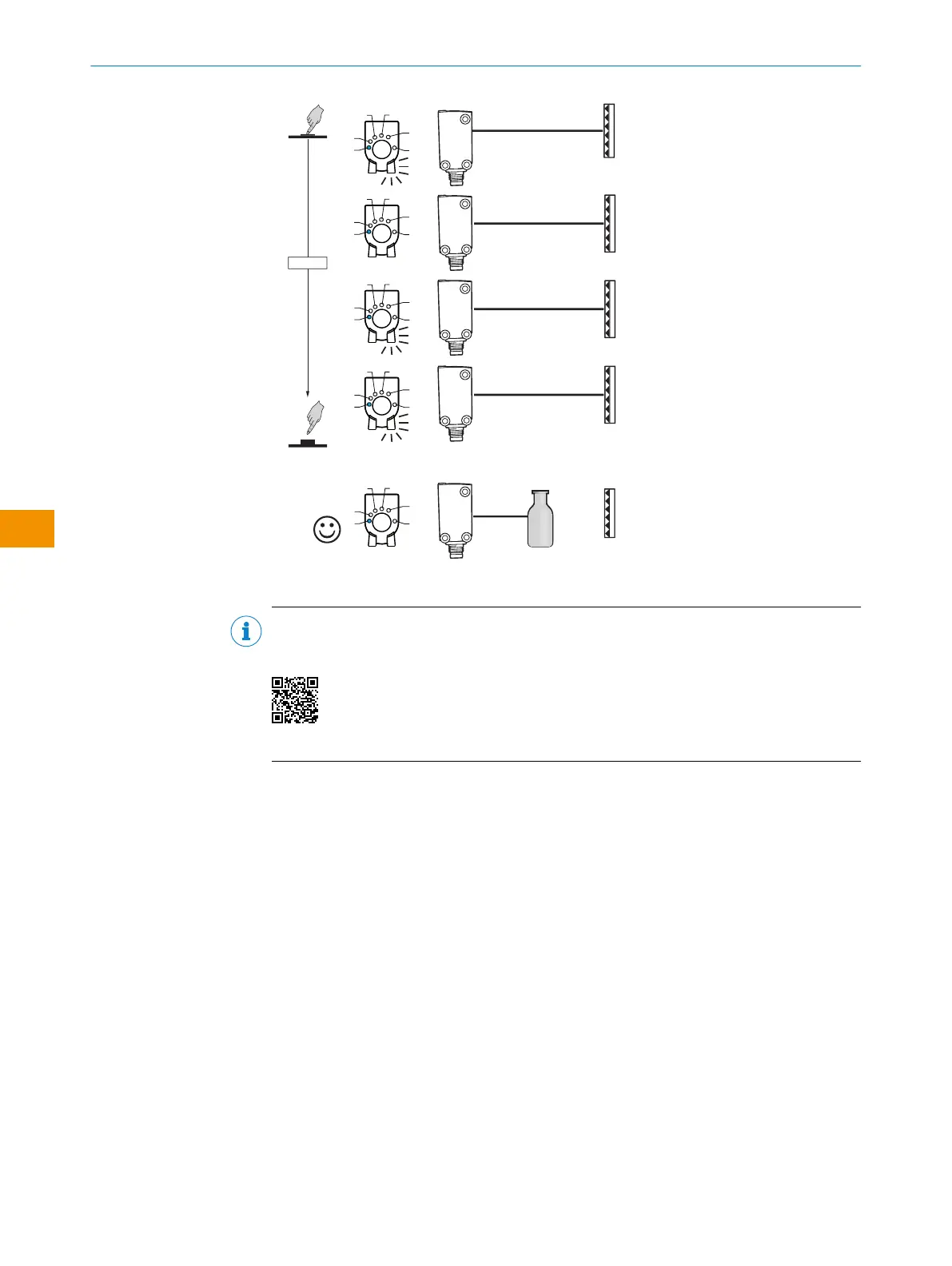
1...3 sec.
1
2
1
M
2
3
4
5
1
M
2
3
4
5
1
M
2
3
4
5
1
M
2
3
4
5
1
M
2
3
4
5
Figure 15: Adjustment via teach-in button
NOTE
Selecting the MultiMode operating modes and the associated teach-in procedures is
shown in the following tutorial:
https://video.sick.com/media/t/0_cxzr6xi1
6.5 Configuration via IO-Link
In addition to manual setting the parameters on the device, the sensor can also be
configured via IO-Link.
Configuration via IO-Link can be performed in two ways:
•
Configuration via the SiLink box (required software: SOPAS ET from SICK)
To do this, connect the sensor to a computer via USB using the SiLink box.
•
Configuration via an IO-Link Master (PLC), e.g. SIG350
You can quickly and easily test and parameterize the connected products using the
SOPAS ET program (SICK Engineering Tool with graphic user navigation and convenient
visualization).
Details on configuration can be found in the detailed IO-Link description: Technical
Information: Photoelectric sensors, SICK Smart Sensors / IO-Link.
OPERATING INSTRUCTIONS
44
O P E R A T I N G I N S T R U C T I O N S | WLG4S 80282151N09/2024-03-12 | SICK
Subject to change without notice
en











 To Next Page