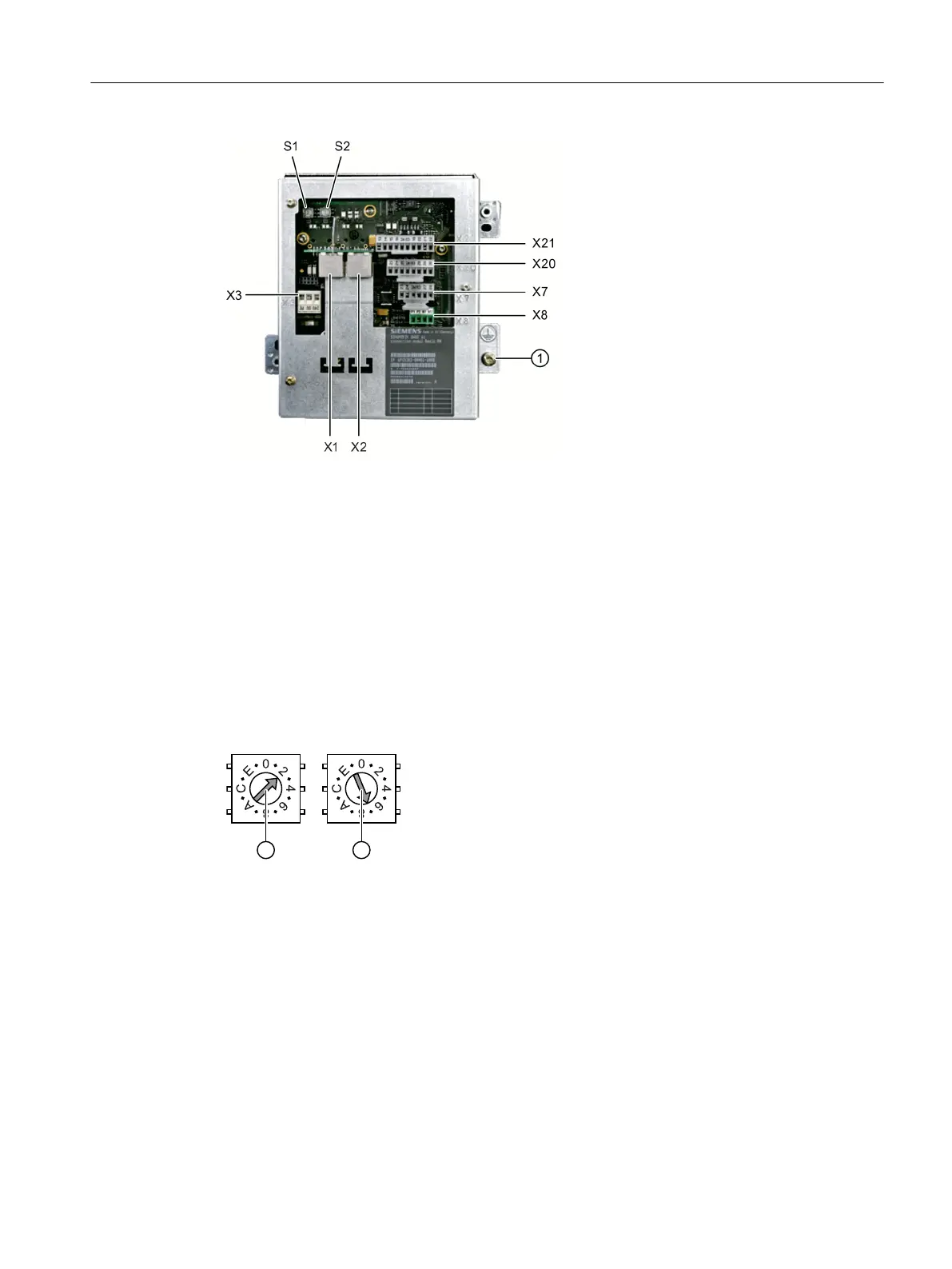
① Grounding screw M5 for potential equalization connection
Figure 5-6 Rear of the Basic PN connection module
Setting the box ID
You can use rotary coding switches S1 and S2 to set a unique ID on any connection module
for station identification purposes.
Use a screwdriver to set the IDs.
The setting is entered in hexadecimal format. Values in the decimal format between 0 and 255
can be entered.
By way of an example, the figure below illustrates address 27H, which corresponds to decimal
address 39.
① Rotary coding switch for higher-order bits (S1)
② Rotary coding switch for lower-order bits (S2)
Figure 5-7 Example for address "27H"
Connector pin assignments
Signal type:
I Input
O Output
B Bi-directional signals
P Potential
Connecting
5.3 PN Basic connection module
Handheld Terminal HT 8
Manual, 07/2015, A5E36371621B-AB 113


 To Next Page
 Loading...