Appendices
Connecting Multiple MD Power Meters to an RS
91
Building Technologies 125-202
06/06/2017
Appendix C - Connecting Multiple MD Power Meters to an
RS-485 Network
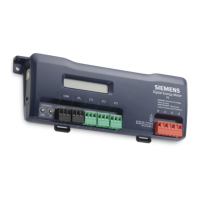
This section describes setting up a network with multiple MD-BMS or MD-BMED
Power Meters using the BACnet or Modbus communication protocol. An RS-485
network can support up to 127 MD-BMS or MD-BMED devices using the BACnet
protocol and 247 MD-BMS or MD-BMED devices using the Modbus protocol. Due to
typical BAS network traffic, it is suggested to limit the BACnet devices to less than 100
meters on a network and Modbus devices to less than 150 meters on a network. This
estimation is for sizing only; more meters may be possible depending on control
system network traffic.
Communication Protocol
BACnet MS/TP and Modbus RTU are standard communication protocols that allow
communication between a client and multiple devices connected to the same network.
RS-485 is the protocol standard used by MD-BMS or MD-BMED meters as the
hardware’s physical interface while BACnet or Modbus is the networking protocol.
Daisy Chain Layout for RS-485 Network
When multiple devices are connected, the devices must be connected in a daisy chain.
A daisy chain means that all plus (+) connections are chained together, and all minus (-
) connections are chained together across the network.
A network containing multiple devices requires a unique address for each device. This
allows the master device to identify and communicate with each slave. The
BACnet/Modbus network administrator must assign a unique network address to each
MD-BMS or MD-BMED Power Meter using the rotary switches MSB and LSB.
Other network layouts (for example, star) are not recommended when using the RS-
485 standard.
Networking Using the BACnet MS/TP/Modbus RTU
Protocol
1. Install the RS-485 cable on the RS-485 communications terminal block.
2. Set a unique address for each device using the table in
Establishing
Communication Protocol
in the
Prepping for Installation
section.



 To Next Page