36/72
Building Technologies User Manual OCI600 74 319 0002 0 c
HVAC Products Setting up the OCI600 with the ACS7.. software 15.07.2005
screen will show data points “Counter module n name“
and “Counter module n address“.
3. Double-click on the respective line to open the entry field
for entering the counter module’s name (maximum 16
characters) and address. The counter module’s address
must agree with that set on the AEW2.1.
4. Repeat steps 2 and 3 above for all counter modules.
4.2.3 Integrating the QAB30.600 temperature
sensors into the OCI600
Before starting to parameterize a temperature sensor, en-
sure that
• power is supplied to the QAB30.600 temperature sensor
• the address plug is fitted
• the LED on the device flashes
When these preconditions are satisfied, make the settings in
the ACS7.. operating software:
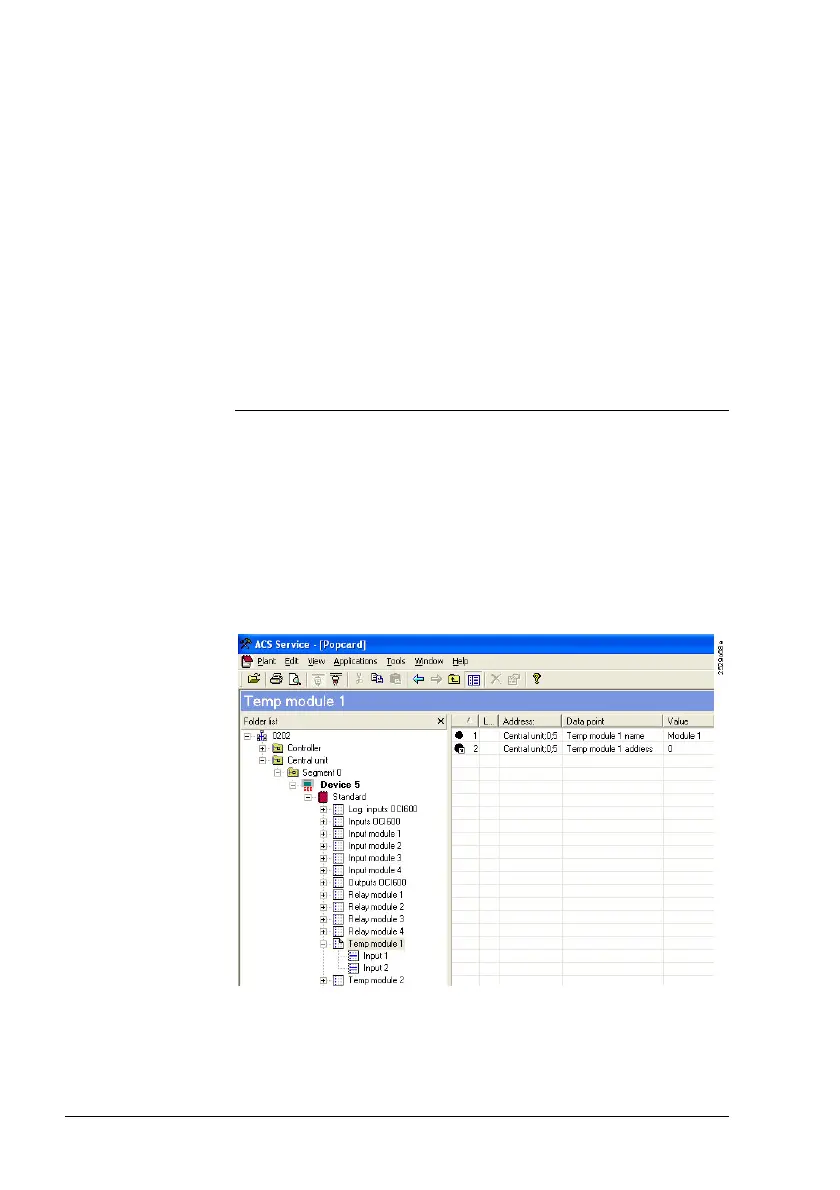
1. On the View menu, deactivate Consider dependen-
cies.
Preparatory
work
Settings in
ACS7...







 To Next Page