43/72
Building Technologies User Manual OCI600 74 319 0002 0 c
HVAC Products Setting up the OCI600 with the ACS7.. software 15.07.2005
Parameter value Description
No action No forwarding
OCI600 relay 1 Activation of relay 1 on the OCI600
OCI600 relay 2 Activation of relay 2 on the OCI600
Data points “OCI600 digital input n state“ and “OCI600 digital
input n operating hours“ can only be read.
4.2.7 Parameterizing the digital outputs of
the OCI600
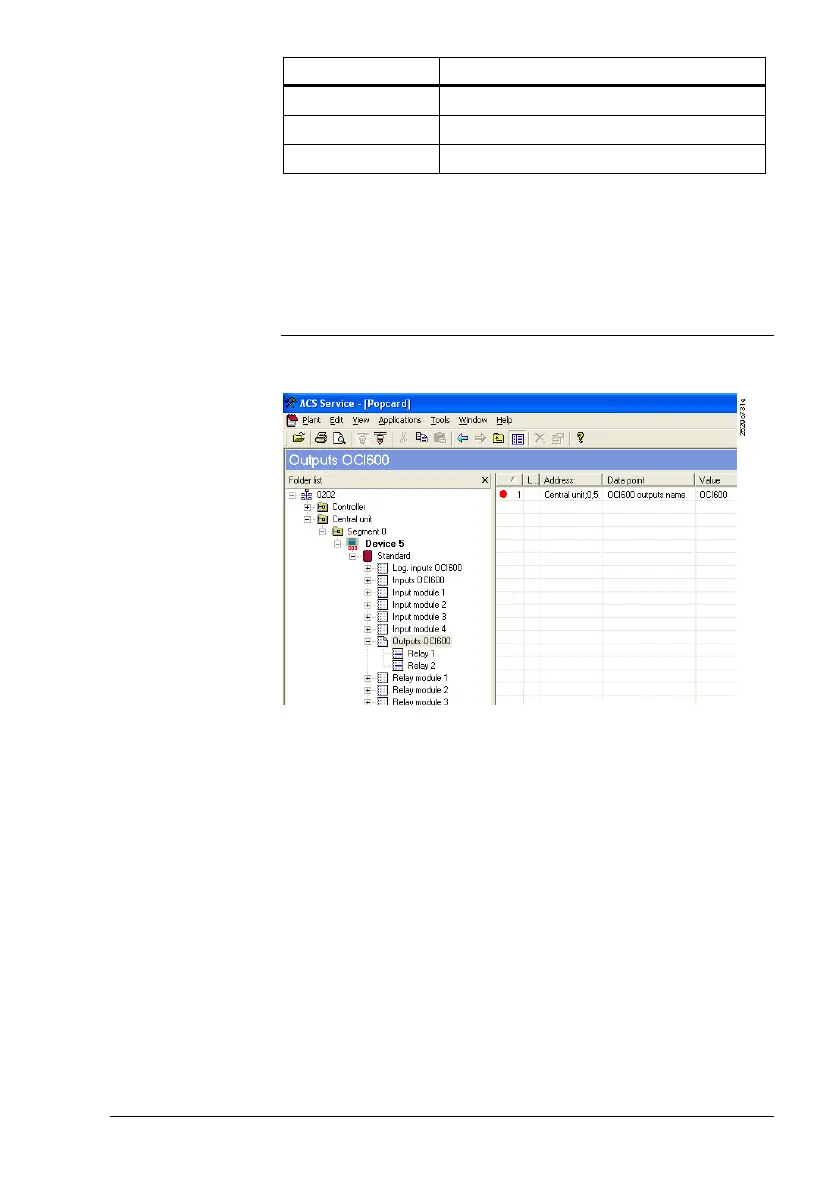
From the Applications > Popcard... menu, select operating
page “Outputs OCI600“.
The 2 digital outputs of the OCI600 are presented as a mod-
ule to which a freely selectable name with a maximum of 16
characters can be assigned.
Also, 1 operating level lower, names with a maximum of 16
characters can be assigned to the 2 relays.
Binary output “Relay n state“ can be changed directly by the
operator if data point “Relay n mode“ is set to “Manual“. “Re-
lay n mode“ can also be set to “7-day program 1“ through “7-
day program 3“. The procedure is the same as that de-
scribed in “4.2.5 Integrating the DOE4RE Batibus relay mod-
ules into the OCI600“.
Procedure
Data point:
“Relay n name“
Data points:
“Relay n state“
und “Relay n
mode“



 To Next Page