55/72
Building Technologies User Manual OCI600 74 319 0002 0 c
HVAC Products Communication and delivery of alarms 15.07.2005
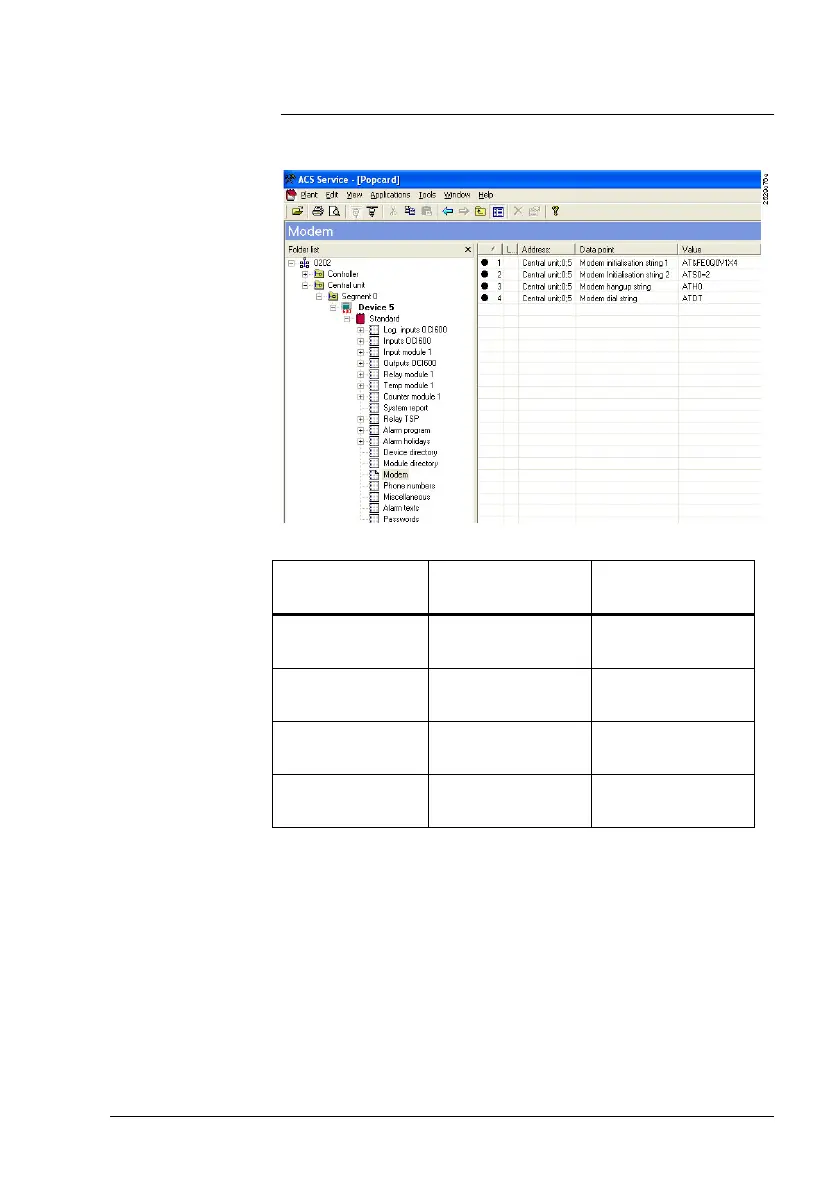
5.3.3 Operating page “Modem“
Before connecting a modem to the OCI600, a number of set-
tings must be made on operating page “Modem“.
Make the following entries in the data points:
Data point Analog / GSM ISDN (recom-
mendation)
Modem initiali-
zation string 1
AT&FE0Q0V1X4 ATE0Q0V1X4
Modem initiali-
zation string 2
ATS0=2 ATS0=2
Modem abortion
string
ATH0 ATH
Modem selec-
tion string
ATDT ATD
Procedure







 To Next Page