48/72
Building Technologies User Manual OCI600 74 319 0002 0 c
HVAC Products Communication and delivery of alarms 15.07.2005
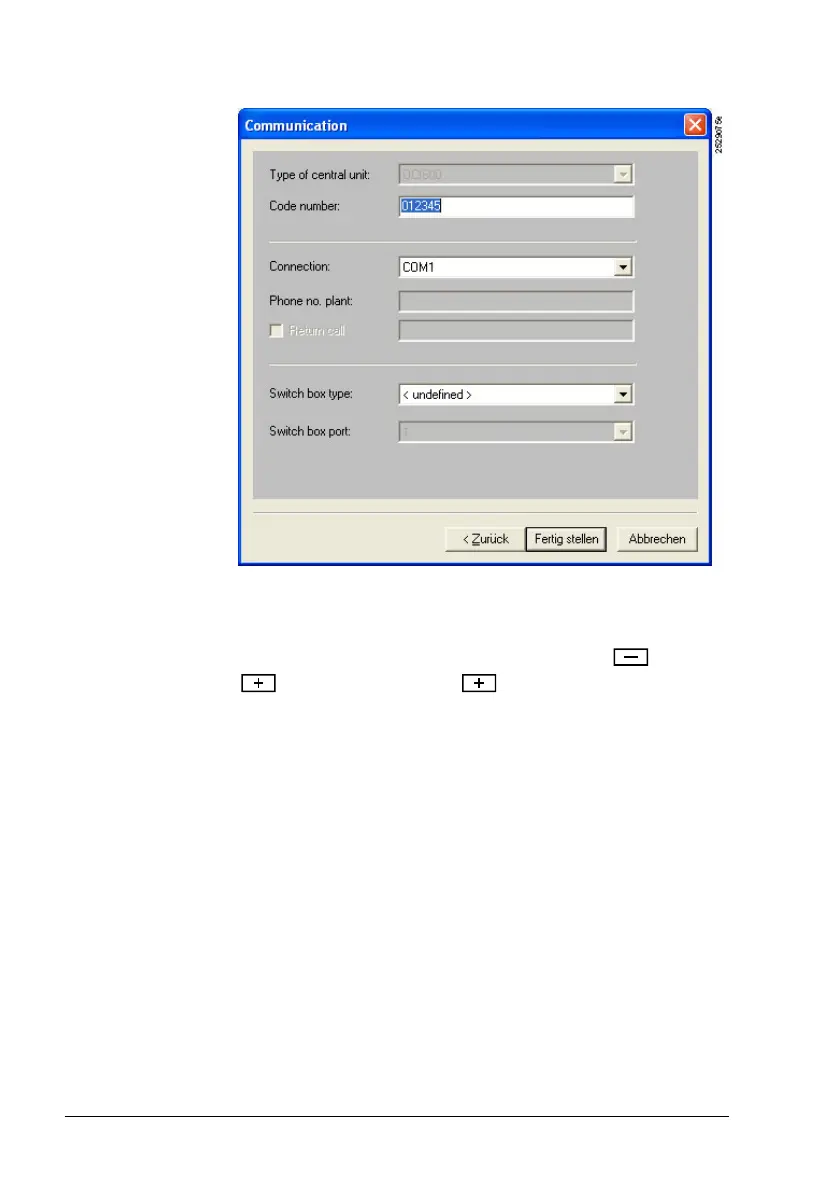
6. The numeric password is entered and will be active the
next time a connection is opened.
If the password used for the software under Plant proper-
ties… is different from the password active on the OCI600
and you do not know the latter, the plant must be reinitialized
(reset). The reset is made by pressing buttons and
on the left and button on the right before and
when switching on power. This means that all data are reset
to their default values so that setting values that have al-
ready been parameterized will be lost and a reset is required.
To make possible the first connection between the ACS7...
operating software and the OCI600, the central communica-
tion unit is supplied with the “Code No.“ set to “01“.
Password
forgotten
Note







 To Next Page