Configuring with the WBM
6.2 The WBM
SIMATIC RF360R
38 Configuration Manual, 03/2022, C79000-G8976-C629-02
Status bar
On the right above the main window there is the status bar with the following information:
• Date/time display of the reader
Note that the time stamp is generated by the device clock (UTC time). This time is
compared with the time format and time zone set on the PC and displayed in the
corresponding format.
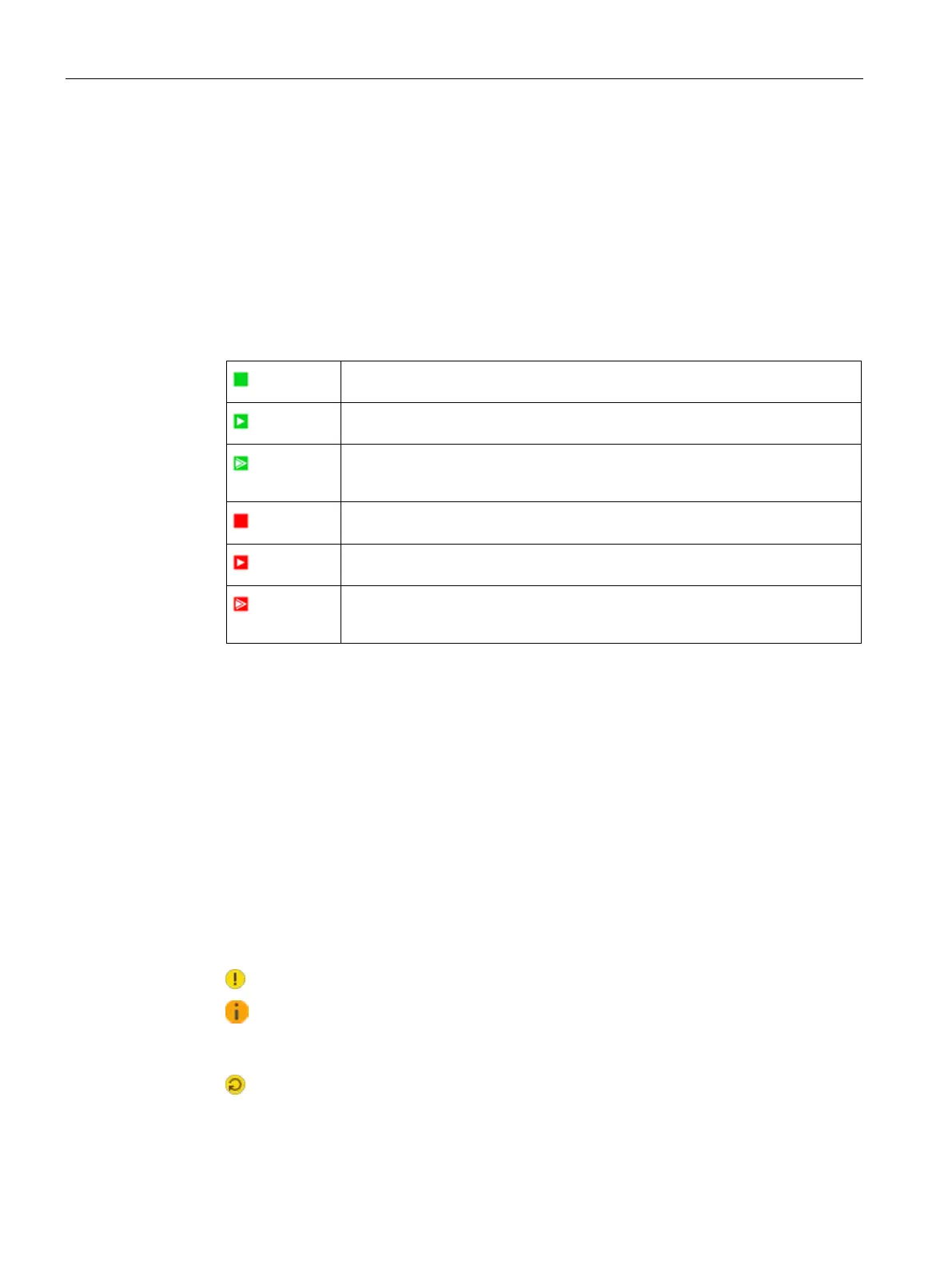
• Display of the device status
The following device states are possible:
Idle
The reader is ready for operation.
Running
The reader is running and has established a connection.
The reader is running and has established multiple connections (e.g. via PNIO
Error (idle)
The reader is ready for operation and there is an error.
Error (running)
The reader is running, has established a connection and an error is pending.
The reader is running, has established multiple connections and an error is
• Drop-down list for selecting the user interface language
• Logged-in user (with active authentication)
• Display of the time until the automatic logout as well as a drop-down list for selecting the
time interval
• Logout area (with active authentication)
Change notes in the user interface
Deviations between the settings in the user interface of the WBM and the configuration
stored on the connected reader are shown with a symbol in the user interface. If a value is
changed in the WBM interface, the relevant field is marked by a symbol. In addition, the tab,
if applicable, as well as the menu item in which the changed value is located and the
"Transfer configuration to reader" button are also marked by a symbol. A distinction is made
between the following symbols:
•
This symbol indicates that it is a simple change.
•
This symbol indicates that a change was made by another application simultaneously
to access to the reader via the WBM. To make sure that this change is not lost, you should
load the configuration from the reader.
•
This symbol indicates that it is a change that leads to a restart of the reader when it is
transferred.











 To Next Page