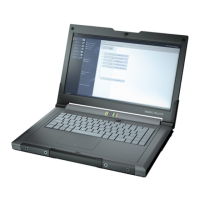
Product description
2.5 External design of the device
SIMATIC IPC MD-57A
Operating Instructions, 09/2023, A5E52775302-AA
21
Numeric keypad
The numeric keypad is located to the right of the alphanumeric keypad. It provides a compact
numeric keypad with arithmetic operators + - x / and <Enter>. Use it to quickly type columns
of numbers and add up totals in the table cell in Excel, for example.
Key <NUM> (NumLock)
Instead of entering numbers, you can alternatively control the cursor and screen with the
keys of the numeric keypad (double assignment): By pressing the <Num> key you activate
and deactivate this cursor/screen control, see also "Status displays (Page 23)".
Function keys
Twelve programmable function keys are arranged in the topmost row of keys. The
arrangement of these keys depends on the software loaded.
Control keys e.g. Fn key
You can use the standard functions labeled on the right side of each function key by pressing
and holding down the <Fn> control key beforehand, see section "Hotkeys (Page 21)".
2.5.2.4 Hotkeys
Hotkeys (key combinations)
With the <Fn> key and a 2nd key, e.g. a function key, you activate further key codes for
certain applications.
Switching the touchpad on and off
Standby mode/hibernation mode: based on the configuration of the energy-saving
key in the Windows energy options.
Switch flight mode on and off (WiFi/WLAN, Bluetooth).
Set keyboard illumination: 3 brightness levels and off
Toggle screen: Device display or external monitor
Switch loudspeaker on and off (mute)
Loudspeaker: Decrease volume
Loudspeaker: Increase volume
Switch microphone on and off (mute)
Reduce brightness of screen
Increase brightness of screen



 To Next Page