Installing and connecting the device
4.3 Connecting the device
SIMATIC IPC MD-57A
Operating Instructions, 09/2023, A5E52775302-AA
45
4.3.2 Connect SIMATIC S7 or PROFIBUS
You can connect the PG to a SIMATIC S7 automation system or a PROFIBUS network via the
electrically isolated*) MPI/DP interface. The MPI connecting cable (5 m) for connecting to
SIMATIC S7-CPUs (order number: 6ES7901-0BF00-0AA0) is supplied as standard.
Transmission rates of no more than 187.5 Kbps are possible with this cable. To achieve baud
rates higher than 1.5 Mbps, you will need a 12 Mbps PROFIBUS connecting cable (order
number 6ES7901-4BD00-0XA0).
*) Electrical isolation within the safety extra-low voltage circuit (SELV)
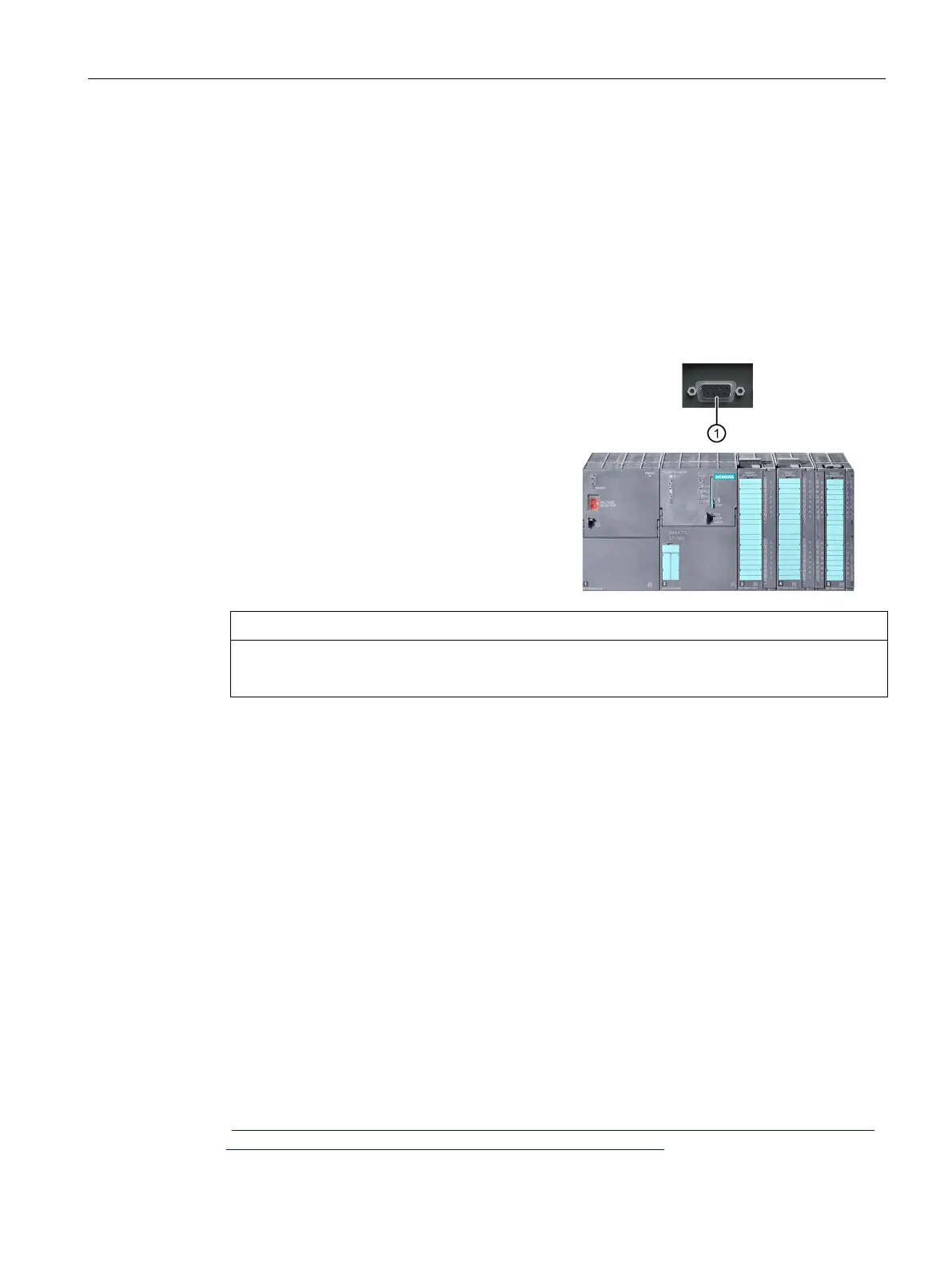
Connecting the device to an S7 automation system
Plug the cable into the MPI/DP inter-
face ①.
Screw the connector into place.
Insert the cable into the respective port on
the CPU.
In the disturbed environment: Bus con-
nectors
-0BB10-0XA0 or
-0BB20-0XA0
-0BF00-0AA0
Risk of damage to the device
Using an incorrect plug-in cable may damage the interface.
4.3.3 Connecting the device to systems and networks
The following options are available for the integration of the device in existing or planned
system environments/networks:
Ethernet
The integrated Ethernet ports can be used for communication and for data exchange with
automation devices such as SIMATIC S7.
PROFIBUS / MPI
The electrically isolated PROFIBUS interface can be used to interconnect distributed field
devices or for coupling to SIMATIC S7.
The "PROFIBUS" software package is needed to link to S7 automation systems.
RS232 interface (COM1)
For connection of serial periphery, for example, pointing instruments.
WLAN
Via the integrated WLAN interface, you can connect the device to an Industrial Wireless LAN
network.
You can find additional information here: Industrial Wireless Communication (IWLAN)
(
http://w3.siemens.com/mcms/automation/en/industrial-communications/industrial-wireless-
communication/Pages/industrial-wireless-communication.aspx)



 To Next Page